

Seeing “this account is locked” on your iphone? Fix your locked or disabled apple id in minutes using iforgot. Apple. Com. Works on all iphone models — visit gsmatoztool. Com for the complete guide
There’s Nothing More Frustrating Than Picking Up Your Iphone Ready To Download An App Or Make A Purchase Only To See That Dreaded Message This Apple Id Has Been Locked Or Disabled. Your Heart Sinks A Little Right? Maybe You’ve Been Locked Out At The Worst Possible Time And Now You’re Not Sure If Your Account Is Gone For Good Or If There’s A Way Back In. Trust Me You’re Definitely Not Alone In This.
The Good News Is An Apple Id Locked Or Disabled Isn’t The End Of The World And In Most Cases It’s Completely Fixable. In This Post We’ll Walk You Through Exactly Why This Happens What Each Error Message Actually Means And The Clearest Simplest Steps To Get Your Account Back Up And Running. Whether It Happened Out Of Nowhere Or After Too Many Failed Password Attempts You’ve Come To The Right Place.
What Does This Account Is Locked Actually Mean?
When You See The Message “this Account Is Locked And Can’t Be Used” Apple Is Telling You That Your Apple Id Has Been Temporarily Frozen. It’s A Security Measure Not A Punishment. Apple Uses This System To Protect Millions Of Users From Unauthorized Access Identity Theft And Fraud. So While The Message Feels Alarming It Usually Means Apple Is Doing Its Job.
There Are Two Slightly Different Situations Here. First Your Apple Id Might Be Locked Which Is Temporary And Usually Reversible Within Minutes. Second It Might Be Disabled Which Is A Bit More Serious And Requires You To Go Through Account Recovery. Either Way The Fix Exists. You Just Need To Know Where To Look And What Steps To Follow.
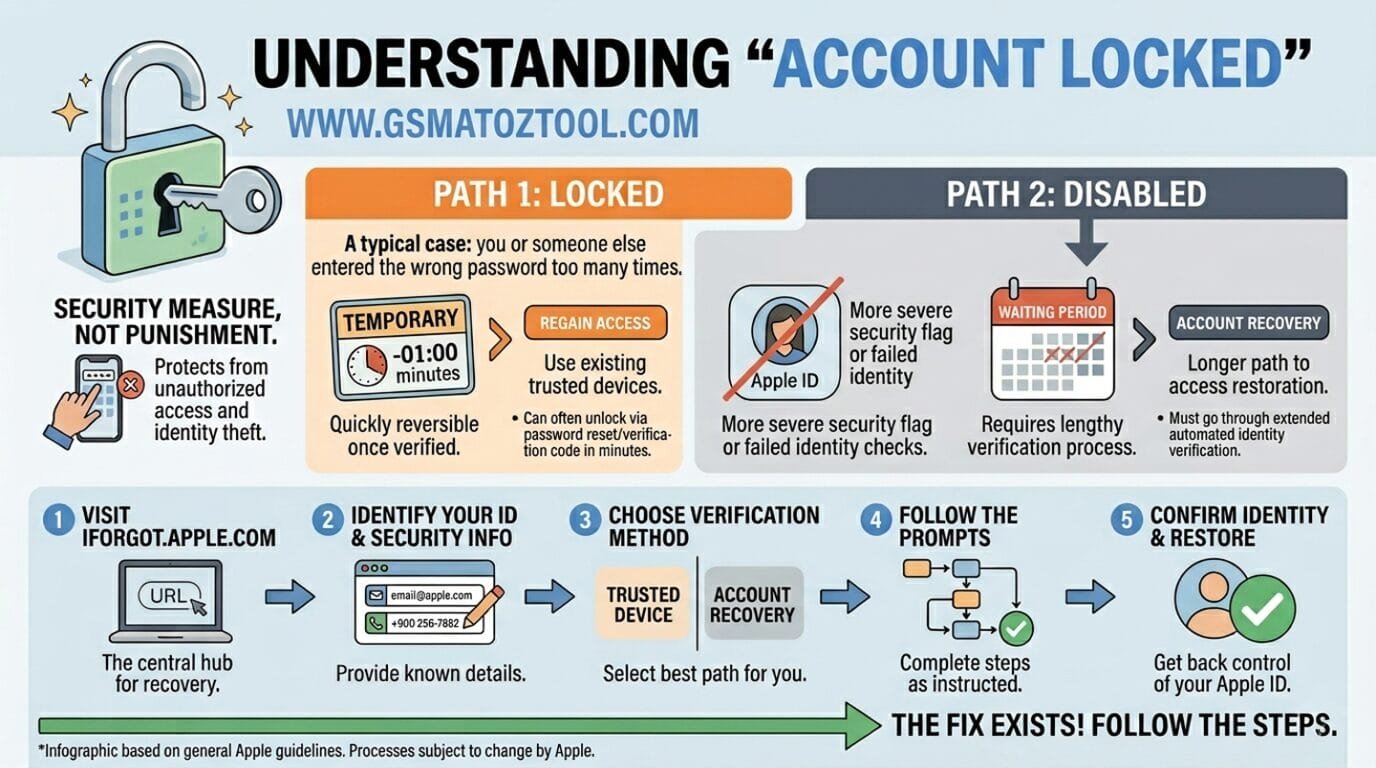
Apple id locked or disabled? Follow these 5 simple steps to fix “this account is locked” error on any iphone. Visit iforgot. Apple. Com to get started.
Also Read
Why Does Apple Lock Or Disable Your Apple Id?
Apple Doesn’t Lock Accounts For No Reason. The Most Common Trigger For An Apple Id Locked Or Disabled Situation Is Too Many Failed Password Attempts. If Someone — Or Some Automated Tool Tries To Guess Your Password Repeatedly Apple Steps In And Locks The Account Automatically. It Can Also Happen If You Answer Security Questions Incorrectly Too Many Times Or If Apple Detects Suspicious Activity On Your Account.
Other Reasons Include Using An Outdated Password That Doesn’t Meet Apple’s Current Security Standards Or Flagged Billing Issues Tied To Your Apple Id. In Rare Cases Apple May Disable An Account If It Violates The Terms Of Service. Whatever The Reason Knowing Why It Happened Helps You Choose The Right Fix And Avoid It In The Future.
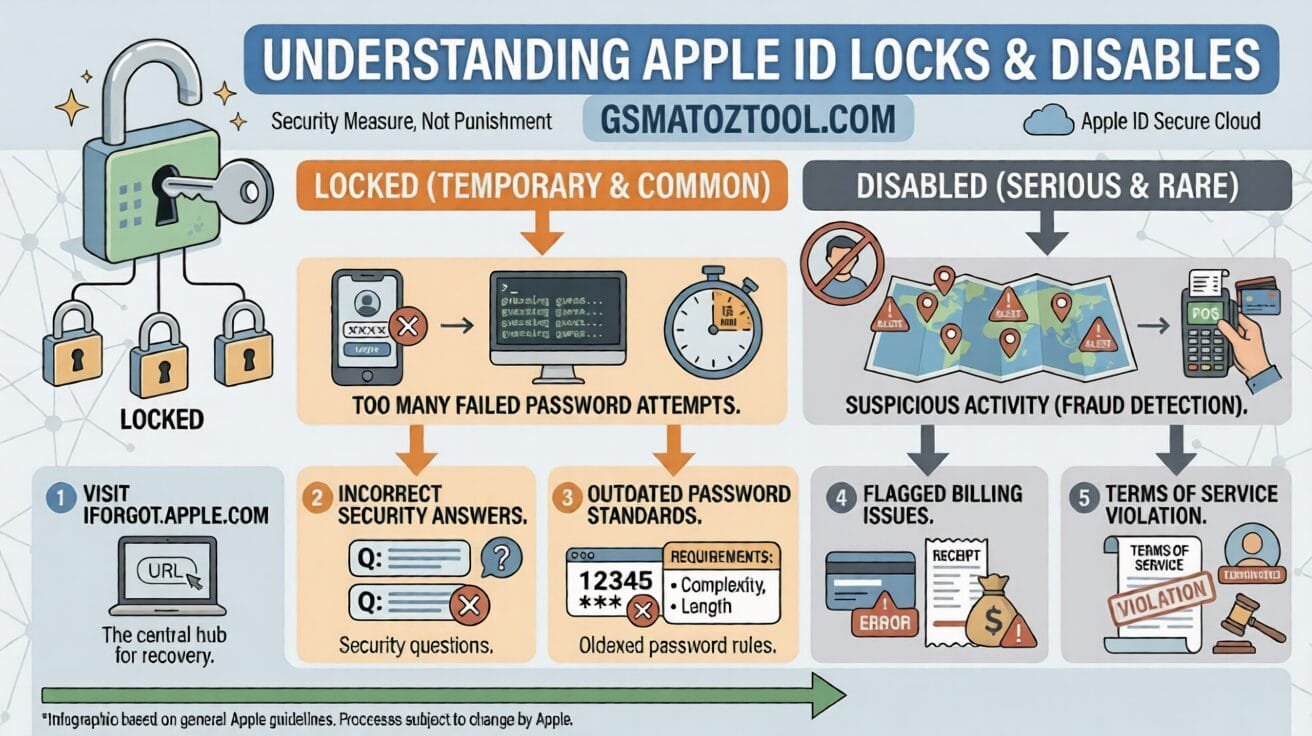
Apple id locked or disabled? This infographic shows 5 key reasons — from failed password attempts to billing issues. Visit iforgot. Apple. Com to fix “this account is locked” error fast.
Apple Id Locked Or Disabled / This Account Is Locked And Can’t Be Used Fix Service By Iphone Model
If You’re Seeing The “This Account Is Locked” Error On Your Iphone The Fix Process Is Essentially The Same Across All Models. However The Exact Menus And Interface May Look Slightly Different Depending On Which Iphone You’re Using. Below We’ve Broken It Down By Model So You Can Follow Along Without Any Confusion.
Regardless Of Your Device An Apple Id Locked Or Disabled Issue Always Runs Through Apple’s Official Recovery Tools As The Core Solution. We’ll Cover Those Step By Step After This Section. For Now Find Your Model Below And Confirm That Yes Your Device Is Supported And Fully Recoverable.
Iphone Xs Xs Max Xr Se 11 12 Mini 13 Mini
If You’re On An Iphone Xs Xs Max Xr Se 12 Mini Or 13 Mini The “This Account Is Locked” Error Appears In Settings Or During App Store Sign-in. These Models Run On Face Id Or Touch Id Authentication So You’ll Need To Verify Your Identity Through Apple’s Account Recovery Page At Iforgot.apple.com. The Process Is Quick And Works Well On These Devices When You Have Access To Your Trusted Phone Number Or Email.
Iphone 11 Pro 11 Pro Max 12 13
On The Iphone 11 Pro 11 Pro Max Iphone 12 And Iphone 13 Apple Id Lock Errors Often Show Up During Icloud Sync Or App Store Purchases. The Fix Is The Same Visit Iforgot.apple.com Enter Your Apple Id Email And Follow The On-screen Steps To Unlock Your Account. These Models Support Two-factor Authentication So Keep Your Trusted Device Nearby.
Iphone 12 Pro 12 Pro Max 14 15
Users On The Iphone 12 Pro 12 Pro Max Iphone 14 And Iphone 15 Sometimes See This Error After An Ios Update Or When Switching Between Apple Services. If Your Account Is Locked On These Models Don’t Factory Reset Your Device That Won’t Help And Could Complicate Things. Instead Go Directly To Apple’s Account Recovery And Verify Your Identity Through Your Registered Email Or Trusted Phone Number.
Iphone 13 Pro 13 Pro Max 14 Plus 15 Plus
On The Iphone 13 Pro 13 Pro Max Iphone 14 Plus And Iphone 15 Plus The Error Typically Pops Up In The Settings App Under Your Apple Id Name At The Top. Tap It And You’ll Usually See A Prompt To Verify Your Account. These Models Have Excellent Two-factor Authentication Support Which Makes Recovery Faster And More Straightforward Than On Older Devices.
Iphone 14 Pro 14 Pro Max 16 Plus
If You’re Using An Iphone 14 Pro 14 Pro Max Or Iphone 16 Plus The “This Account Is Locked” Message May Appear Even If You’ve Never Had Login Issues Before. This Is Sometimes Tied To New Security Checks Apple Runs On Newer Hardware. Simply Follow The Standard Apple Id Recovery Steps — Your Device’s Face Id Will Help Verify Your Identity Quickly During The Process.
Iphone 15 Pro 15 Pro Max 17 17 Air
On The Iphone 15 Pro 15 Pro Max Iphone 17 And Iphone 17 Air Apple Id Lock Issues Are Relatively Rare But Can Still Happen Especially If You Recently Changed Your Password Or Enabled A New Payment Method. The Good News Is These Newer Models Have Smoother Account Recovery Flows Built Right Into Ios. Check Your Settings App First Before Going To The Web You May Be Able To Unlock Directly From There.
Iphone 16 Pro 16 Pro Max
Iphone 16 Pro And 16 Pro Max Users Running The Latest Ios Version May Encounter This Error If Apple Flags An Unusual Sign-in Location. It’s A Security Feature Not A Bug. Head To Iforgot.apple.com On Any Browser Enter Your Apple Id And Apple Will Walk You Through The Verification Steps. Make Sure You Have Access To Your Trusted Phone Number Before You Start.
Iphone 17 Pro 17 Pro Max
On The Newest Iphone 17 Pro And 17 Pro Max Apple’s Security Protocols Are More Active Than Ever. If Your Apple Id Gets Locked On These Models The On-device Recovery Prompt Is Usually The Fastest Route. Open Settings Tap Your Name And Follow The Verification Steps. If That Doesn’t Work Iforgot.apple.com Is Your Next Stop And It Works Perfectly On All Models Including The 17 Pro Max.
Step-by-step Fix How To Unlock Your Apple Id
Here’s The Part You’ve Been Waiting For. Fixing An Apple Id Locked Or Disabled Situation Is Actually Straightforward Once You Know The Right Steps. Follow These In Order And You’ll Be Back In Your Account Within Minutes In Most Cases.
| Step | Action |
| 1 | Go To Iforgot.apple.com On Any Browser ( Phone Tablet Or Computer ). |
| 2 | Enter Your Apple Id ( Usually Your Email Address ) And Click Continue. |
| 3 | Choose How You Want To Reset — Via Trusted Phone Number Or Email Verification. |
| 4 | Follow The On-screen Instructions To Verify Your Identity. |
| 5 | Create A New Password When Prompted — Make It Strong And Unique. |
| 6 | Sign Back In On Your Iphone Using The New Password. |
| 7 | If Prompted Complete Two-factor Authentication On Your Trusted Device. |
If Iforgot.apple.com Doesn’t Work For Example If You No Longer Have Access To Your Trusted Number Or Email Apple Has An Account Recovery Option. This Takes A Few Days But It Works. You Submit A Request Apple Verifies Your Identity Using Your Device History And Other Signals And Then Restores Access To Your Account.
What If You Can’t Remember Your Apple Id Or Password?
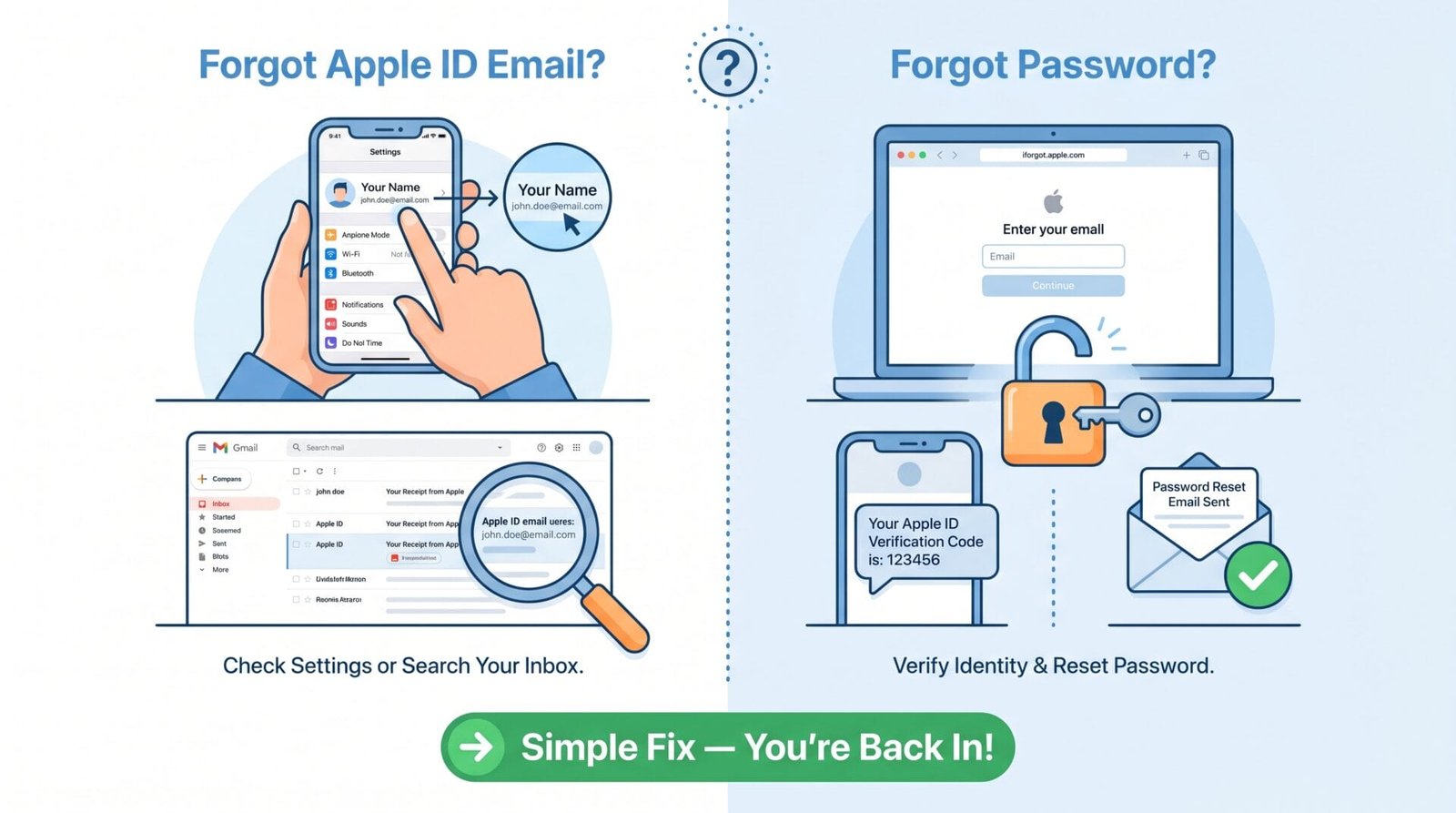
This Is More Common Than You’d Think. If Your Apple Id Locked Or Disabled And You’ve Also Forgotten Your Apple Id Email Address Check The Settings App On Your Iphone Tap Your Name At The Top And Your Apple Id Email Shows Just Below It. You Can Also Find It In Any Old Apple Receipt Or Confirmation Email In Your Inbox. Search For “apple” Or “Receipt From Apple” And It’ll Show Up.
If You’ve Forgotten Your Password That’s Exactly What Iforgot.apple.com Is Built For. You Don’t Need To Remember Your Old Password To Reset It. You Just Need Access To The Email Or Phone Number Tied To Your Apple Id. Once You Verify Your Identity You Create A Brand New Password And You’re In. Simple As That.
How To Prevent Your Apple Id From Getting Locked Again
Once You’re Back In It’s Worth Spending Five Minutes To Make Sure This Doesn’t Happen Again. The Single Most Effective Thing You Can Do To Prevent Your Apple Id From Getting Locked Or Disabled Is To Set Up Two-factor Authentication If You Haven’t Already. It Adds A Second Layer Of Security So Apple Can Verify It’s Really You And It Actually Makes Account Recovery Faster If You Ever Get Locked Out Again.
Here Are A Few Other Simple Habits That Help:
- Use A Strong Unique Password — Not One You’ve Used Anywhere Else.
- Keep Your Trusted Phone Number And Email Address Up To Date In Apple Id Settings.
- Don’t Share Your Apple Id Credentials With Anyone.
- Update Your Password Every 6–12 Months As A General Safety Practice.
- If You See A Sign-in Alert You Don’t Recognize Change Your Password Immediately.
These Small Steps Go A Long Way. Most Apple Id Lockouts Are Preventable Once You Understand What Triggers Them.
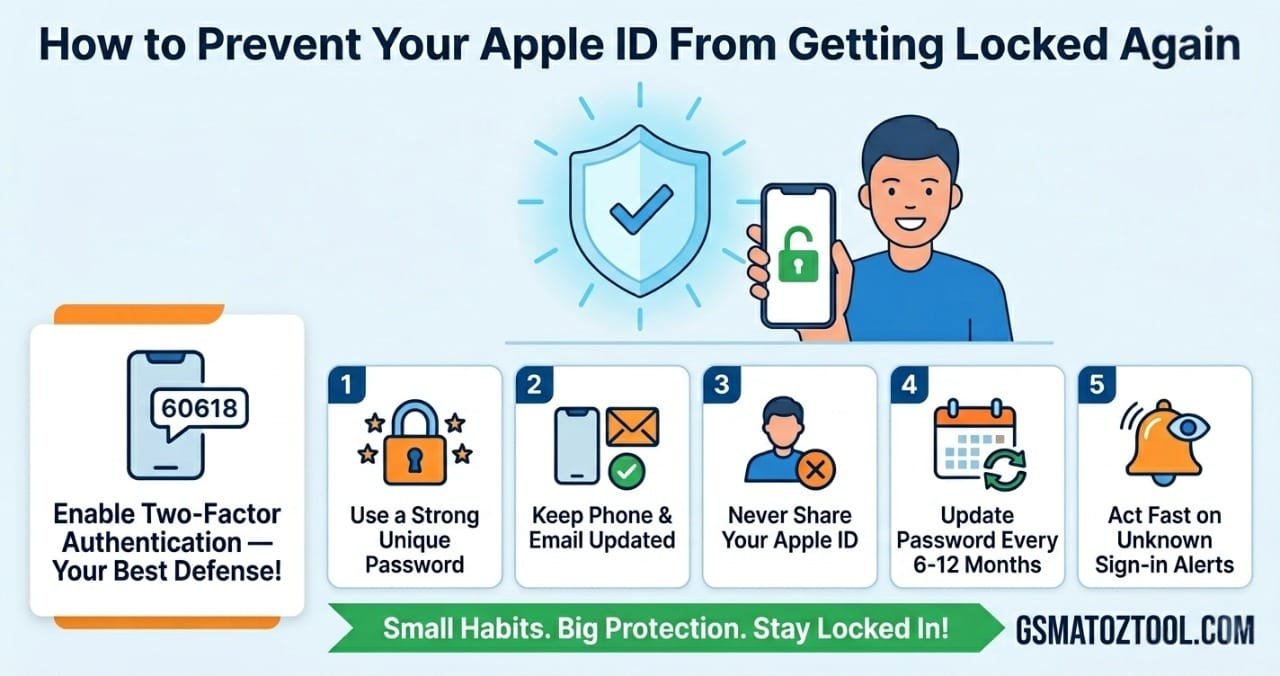
Keep your apple id safe! Enable two-factor authentication use a strong unique password and act fast on unknown sign-in alerts to prevent your apple id from getting locked or disabled again.
When To Contact Apple Support Directly
Most People Can Fix A Locked Or Disabled Apple Id On Their Own Using Iforgot.apple.com. But There Are Situations Where You’ll Need To Reach Out To Apple Directly. If You’ve Lost Access To Both Your Trusted Phone Number And Your Recovery Email The Self-service Tools Won’t Be Enough. In That Case Apple Support Can Walk You Through An Identity Verification Process That Bypasses The Usual Methods.
You Can Reach Apple Support Through Support.apple.com The Apple Support App Or By Visiting An Apple Store In Person. If Your Apple Id Locked Or Disabled And You Go In Person Bring A Government-issued Photo Id Apple May Ask To Verify Your Identity Before Restoring Account Access. It Takes A Bit More Time But It’s The Most Reliable Path When All Other Options Are Exhausted.
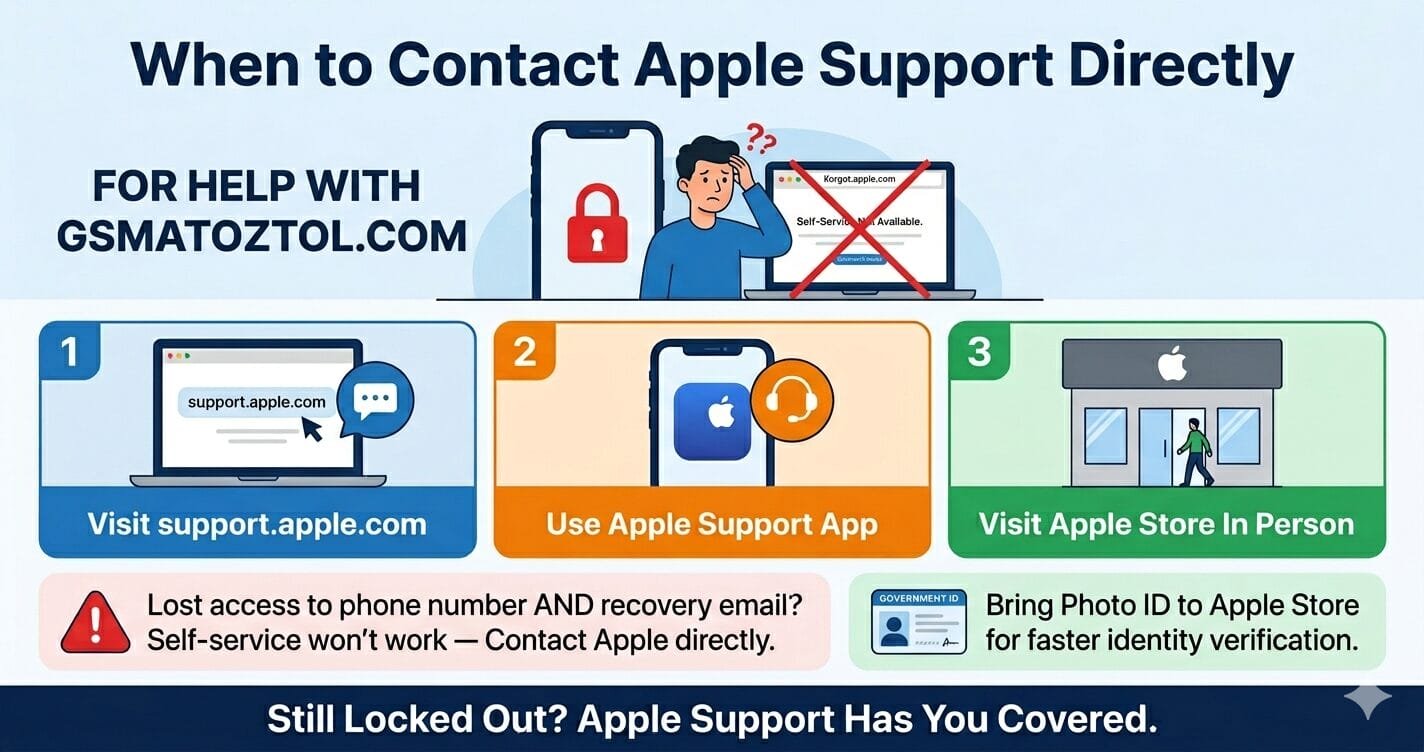
Can’t fix your locked apple id through iforgot. Apple. Com? Contact apple support via support. Apple. Com the apple support app or visit an apple store in person with your photo id.
Final Thoughts
Dealing With An Apple Id Locked Or Disabled Situation Is Stressful Especially When It Happens At The Worst Time. But As You’ve Seen It’s Almost Always Fixable. Whether You’re On An Older Iphone Xr Or The Newest Iphone 17 Pro Max The Steps Are The Same And The Tools Are Available 24/7 At Iforgot.apple.com.
The Key Is To Stay Calm Follow The Steps In Order And Not Try To Reset Your Device Or Create A New Apple Id Out Of Panic That Usually Makes Things More Complicated. If Your Apple Id Is Locked Or Disabled Stick To The Official Recovery Process Keep Your Account Info Updated Going Forward And You’ll Rarely Run Into This Problem Again. You’ve Got This.