Frt tool dashboard with flashing reset frp removal and firmware utilities for android repair
Sometimes Your Phone Just Stops Working The Way It Should And That Moment Can Feel Really Stressful—especially When You Don’t Know How To Fix It. Whether It’s Stuck On The Logo Locked With Frp Or Not Responding At All Many People Start Searching For A Simple Tool That Can Actually Help. That’s Usually When Frt Tool Comes Into The Picture Because It’s Made For Real Problems That Users And Technicians Face Every Day.
In This Post I’ll Explain How Frt Tool Works And What You Can Do With Its Service Flasher And Tools Tabs Step By Step. You’ll Learn How To Read Device Info Reset Or Flash Firmware Extract Ofp Files And Even Handle Advanced Options Like Super Img And Meta Packing. By The End You’ll Clearly Know If This Tool Is Right For Your Repair Needs And How It Can Make Your Work Much Easier.
What Is The Frt Tool
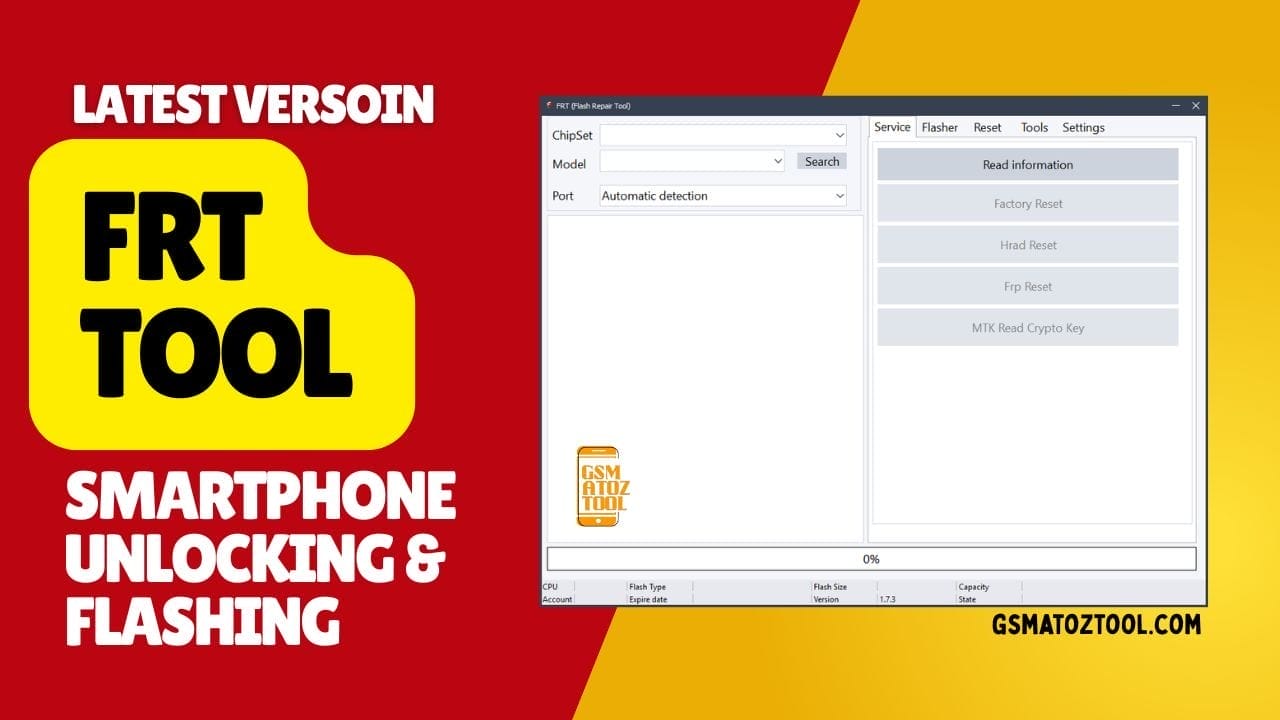
When Your Phone Gets Stuck Shows Errors Or Asks For A Google Account After Reset It Can Feel Really Frustrating. That’s Where Frt Tool Becomes Helpful Because It’s Designed To Fix Common Android Software Problems Without Complicated Steps. You Can Use It To Read Device Information Perform A Factory Reset Apply A Hard Reset And Even Remove Frp When You’re Locked Out.
It Also Supports Mtk Read Crypto Key Which Helps When Working With Mediatek Devices That Need Secure Access. The Service Tab And Flasher Tab Work Together To Cover Most Repair Needs In One Place. From The Service Tab You Can Use Options Like Read Information Factory Reset Hard Reset And Frp Reset In Just A Few Clicks.
The Flasher Tab You Get Function Options Such As Read Info Backup Firmware Flash Firmware And Erase Partitions For Clean Installs. For Advanced Users It Also Provides Settings Like Block Map Start Address (hex) Size (hex) Page And Logical Unit Number Which Are Useful For Custom Partition Flashing And Deeper Repairs.
Also Read
Download The Frt Tool Latest Verosin
Using The Latest Version Matters Because Updates Usually Bring Better Device Support And Fewer Errors. New Builds Often Improve Compatibility With Both Qualcomm And Mediatek Phones So Your Flashing And Reset Process Becomes Smoother. You’ll Also See Improvements In Stability When Performing Tasks Like Firmware Backup Full Flashing Or Partition Erase.
This Helps Reduce The Risk Of Failed Flashes That Can Make Problems Worse. The Tools Tab Adds Even More Power For Technicians And Advanced Users. Here You Can Use Firmware Tools Like Qualcomm Extract Ofp Firmware Mediatek Extract Ofp Firmware Pack Super Img And Pack Super Meta For Handling Modern Firmware Formats.
There’s Also An Imei Repair Service Where You Can Read Imei Repair Imei And Fix Bt Mac Wifi Mac Or Serial Number When Needed. However It’s Important To Remember That Imei Repair Should Only Be Done With Legal Permission And For Genuine Repair Purposes Not For Misuse. With All These Options Frt Tool Becomes A Complete Android Flash And Repair Solution That Saves Time And Avoids Switching Between Multiple Programs.
Supported Devices And Chipsets
This Tool Supports Both Qualcomm And Mediatek Chipsets. That Means It Can Work With Many Samsung Xiaomi Oppo Vivo Tecno And Infinix Models. Support Keeps Improving With New Versions Which Adds More Compatibility. This Wide Coverage Makes The Tool Very Flexible.
Because Android Phones Use Different Security Systems Not All Methods Work On Every Device. Still Having Both Mtk And Qualcomm Support In One Tool Is A Big Advantage. It Reduces The Need To Switch Between Different Flashing Software.
Features Frt Tool:
Service Tab
- Read Information
- Factory Reset
- Hard Reset
- FRP Reset
- MTK Read Crypto Key
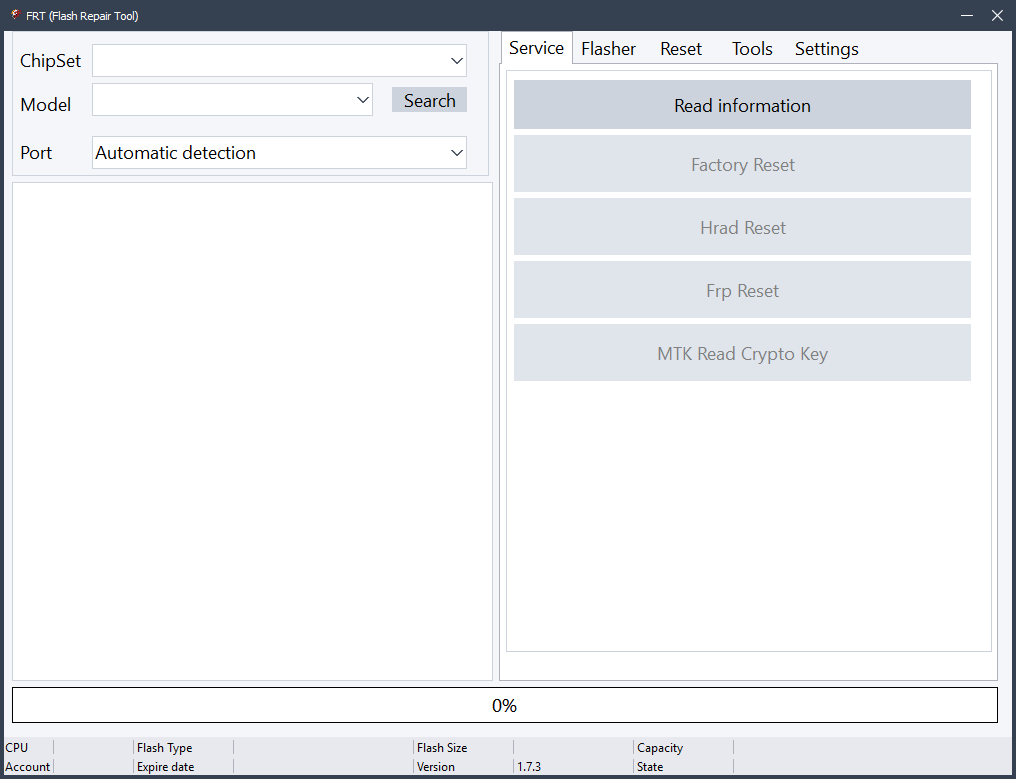
Frt tool dashboard with service flasher and tools tabs for flashing firmware resetting phones and removing frp locks
Flasher Tab
Function Options
- Read Info (Device details read)
- Backup (Firmware ka backup)
- Flash (Firmware flash kare)
- Erase (Partitions erase kare)
Advanced Flash Options
- Block (Map)
- Start Address (Hex)
- Size (Hex)
- Page
- Logical Unit Number
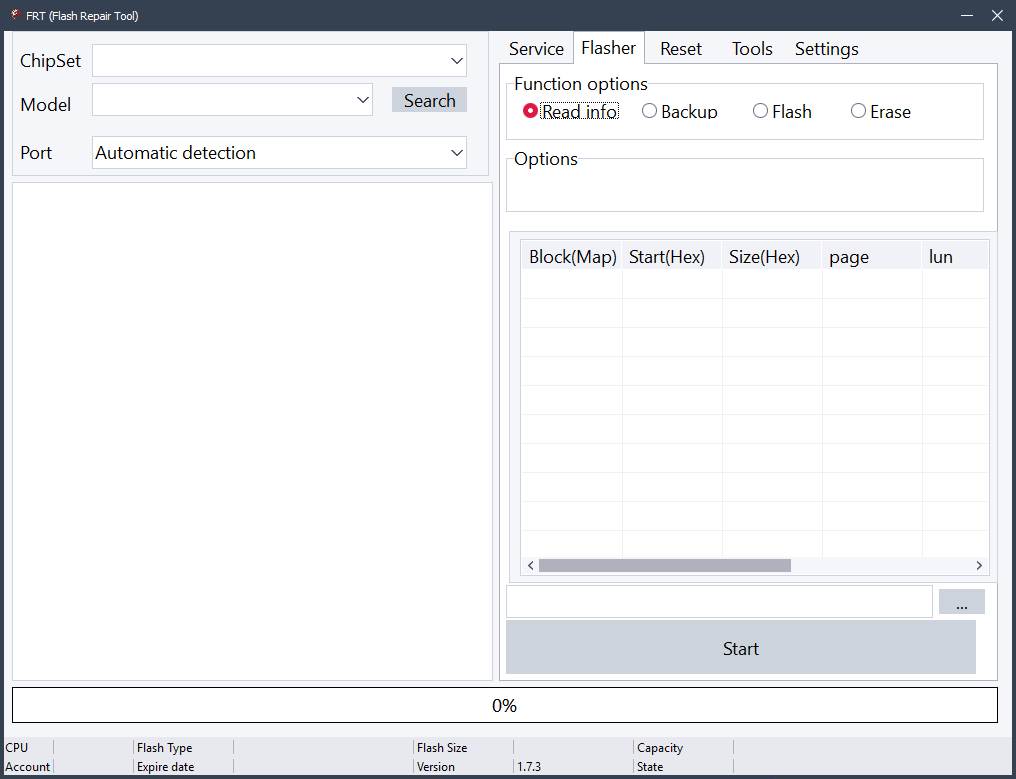
Frt tool main screen with service flasher and tools tabs for flashing firmware resetting phones and extracting ofp files
Tools Tab
Firmware Tools
- Qualcomm Extract OFP Firmware
- MediaTek Extract OFP Firmware
- Pack Super IMG
- Pack Super Meta
IMEI Repair Service
- Read IMEI
- Repair IMEI
- Repair BT MAC
- Repair WiFi MAC
- Repair Serial Number (SN)
Note: Imei Repair Legal Permission Ke Sath Hi Use Karein
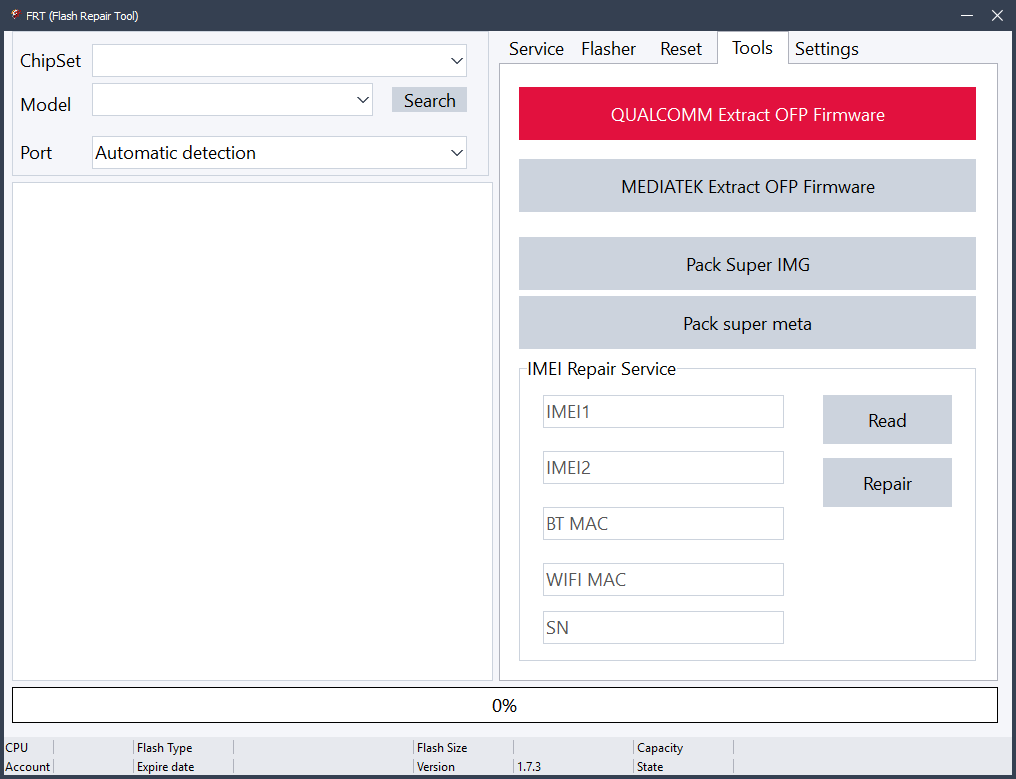
Download the latest frt tool to flash firmware reset phones and remove frp on mtk and qualcomm devices.
Is Frt Tool Safe To Use
If You Download The Tool From A Trusted Source And Use Correct Firmware It Is Generally Safe. Most Problems Happen When Users Flash Wrong Files Or Interrupt The Flashing Process. Always Make Sure Your Battery Is Charged And Usb Cable Is Stable. Small Mistakes Can Lead To Bigger Issues.
Also Some Antivirus Programs May Show Warnings Because Flashing Tools Access System Ports. That Doesn’t Always Mean The Tool Is Harmful. Still You Should Always Scan Files And Avoid Unknown Websites. Safety Depends A Lot On Where And How You Use The Software.
How To Use
- You Will Need To First Download The Zip From The Below Link.
- Then, Unzip All The Files In The C Drive.
- Then, Install The Setup With The Basic Instructions.
- Run The Tool As Admin “FRT Tool“
- If You Already Have Drivers Installed, Skip This Step.
- Enjoy ! !!
Frequently Asked Questions (FAQs)
What Is Frt Tool Used For?
Frt Tool Is Used For Android Phone Repair Tasks Like Flashing Firmware Resetting Devices And Removing Frp Locks On Mtk And Qualcomm Phones.
Can Frt Tool Remove Google Frp Lock?
Yes Frt Tool Has An Frp Reset Option In The Service Tab That Helps Remove Google Frp Lock On Supported Devices.
Does Frt Tool Support Both Mtk And Qualcomm Devices?
Yes The Tool Supports Both Mediatek And Qualcomm Chipsets Making It Useful For Many Android Brands And Models.
Is It Safe To Flash Firmware Using Frt Tool?
It Is Safe If You Use The Correct Firmware File And Do Not Interrupt The Flashing Process During Operation.
Can I Backup Firmware Before Flashing With Frt Tool?
Yes The Flasher Tab Includes A Backup Option That Allows You To Save Existing Firmware Before Flashing New Software.
Final Words
If You Deal With Android Repair Often This Tool Can Save You A Lot Of Time. From Frp Removal To Full Firmware Flashing And Advanced Partition Work It Covers Almost Everything. You Don’t Need Many Separate Tools When One Program Can Handle Most Tasks.
For Beginners It May Take A Little Practice But The Learning Curve Is Not Too Hard. With Careful Use And Correct Files It Becomes A Powerful Helper For Fixing Android Phones. Overall Frt Tool Is A Strong All-in-one Solution For Both Simple And Advanced Mobile Repair Jobs.
How To Download
To Download FRT Tool Follow These Steps:
- Go To The Gsmatoztool.com Website Of FRT Tool.
- Find The Download Page And Click On The (Download Link).
- Below Buttons Are Advertisements. Please Use The Download Links Above.
- Wait For The Download To Complete.
- Locate The Downloaded File On Your Device Once The Download Is Finished.
- Double-click On The File To Start The Installation Process.
- Follow The On-screen Instructions To Complete The Installation.
FRT Tool v.1.7.5
Download Link:: Usersdrive – Mediafire – 4shared – My.pcloud – Playbook – DropBox – Mega – Vexfile – Drive Proton