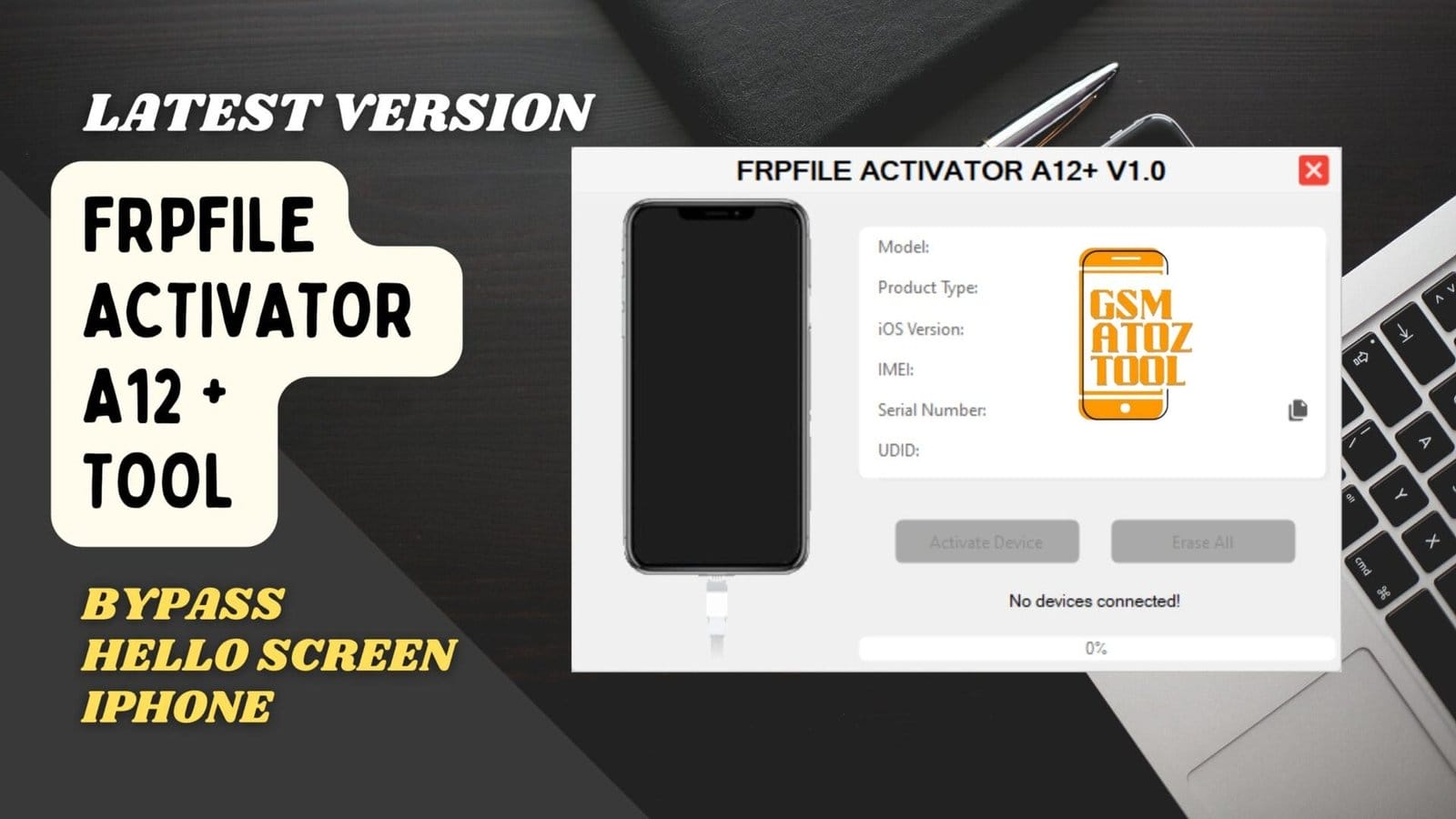
Frpfile activator a12 + tool bypass hello screen iphone
It Is Incredibly Frustrating When You Spend Money On A Modern Iphone Only To Get Stuck On An Activation Lock Screen That Feels Impossible To Clear. You Try Every Random Trick You Find Online But Most Tools Only Work For Old Models And Leave Your Newer Device Sitting There Like A Paperweight. Finding A Reliable Frpfile Activator A12+ Solution Is The Only Thing That Can Finally Turn That Expensive Brick Back Into A Working Phone You Can Actually Use.
In This Post I Will Show You How This Activator Handles The Iphone Xr Xs 11 12 13 14 15 And Even The 16 Series Along With A12+ Ipad Wi-fi And Cellular Models. You Will Learn How To Fix Complex Issues Using No-signal Mode For Baseband Errors Reboot Mode To Keep Your Device Active After A Restart And The Apple Pay Fix For Payment Features. I’ll Explain Exactly How To Bypass These Scenarios So You Can Get Your A12+ Device Back To Normal Without The Constant Stress Of Being Locked Out.
What Is The Frpfile Activator A12+
If You Have An Iphone Stuck On The Hello Screen And It Will Not Pass The Icloud Lock This Tool Is Made For That Exact Problem. Frpfile Activator A12+ Is Built For A12 And Newer Chips So It Works On Iphone Xr Xs Xs Max Iphone 11 And 11 Pro Series And Then Up Through The Iphone 12 13 14 15 And Even 16 Series When The Ios Version Is Supported. You Can Also Use It On A12 Ipads Including A12 + Ipad Wi‑fi & Cellular And A12 + Ipad Wi‑fi China Model Which Are Usually Harder To Handle With Normal Methods.
The Main Idea Is Simple. Instead Of Keeping A Phone Or Ipad As Dead Stock Just Because It Is Stuck On The Hello Screen You Use This Tool To Bypass And Reach The Home Screen So The Device Becomes Useful Again. It Is Not Magic And It Does Not Change The History Of The Device But It Gives You A Way To Bring Back A Locked Iphone Or Ipad For Apps Media Wi‑fi And In Some Cases Even More Functions.
Supported Iphone And Ipad Models
In Normal Use People Mostly Run This Tool On Iphone Xr / Xs / Xs Max And The Full Iphone 11 / 11 Pro / 11 Pro Max Family Because These Are Common In The Market. After That You See It A Lot On The Iphone 12 Series From Mini To Pro Max And The Iphone 13 Series. Newer Builds Can Also Handle Iphone 14 Series Iphone 15 Series And Iphone 16 Series When They Match The Supported Firmware List So You Should Always Confirm The Ios Version First.
On The Tablet Side It Covers A12 + Ipad Wi‑fi & Cellular And The A12 + Ipad Wi‑fi China Model So You Can Bypass More Than Just Phones. Many Technicians Use The Same Workflow For These Ipads Since They Get Stuck On The Same Hello Or Activation Screen. The Best Habit Is To Check Model Number And System Version Before You Start So You Know If This Tool Is A Good Match For Your Device.
Download The Frpfile Activator A12+ Latest Versoin
When You Look For The Latest Version Of Frpfile Activator A12+ You Should Always Download From An Official Or Trusted Source Not From Random Links Shared In Comments Or Unknown Forums. Fresh Builds Usually Add Better Support For New Iphone Generations Like Iphone 14 Series Iphone 15 Series And Iphone 16 Series And They Also Improve Handling For A12 + Ipad Wi‑fi & Cellular And A12 + Ipad Wi‑fi China Model.
Before You Run The File It Is Smart To Scan It On Your Pc And Double Check That The Version Is Really Made For Your Ios Build So You Do Not Waste Time On The Wrong Package. After Downloading You Normally Pick The Bypass Scenario Inside The Tool That Matches Your Situation For Example No‑signal Mode When Baseband Is Bad Reboot Mode When You Want The Phone To Stay Activated After Restart Or Apple Pay Fix If You Are Trying To Get Wallet And Payment Features Working Again On An A12+ Device.
Take A Quick Backup When Possible Follow The On‑screen Steps Slowly And Test Everything After The Bypass Including Wi‑fi Apps And At Least One Reboot So You Know The Result Is Stable Before You Hand The Device Back To A User Or Use It Yourself.
Also Read
System Requirements And Compatibility
To Run This Tool You’ll Need A Windows Pc Usb Cable And An Active Wifi Connection. The Device Must Be In Hello Mode Before Connecting. Supported Models Include:
- Iphone Xr Xs Xs Max
- Iphone 11 11 Pro 11 Pro Max
- Iphone Se (2nd & 3rd Gen)
- Iphone 12 Series
- Iphone 13 Series
- Iphone 14 Series
- Iphone 15 Series
- Iphone 16 Series
- A12+ Ipad Wifi & Cellular Including China Models
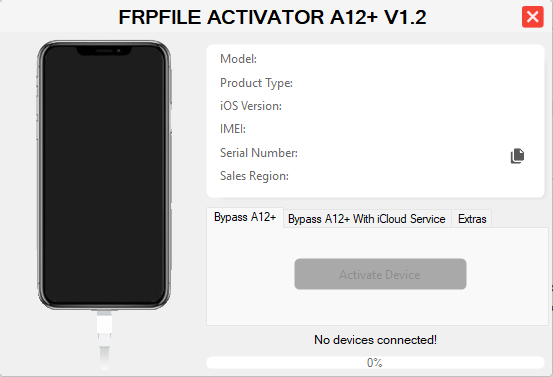
Bypass iphone hello screen using frpfile activator a12+ tool v1. 2.
Supported Devices And Ios Versions
The Frpfile Activator A12 + Tool Is Compatible With All A12+ Chipsets And Supports Ios 17.0 Through 18.7.1. It’s Regularly Updated Ensuring Even The Latest Iphones Remain Supported. Whether It’s An Iphone Xr Or Iphone 16 Pro Max This Tool Ensures Fast And Reliable Activation Without Requiring Advanced Technical Knowledge.
Iphone Series Compatibility
All Iphones From Xr To 16 Pro Max Are Supported. The Activation Remains Stable Even After Reboot Which Means Your Device Won’t Lock Again.
Ipad Wifi And Cellular Support
Both A12+ Ipad Wifi And Ipad Wifi China Models Are Supported Providing Full Access To App Store Notifications And Apple Pay Functions.
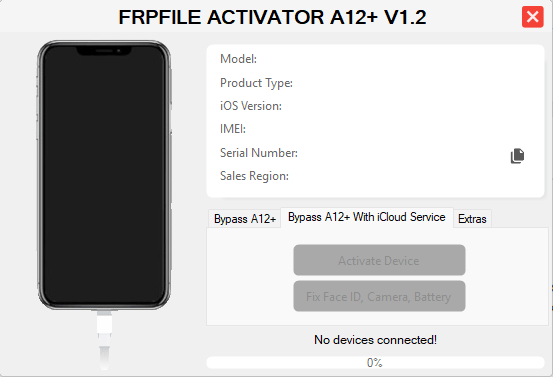
Bypass iphone hello screen using frpfile activator a12+ tool
Features
Frpfile Activator A12 + Tool Brings Several Practical Benefits That Make It A Go-to Solution For Technicians And Regular Users Alike.
- Instant Bypass For A12 And A12+ Chipsets
- Enable App Store Apple Pay And Notifications
- Lock Ota And Reset Protection
- Simple And Secure User Interface
- Compatible With All Major Ios Releases Up To 18.7.1
Instant Bypass A12+ Functionality
With The Instant Bypass System The Tool Activates Your Iphone In Seconds Without Requiring Dfu Or Jailbreak. It’s Ideal For Users Who Need A Quick No-risk Fix.
App Store And Notification Support
Once Activated You Can Sign In To The App Store Receive Notifications And Even Use Apple Pay Just Like A Fully Functional Iphone.
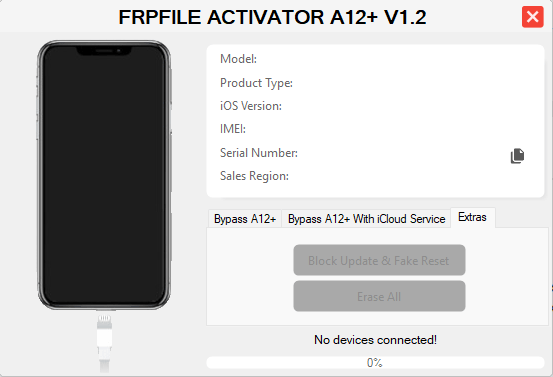
Frpfile activator a12+ tool v1. 2 for iphone hello screen bypass
How To Use Frpfile Activator A12+ Tool Step By Step
If Your Iphone Is Stuck On The Hello Screen And It Falls Under The A12 Or A12+ Family You Can Use The Frpfile Activator A12+ Tool To Bypass It In Just A Few Minutes. The Process Is Not Complicated But You Do Need To Follow Each Step Carefully So You Do Not Run Into Errors Or Get Stuck Halfway Through. Below Is A Simple Straight‑to‑the‑point Guide Written The Way A Real Technician Would Explain It.
Step‑by‑step Process
Using Frpfile Activator A12+ Is Pretty Straightforward When You Have Everything Ready.
Connect Your Iphone In Hello Mode With A Usb Cable
- Take The Device That Is Stuck On The Hello Or Setup Screen And Plug It Into Your Pc Using A Good Quality Usb Cable. Avoid Loose Or Damaged Cables Because They Can Break The Connection In The Middle Of The Process And Cause Problems.
Make Sure Your Pc Is Online Over Wi‑fi
- The Tool Needs Internet Access To Talk To The Server And Complete The Activation Bypass. Check That Your Pc Is Connected To A Stable Wi‑fi Network Before You Even Open The Program So You Do Not Get Random Network Errors Later.
Open The Tool And Click “check Support Status”
- Launch Frpfile Activator A12+ And Let It Detect The Connected Device. Click The Option That Checks Support Status So The Tool Can Confirm That Your Model And Ios Version Are Actually Supported Before You Waste Time.
Add Your Serial Number When Asked
- The Program Will Ask For The Device Serial Number To Continue. You Can Copy It From The Tool Itself Or From The Hello Screen Info And Then Paste Or Type It In. Double Check For Mistakes Because A Wrong Serial Can Stop The Activation From Working.
Click “Start Activation” And Wait For The Reboot
- Once Everything Looks Correct Hit The Start Activation Button And Leave The Phone Alone. Do Not Unplug The Cable And Do Not Close The Tool While It Is Processing; Just Wait Until The Device Finishes And Reboots On Its Own.
Let The Device Boot And Finish Setup
- After The Reboot You Should Be Able To Move Past The Hello Screen And Get Into The Home Screen Normally. Follow Any Quick Setup Steps On The Phone And Test Basic Functions So You Know The Bypass Is Complete.
Connecting The Device In Hello Mode
To Start The Whole Process The Phone Must Be In Hello Mode And Properly Detected By The Pc. If Your Iphone Is Already On The Hello Screen Just Connect It With The Usb Cable And Open The Tool. If It Is Off Or Frozen Hold The Power And Volume Buttons Together Until It Turns Off Then Power It Back On And Let It Come Back To The Hello Screen Before You Plug It Into The Computer.
Checking Support Status And Adding Serial
Once The Device Shows Up In The Tool The First Thing You Do Is Run The Support Check. This Quick Step Tells You If Your Model And Ios Version Are Allowed By The Current Version Of Frpfile Activator A12+. When The Program Asks For The Serial Number Enter It Carefully And Make Sure It Matches The Device You Are Working On So You Do Not See Errors During Activation.
Activation Over Wi‑fi Connection
During Activation The Tool Needs A Live Internet Connection On Your Pc So It Can Talk To The Server And Finish The Bypass. If Your Wi‑fi Drops In The Middle You Can Get Stuck Or See Random Failure Messages. To Avoid That Keep Your Pc Close To The Router Or Use A Stable Connection And Do Not Start Downloads Or Streaming While The Tool Is Running.
Wi‑fi Or Serial Connection Error
If You See A Wi‑fi Error Or The Tool Says It Cannot Talk To The Server The First Thing To Check Is Your Own Network. Make Sure Your Pc Is Really Connected To The Internet And Not Just To The Router. If The Usb Connection Drops Unplug The Cable Plug It Back Into A Different Port Restart The Tool And Try Again With A Better Cable If Needed.
Unsupported Device Message
Sometimes The Tool Will Tell You That The Device Is Not Supported And That Is Not A Bug. Frpfile Activator A12+ Is Made For A12 And A12+ Chipsets Only So Older Or Newer Unsupported Chips Will Not Work With This Version. If Your Model Does Not Fall Into The A12 Family Or The Ios Version Is Outside The Supported Range You Will Need A Different Method Or Tool Because Forcing It Here Will Not Help.
Frequently Asked Questions (FAQs)
Does Frpfile Activator A12+ Work On All Iphones?
No It Only Supports A12 And Newer Devices Like Iphone Xr Xs Xs Max Iphone 11–16 Series And Selected A12 Ipads. Always Check Your Exact Model And Ios Version Before Using It.
Will Using Frpfile Activator A12+ Restore Full Network Signal?
Not Always. In No‑signal Mode You Usually Get Wi‑fi Only While Other Modes May Keep Or Improve Signal Depending On Baseband Health And Firmware.
Is It Safe And Legal To Use Frpfile Activator A12+?
It’s Meant For Devices You Own Or Have Clear Permission To Work On; Bypassing Icloud On Stolen Or Unknown Devices Can Be Illegal In Many Countries.
Do I Need An Internet Connection While Using The Tool?
Yes Your Pc Must Stay Connected To A Stable Wi‑fi Or Network Because The Tool Uses Online Services During The Activation Process.
What Should I Do If My Device Shows “Unsupported Device” In The Tool?
Check If Your Phone Or Ipad Actually Has An A12 Or Newer Chipset And A Supported Ios Version; If It Doesn’t Match This Tool Will Not Work For That Device.
Final Thoughts
Frpfile Activator A12 + Tool Is One Of The Most Reliable And Easy-to-use Bypass Tools For Apple Devices. With Instant Activation No-signal Fixes And Full Ios 18.7.1 Compatibility It’s A Must-have For Users Facing The Hello Screen Lock. Always Download From The Official Source Follow Instructions Carefully And Enjoy A Fully Functional Iphone Within Minutes.
How To Download
To Download Frpfile Activator A12+ Follow These Steps:
- Go To The Gsmatoztool.com Website Of Frpfile Activator A12 + Tool .
- Find The Download Page And Click On The (Download Link).
- Wait For The Download To Complete.
- Locate The Downloaded File On Your Device Once The Download Is Finished.
- Double-click On The File To Start The Installation Process.
- Follow The On-screen Instructions To Complete The Installation.
Frpfile Activator A12+ Tool
Download Link:: Usersdrive – Mediafire – 4shared – My.pcloud – DropBox – Mega – Vexfile – Google Drive