
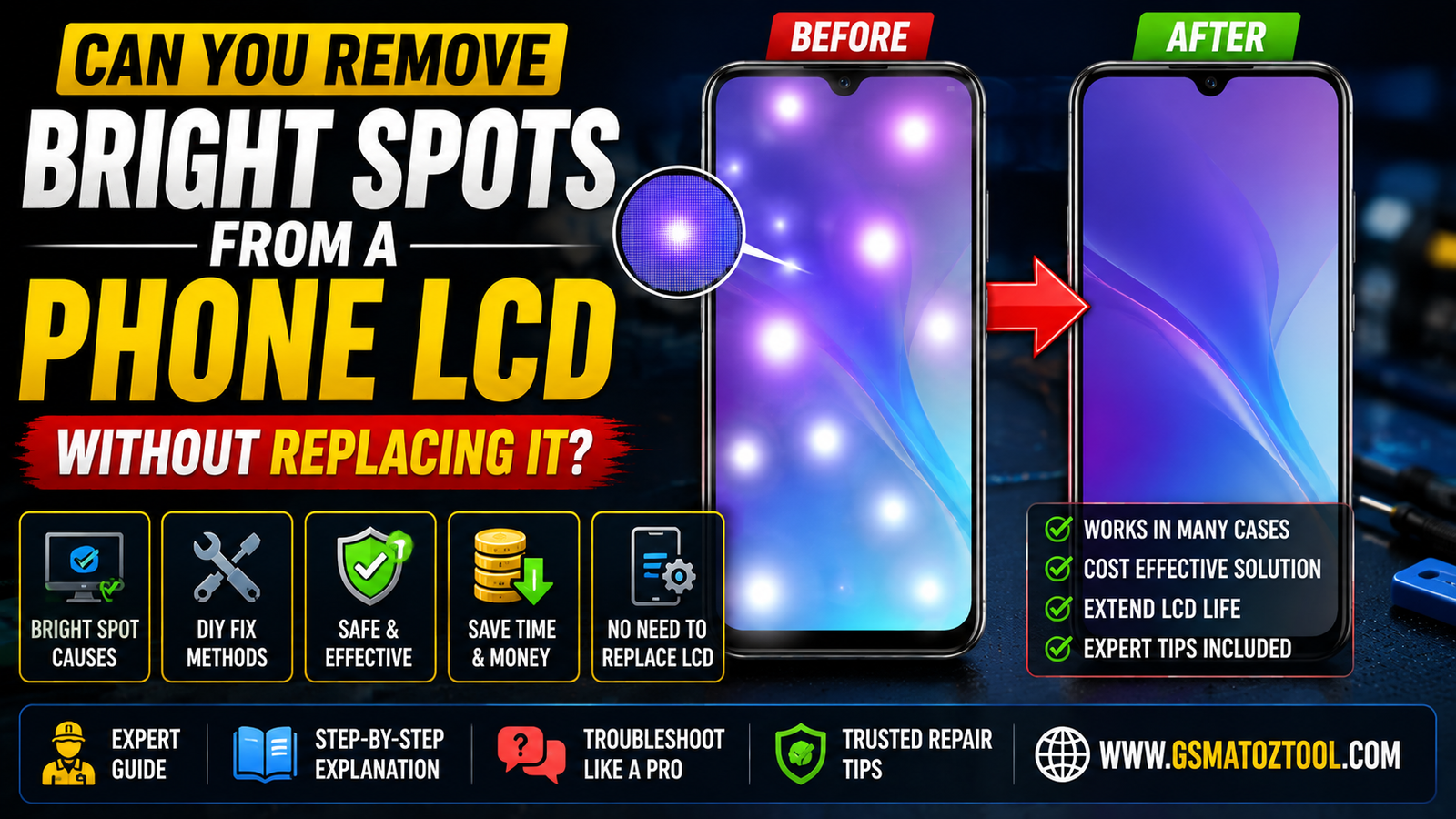
Before and after: how to fix lcd bright spots on a phone screen without replacing the display.
An Annoying Bright Spot On Your Phone’s Lcd Is Like A Small Beacon Of Light Trapped Beneath The Glass. You May Have Developed An Obsession Over Where It Came From And How To Get Rid Of It. Usually Pressure Impact And/or Exposure To Moisture Can Cause A Phone’s Lcd To Malfunction. This Includes Accidental Bright Spots. The True Mystery Is Can These Be Fixed Without Completely Replacing The Screen? More Often Than Not Yes These Beacons Of Frustration Can Be Fixed Using A Few Simple Tips And Tricks.
These Tips Often Require No Technical Skill Or Previous Experience Replacing Screens. On The Other Hand There Are Cases Where Bright Spots Means The Lcd Is Damaged Beyond Repair And A Complete Screen Replacement Is Needed. Knowing When To Replace The Entire Screen Can Potentially Save You From Wasting Time And Money.
Why Bright Spots Appear On Phone LCDs
- Pressure Damage: One Of The More Common Culprits Behind Those Bright Spots On A Phone Screen Is Actually Pressure. When The Liquid Crystal Gets Disturbed And Misaligned It Can Reflect Light Abnormally.
- Pixel Issues: Manufacturing Defects And Other Flaws In A Display Can Also Cause Glowing Or Bright Spots. Defective Pixels Can Occur In Many Ways And Can Be Dead Or Stuck.
- Physical Stress: Moister Exposure To Liquids Excessive Heat And Bending A Phone Can Lead To Uneven Back Lighting. Areas Of The Screen Can Appear Much Brighter Than Others.
- Warning Signs: LCD Damage Is Often The Cause Of Persistent Phone Screen Issues. Users Should Consider It To Be Hardware Damage Rather Than A Software Bug.
- Next Step: If Changes And Attempts To Fix The Issue Including A Factory Reset Don’t Help It May Be Time To Contact A Phone Repair Technician. If The Spots Become Worse Or More Noticeable It’s Probably Best To Have The Screen Replaced.
Different Causes Explained: Pressure Damage Backlight Bleed Liquid Crystal Cell Defects And Stuck Pixels
- Pressure Damage: Force Can Create Irregularities In The Lcd Layers Or Diffuser And Can Result In LCD Bright Spots Or Areas Of Concentration Where Light Is Trapped In One Region.
- Backlight Bleed: Backlights Can Leak From The Edge Or Corners Of A Display And Result In An Uneven Illumination Of The Phone Screen.
- Defects In Lcd Cells: LCD Cells That Are Deformed Or Ruined Can Result In Uneven Brightness Control And Cause Light To Be Conduced And Gathered Unevenly Across The Lcd.
- Stuck Pixels: If A Subpixel Is Stuck And Does Not Change With The Frame It Can Result In A Bright Spot On The Screen. This Is Often Confused With Larger LCD Defects.
How Manufacturing Tolerances And Age Increase Susceptibility
- Tiny Differences In Design And Manufacture: Uneven Stress Points Due To Slight Differences In The Construction Of Lcd Screens Can Lead To Localized Screen Bright Spots.
- Minor Discrepancies In Layer Alignment: Positioning Of The Backlights And Thickness Of The Adhesive May Lead To Certain Differences That May Not Be Noticeable Initially And Become Evident With Screen Aging.
- Effects Of Use: Use Of A Screen Including Touch Input Can Lead To Stress And Fatigue Of The Materials Of The Lcd Resulting In Localized Bright Spots.
- Effects Of Aging: With Time Materials Become More Brittle Making It Easier For Stress To Be Visible And Leading To Localized Bright Spots.
- Summary: Age Is The Biggest Contributing Factor To Bright Spots On Screens And Cannot Be Resolved Through A Simple Software Update.
How To Distinguish Bright Spots From Other Display Issues (Dead Pixels Discoloration)
- LCD Bright Spots: Usually Occur On White Gray Or Other Light Backgrounds And Appear As Small Points Of Intense Brightness. They Remain In The Same Location Whether You Are Viewing Different Images Or Are In Different Applications.
- Dead Pixels: Are Locations On A Display That Are Either Black Or Other Color And Do Not Light. They Are Usually Seen On Light Backgrounds. Unlike Bright Spots Dead Pixels Do Not Change With The Image Being Displayed.
- Display Discoloration: Occurs When There Is A Change In The Display Uniformity. This Can Appear As A Shadow Or Stain On The Display And Is Usually Larger Than An LCD Bright Spot.
- Screen Tests: To Test For These Problems Place The Display And View Different Colors (i.e. Black White Red Green Blue) To See If Any Of The Symptoms Appear.
Also Read
Quick Checks To Diagnose The Issue At Home
- First Try The Background Test: Some Images Have An Issue Where The Mark Stays In The Same Place. This Happens With Solid Backgrounds Like White Black And Gray. If Marks Are Consistently In The Same Spot With These Backgrounds It Is More Than Likely A Hardware Issue. It Could Be A Faulty Panel Which Isn’t Necessarily Image Related.
- Next Clean The Glass: Use A Microfiber Cloth To Remove Dust And Smudges. Then Try Removing Oil And Other Residues That Could Also Be Mimicking Lcd Bright Spots. Be Careful Not To Press Too Hard Because Pressing On The Screen Could Make The Issue More Noticeable.
- Check Display Settings And Software: Look Through Display Settings And Change Settings Like Brightness And Contrast Or Turn On Different Color Modes. Then Try Adjusting Comfort Or Eye Protection Modes. A Setting Could Cause The Spot To Remain In The Same Place.
- Check Contrast: Look At The Display In Indoor Outdoor And Other Well Lit Environments. Contrast Can Help Distinguish Between Stuck Pixels Backlight Bleed And Other Issues.
Simple Tests: Dark-room Photos Solid-color Screens And Pixel Test Apps
- Start In A Dark Room. Take Photos Of Your LCD At Low And Medium Brightness. Reflections From The Room Can Obscure Imperfections And These May Be Easier To See Without Them.
- Go Through The Solid Colors. Display Black White And All The Shades Of Grays Plus The Primary Colors. Make Sure To Test Them All. The Defect May Be Exhibited On All Backgrounds Or Only Some.
- Download A Pixel Testing App. They Are Typically Cycle Through The Color Spectrum And/or Display Patterns And Solids That Help Test For Stuck And Dead Pixels And Backlight Uniformity.
- Look At The Results. See If The Issue Looks To Be A Uniformity Defect Or If It Is More Serious. It May Help To Change Your Vantage Point.
When To Check For Physical Damage Or Recent Drops
- Verify The Timing: Sudden LCD Bright Spots Can Happen When The Phone Is Bumped Or Dropped And Can Sometimes Happen When The Phone Is Squeezed. This Can Sometimes Cause Physical Damage To The Display.
- Look For Surrounding Damage: Pressure Marks Can Sometimes Be In The Corners Of The Phone. These Can Sometimes Indicate Where Layers Of The LCD Have Been Damaged.
- Think About Other Recent Damage: The Glass On The Phone Can Sometimes Protect Other Parts From Damage; However This Isn’t Always The Case.
- Look For New Display Issues: After A Shock Some Issues On The Display Can Be Weak And Can Sometimes Get Worse.
- Don’t Put Additional Pressure On The Screen: This Can Sometimes Make Bright Spots Worse.
- Do Not Attempt To Repair The Display Yourself; This Should Always Be Done By A Professional.
How To Rule Out Software Or Driver-related Causes
- Restart The Device First: Watch For LCD Bright Spots During The Boot Process. Bright Spots Before The Os Loads Usually Have Nothing To Do With The Software.
- Next Try Booting Into Safe Mode. The Safe Mode Or Clean Environment Boot Option May Allow You To Determine If The Issue Is Caused By A Third-party Application Or Driver That Is Causing A Conflict And Resulting In The Bright Spot Issue.
- Finally Update Or Roll Back The Graphics Driver. Corruption Or Incompatibility In The Graphics Driver May Result In Various Lcd Artifacts Including Bright Spots.
- If The Issue Persists The Issue Is Probably With The Display Hardware. Try Connecting A Different Display Or Take A Screenshot And See If The Issue Persists On The Alternate Display. If Not The Issue Is Probably With The Display Hardware.
Non-invasive Fixes You Can Try Safely
- To Begin Avoid Using Too Much Pressure When Cleaning Your Lcd Screen. You Can Use A Microfiber Cloth And Lcd-friendly Cleaner To Remove Any Smudges. If You Press Too Hard When Cleaning It Can Make The Existing Lcd Bright Spots Even Worse.
- Brightness And Contrast Can Also Be Adjusted To Help Conceal Lcd Bright Spots. While This Will Not Heal The Actual Lcd Damage It Is A Good Quality Of Life Improvement.
- Pixel-refresh Tools May Also Help Minor Stuck-pixel Issues. Again Using A Pixel-refresh Tool May Help Minor Stuck-pixel Issues However Deeper Defects In The Display Will Not Be Fixed.
- Finally If Consistent Marks Appear In All Of The Tests Described Above It Is Likely That The Display Has Suffered Hardware Damage And Further Steps To Repair The Device Can Be Considered.
Adjusting Display Settings: Brightness Adaptive Backlight And Contrast Tweaks
- Try Reducing Your Screen Brightness. On An Lcd Screen High Levels Of Reflected Light Can Cause Hotspots Especially On White And Gray Backgrounds. Just Be Sure To Not Lower It Too Much So That It Becomes Hard To Read.
- Check Your Adaptive Backlight Settings. If Your Phone Has Automatic Brightness Turning It Off Can Eliminate Sudden Changes In Screen Brightness That Amplify Bright Spots.
- Make Changes To Contrast Settings. Adjusting Contrast Settings Can Help To Reduce The Presence Of Distactising Uneven Bright Areas On The Lcd.
- After Making These Changes Test To See Which Changes Provide The Best Results. The Options You Want To Test Are Comfort Vs. The Visibility Of The Hotspots. To Do This You Want To Test Normal Pictures Dark Pictures And Light Pictures. Additionally You Want To Test Various Applications And Videos.
Using Pixel-refresh And Stuck-pixel Apps: What They Do And Realistic Expectations
- Pixel-refresh Apps Quickly Cycle Colors: One Possibility For Apps To Fix Persistent Display Defects Is To Use This Method To Stimulate Faulty Subpixels That Can Cause Display Defects.these Apps Use Various Color Patterns Of Red Green Blue White And Black Colors To Stimulate The Subpixels.
- Stuck Pixel Repair Tools Are Very Limited: While Some Stuck Pixel Repair Tools Can Temporarily Repair A Stuck Pixel They Can Not Fix Issues Such As Dead Pixels Pressure Marks Backlight Bleed Or Physical Damage To The Lcd.
- Testers Should Have Reasonable Expectations: Testers Should Not Run Pixel Repair Apps For Extended Periods Of Time As This Can Cause The Phone To Overheat And Raise Other Power Consumption Concerns.
- Consulting A Repair Professional Is The Next Step: If After Using A Pixel Tester Bright Pixel Defects Persist And Do Not Move Then It Is Reasonable To Consider That The Defects Are Real And A Permanent Display Defect Diagnosis Would Be Appropriate.
When A Reboot Safe Mode Or Factory Reset Might Help
- Try Restarting The Phone First. A Temporary Software Or Driver Error May Cause Your Phone To Render LCD Pixels In An Erratic Manner Causing Bright Spots To Appear.
- Next Consider Safe Mode. Active App Overlays Along With Other Types Of Filters And Effects May Be Causing The LCD To Appear Damaged. Running Your Phone In Safe Mode Will Temporarily Disable All Third Party Applications And Give You A Better Idea.
- Consider A Factory Data Reset. If LCD Issues Remain After A Restart And Safe Mode A Factory Data Reset May Be Appropriate As A Last Step. Be Sure To Save Your Data First.
- It Is Likely That The Issue Is With The LCD Hardware. If Bright Spots Remain During A Factory Data Reset LCD Issues Are Likely Caused By Software And Potentially Other Layers Of Your Phone.
Gentle Mechanical Techniques And Risks
- Light Massage May Work In Some Cases. Using A Clean Microfiber Cloth You Can Massage The Area To Try To Redistribute The Lcd And Remove The Bright Spots. Be Sure Not To Scrub As That Can Damage The Glass.
- Some People Have Reported Success With Circular Pressure. Circular Pressure May Help Redistribute Uneven Backlighting But Too Much Pressure Can Cause More Damage.
- Be Safe. Always Unplug And Turn Off The Device Before Trying This. A Dark Screen Makes The Problem Easier To See And Touching An Electrical Device Can Present A Shock Hazard.
- Not Attempting The Fix Does Not Mean The Spot Will Go Away. Persistent Lcd Bright Spots Are Best Left To Professionals.
Applying Light Pressure Or Massaging The Screen: Method Tools And Extreme Caution
- For Pressure Marks Often Light Pressure Is Recommended. This Can Potentially Fix A Small Bright Spot On An Lcd If The Issue Is Uneven Pressure On The Display. This Should Be Treated As A Last Resort.
- When Attempting This Use The Recommended Tools. These Include A Microfiber Cloth And A Soft Cotton Glove. Do Not Use Sharp Objects Or Liquids. Also Do Not Use Abrasive Materials Or Paper Towels.
- Power Down The Display First. Cover The Affected Area With The Microfiber Cloth And Use Very Light Pressure. You Should Not Apply Pressure For More Than A Few Seconds.
- You Should Discontinue The Process If You Feel That You Are Applying To Much Pressure. This Can Increase The Size Of The Affected Area And Permanently Damage The Display. This Will Also Likely Void The Warranty.
Heat Methods (Warmth/light Heat Pads): How Limited Temperature Can Affect Liquid Crystals And Risks Of Permanent Damage
- There Are Limits To What Heat Can Do. A Low-level Heat Source May Only Temporarily Realign Liquid Crystals And Lessen Lcd Or Backlight Bright Spots.
- Raising The Heat Even More May Cause Increased Discoloration Of The Lcd And Lead To The Formation Of New Bright Spots Or Haze On The Display.
- Methods Using Heat Should Be Monitored Very Carefully Because Liquid Crystals Will Change Their Alignment Or Realign Very Quickly Based On The Temperature Of The Surroundings.
- When Lcds Are Damaged Swelling And Cracking Can Be Seen And Continuing The Use Of An External Heat Source Can Increase The Damage Done To The Display And Increase The Likelihood Of Needing To Replace The Lcd.
Why DIY Forceful Interventions Often Worsen The Problem
- Pressing The Problem Area Can Make It Worse: Rubbing Or Massaging Can Cause Lcd Damage And Make A Small Bright Spot Bigger.
- Taking It Apart Increases The Chance Of Making More Pressure Marks: Bending Or Prying The Display Can Cause The Connectors To The Display To Break Or The Panel To Crack.
- Chemicals Heat And Sharp Objects Can Make It Worse: These Can Cause The Backlight Diffuser To Get Damaged And Make The Lcd Display Backlight Uniform.
- It Is Best To Have A Professional Look At It: A Technician Can Determine What Is Causing The Problem.
Common Causes Of LCD Bright Spots On Phones
- Pressure From Sitting Or Carrying A Phone Can Cause The Lcd To Compress Or Distort. If Distorted Enough That Layer Of The Lcd Can Display Bright Spots Which Are Independent From Background Image Distortion.
- During Phone Manufacturing A Phone’s Lcd Panel Can Be Distorted By Incorrect Backlight Diffusion. Defects Like These Can Also Cause Part Of The Lcd To Be Unattached To Another Part Which Can Result In Layer Misalignment. These Types Of Defects Can Also Cause Bright Spots To Display On A Phone.
- Misalignment Of Layers During Phone Manufacturing And Exposure To Humidity Can Cause Internal Phone Components To Break. When The Backlight System Breaks Components Of A Phone Can Start To Glow. If This Happens A Phone Can Develop Irregular Bright Spots That Are Not Controlled.
- Prolonged Phone Usage Can Cause Components To Break And Wear Out. During This Process Backlight Components Can Also Start To Malfunction. Weakened Components Can Also Cause Parts Of The Lcd To Become Brighter Than Other Areas.
Temporary Fixes For Lcd Bright Spots Without Replacement
- A Few Possible Remedies: First With Your Phone Off And A Clean Microfiber Cloth Over The Display You Can Try Moving In Very Light Circular Motions Over The Affected Area For A Few Seconds To See If You Can Evenly Distribute The Pressure. Stop If This Makes The Spot Larger Or The Display Feels Tense.
- Adjusting Your Phone Display Settings Can Help: Settings That Affect Display Contrast And Brightness Will Not Solve The Issue Of Lcd Display “hot Spots”; However Settings That Reduce Contrast And/or Increase Brightness Can Lessen The Disruption Caused By A Hot Spot While You Use Your Phone To Read Browse Or View Content.
- Use The Phone In A Way That Minimizes The Impact Of The Hot Spot: Using Dark Mode Can Be Effective. You Can Also Adjust The Wallpaper And/or App Icons To Minimize The Impact Of A Hot Spot.
- Examine Your Display Mount For Tension And Relieve It: Tightly Fitting Cases May Put Stress On The Display. Adjusting Your Phone Mount May Also Help.
When Is It Impossible To Fix Lcd Bright Spots?
- Marks On The Lcd Are Usually Permanent. The Diffusers Backlight And Internal Structure Of The Display Panel Can Sustain Only So Much Damage Before Layers Become Distorted. Adjustment Becomes Impossible. There Are Many Ways A Display Can Become Damaged Including Pressure Impact And Liquid.
- Even If The Cause Of The Problem Is A Simple Bright Spot It Can Be Cheaper To Just Replace The Entire Display.
- There Are Ways To Temporarily Alleviate The Symptoms Of A Bad Display. For Example Using The Safe Mode Feature Or Adjusting The Brightness Of The Display. However These Methods Will Not Touch Lcd Bright Spots If The Hardware Of The Display Has Physically Distorted.
- Replacing The Display Is Usually The Best Method To Get Rid Of Lcd Bright Spots. If A Bad Display Is Replaced Often The Previous Display Was Damaged Beyond Repair Due To The High Cost Of The Display.
Tips To Prevent Lcd Bright Spots In The Future
- Handle It Carefully: Do Not Tap Or Press On The Screen And Do Not Lean On It. Repeated Contact Can Damage The Pixel Structure And/Or Diffusion/Polarizer Layers And/Or Liquid Crystal Alignment And Cause Persistent Bright Spots.
- Keep It Away From Extreme Environments: Keep Your Lcd Devices (Monitors Mobile Devices And Others) Away From Hot And/or Wet And/or Extreme Environments And Away From Direct Sunlight. Extreme Conditions Put Stress On The Internal Components Backlights And Other Layers.
- Clean It Properly: Clean The Screen With A Microfiber Cloth And Use An Lcd Cleaner. Alcohol And Other Solvents Can Damage The Display.
- Move It Safely: If You Want To Keep Your Lcd Displays Protected From Scratches And/Or Impacts Use A Protective Pouch Or Case. Keep These Display-covering Items When Transporting Your Lcd Devices.
Professional Methods For Dealing With Persistent Lcd Bright Spots
- Repair Starts When Technicians Determine The Defect Type. From Here The Technician Decides Which Repair Method To Utilize To Correct The Defect. Some Factors That May Influence The Selected Repair Method Include Persisting LCD Bright Spots Dead Pixels Backlight Bleed Panel Contamination And Pressure Marks.
- Other Repair Personnel Perform Diagnostic Tests. Some Of The Diagnostic Tests Include Squuring The Display With A Full-color Test Image To Ascertain Brightness Defects And Taking Photos Over Time To Assess Defects.
- Based On The Results Of The Diagnostic Tests Some Repair Personnel Perform Advanced Tests And/or Utilize Specialized Repair Methods. These Methods Include A Combination Of Cleaning The LCD Panel And Utilizing Special Pixel Refresh Tools.
- Other Defects Require Complete Panel Replacement. These Defects May Include Loss Of The Diffuser And Backlight Bleeding.
- Bright Spot Defects Should Be Repaired. Pressure Should Never Be Applied To A LCD Panel. This Is Especially True If The Lcd Panel Is Still Under Warranty. The Same Rule Applies To Lcd Panels In Other Electronics Such As Laptop And Desktop Computers.
Conclusion
Can You Get Rid Of Bright Spots On A Phone Lcd Without Replacing The Screen? Not Really. Sometimes You Can Fix A Soft Bright Spot So That It’s Less Noticeable. True Lcd Bright Spots Can’t Really Be Fixed. A Stuck Pixel May Just Be Temporarily Disabled By The Software And May Reappear At Any Time Or Possibly Become A True Bright Spot That Can’t Be Fixed. Residue May Cause A Sub-pixel To Appear Stuck In Which Case A Good Screen Cleaning May Help. If The Bright Spot Appears To Be Causing A Pixel To Stick Then Try Reducing The Brightness Of The Display Use Dark Mode If Your Phone Supports It And Make Sure The Phone Is Using The Least Amount Of Battery Possible By Using A Pixel And Screen Saver Application.
A True Bright Spot May Not Change Across The Different Colors Or Brightness Of The Display And May Not Go Away If The Software Is Not Fully Closed Or If The Phone Is Not Properly Cleaned Or If A Case Is Putting Too Much Pressure On The Display. A True Bright Spot May Not Be Fixable Unless It Is Replaced.
A True Bright Spot May Permanently Remain On The Display After A Hard Drop. If You’re Not Sure If It Is A True Or Soft Bright Spot You Can Try A Few Of The Things I Recommended Doing Earlier To Make The Display Stay Completely Off To See If That Helps Diagnose. Again If Troubleshooting Doesn’t Work And It Is Noticeably Stuck On Then The Display Is Probably Bad And Needs To Be Replaced.