

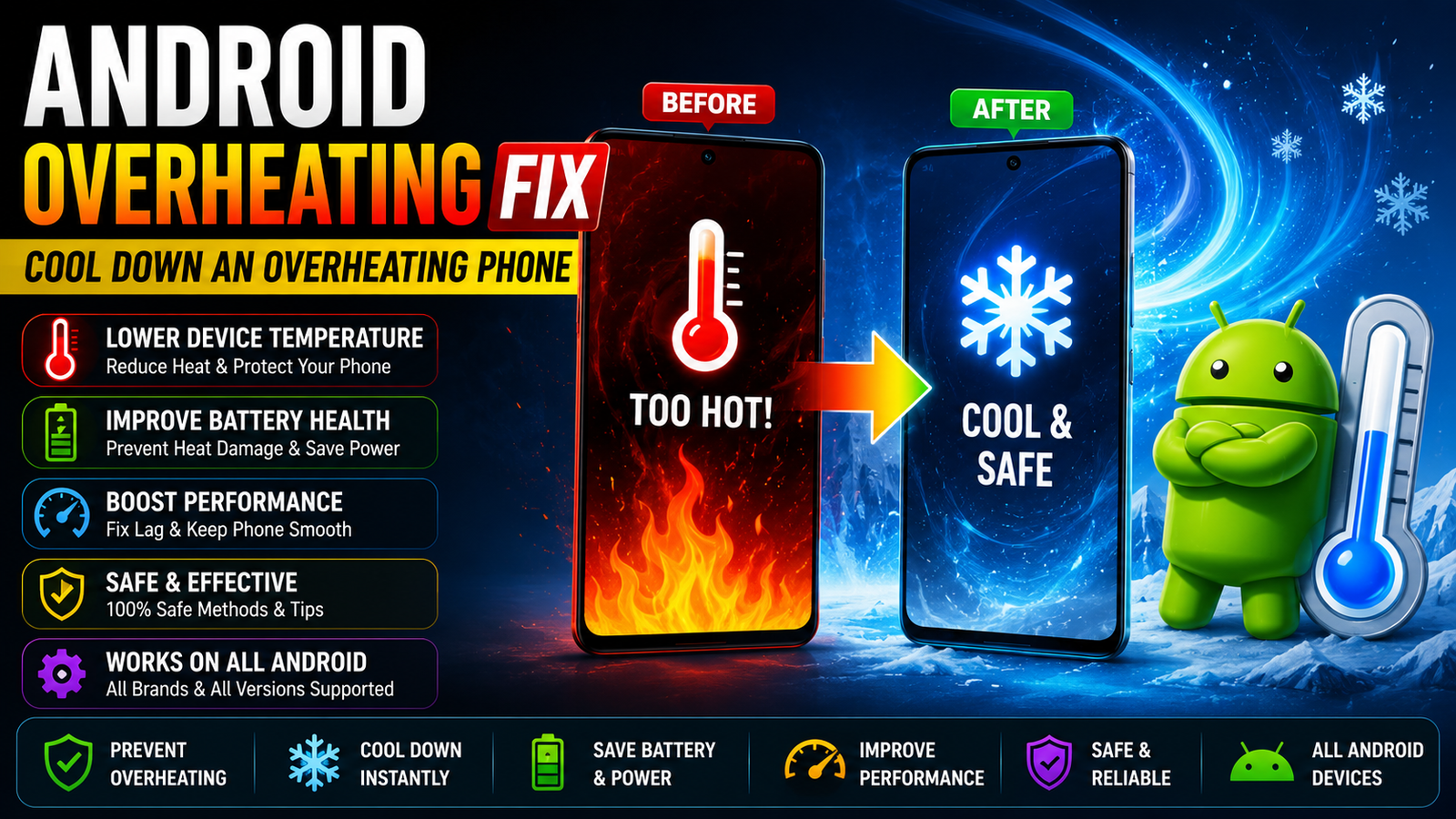
Android overheating fix this before-and-after graphic illustrates how to lower device temperature and cool down an overheating android phone from flames and warning icons to a calm cool state.
Ever Picked Up Your Phone And It’s Actually Warm Like Uncomfortably Warm For No Obvious Reason? You Weren’t Even Doing Anything Demanding Maybe Just Scrolling And Suddenly It Feels Like It’s Been Sitting In The Sun. It’s Unsettling Especially When You Start Wondering If The Battery’s About To Swell Up Or The Whole Thing’s Just Quietly Dying On You.
Good News: Most Of The Time An Overheating Phone Isn’t Some Mysterious Hardware Failure. It Usually Comes Down To A Handful Of Everyday Causes A Bad Charger Too Many Background Apps Direct Sunlight That Kind Of Thing. This Post Walks Through Why Your Phone Actually Gets Hot And What To Do About It So You’re Not Just Guessing.
What Is The Android Overheating Fix
An Android Overheating Fix Is Basically Any Step You Take To Bring Your Phone’s Temperature Back To Normal And Stop It From Happening Again. Not One Single Fix Really More Like A Toolkit Of Small Changes Closing Apps Switching Chargers Avoiding Direct Sunlight That Add Up To A Phone That Actually Stays Cool During Normal Use.
Here’s The Thing Though. Phones Aren’t Supposed To Run Cold Some Warmth Is Completely Normal Especially While Charging Or Gaming. The Problem Shows Up When It Gets Hot Fast Stays Hot For A While Or Heats Up During Things That Shouldn’t Tax It At All Like Just Texting Someone. That’s Usually Your Sign Something Specific Is Wrong Not Just “phones Get Warm Sometimes.”
Why Does Your Phone Get Hot In The First Place
So Why Is My Phone Hot When I’m Barely Using It? Honestly There Are A Handful Of Usual Suspects And Most Overheating Phone Cases Trace Back To One Or Two Of Them Stacking Together Rather Than Some Single Dramatic Cause.
The Most Common Reasons Include:
- Too Many Background Apps Eating Up Cpu Usage
- A Damaged Charging Cable Or Incompatible Charger
- Direct Sunlight Or Excessive Heat In Your Environment
- Outdated Software That Hasn’t Gotten A Fix For A Known Bug
- Heavy Use Gaming Streaming Without A Break
None Of These Alone Is Usually Catastrophic But Combine Two Or Three Say Gaming Outside In Direct Sunlight While Three Background Apps Refresh And You’ve Got A Genuinely Hot Phone Fast. Figuring Out Which Of These Applies To Your Situation Is Really Step One Of Any Real Fix.
Phone Overheating While Charging
If Your Phone Gets Hot While Charging Specifically That’s Actually One Of The Easier Problems To Pin Down Since The List Of Likely Causes Is Fairly Short.
Common Culprits Here:
- Incompatible Charger Or A Charger That Isn’t Actually Made For Your Phone
- Damaged Charging Cable Even One With Just A Small Internal Fray
- Wireless Charging Which Naturally Generates More Heat Than A Cable
- Using The Phone Heavily While It’s Plugged In
Wireless Charging Deserves A Specific Mention Since It’s Genuinely Less Efficient Than A Wired Connection And Produces More Heat As A Direct Result Of How The Technology Works. If You’re Gaming Or Streaming Video While Your Phone’s Plugged In You’re Basically Asking It To Work Hard And Charge At The Same Time And Heat Is The Natural Result. Switching To The Charger And Cable That Came With Your Phone And Avoiding Heavy Use While It Charges Solves This For Most People.
Background Apps And Cpu Usage
Background Apps Are Probably The Single Most Common Cause Of A Phone Quietly Overheating Throughout The Day Without Any Obvious Trigger. You’re Not Even Using Your Phone And It’s Still Warm This Is Usually Why.
What To Check:
- Apps Refreshing Content In The Background
- Unused Apps Still Running And Eating Cpu Usage
- Background App Refresh Settings Left On For Everything
- Apps You Forgot Were Even Installed
Go Through Your Recently Used Apps List And You’ll Probably Find Two Or Three You Haven’t Touched In Weeks Still Quietly Running In The Background. Turning Off Background App Refresh For Apps That Don’t Need Constant Updates Social Media News Apps Shopping Apps Cuts Down Cpu Usage Significantly. It Won’t Fix Everything On Its Own But It’s Often The Single Biggest Improvement For A Phone That’s Warm All Day For No Clear Reason.
Screen Brightness And Display Settings
Screen Brightness Doesn’t Get Blamed For Overheating As Often As It Should But A Display Cranked To Maximum Brightness For Hours Is A Genuine Contributor Not Just A Battery Drain Issue.
A Few Things Worth Adjusting:
- Lowering Brightness Even By 20-30%
- Enabling Adaptive Brightness So It Adjusts Automatically
- Reducing Screen Timeout So The Display Isn’t Staying Lit Unnecessarily
- Switching To Dark Mode On Apps That Support It Especially On Oled Screens
None Of These Will Single-handedly Fix A Seriously Overheating Phone But They Genuinely Help Especially When Combined With The Background App Fixes Above. Adaptive Brightness In Particular Does A Decent Job Of Keeping Brightness Reasonable Without You Thinking About It Constantly. Dark Mode On Oled Displays Specifically Reduces How Hard Individual Pixels Work Which Translates To A Small But Real Reduction In Heat.
Software And App Updates
Outdated Software Causes More Overheating Than People Expect Mainly Because Manufacturers Regularly Patch Bugs That Cause Exactly This Kind Of Issue.
Check For:
- Pending Android System Updates
- App Updates Sitting In Your App Store Unapplied
- A Specific App Known To Cause Battery Or Cpu Issues On Your Exact Phone Model
If Your Phone Started Overheating Right After Installing A Specific App Or Right After Skipping Updates For A While That’s Rarely A Coincidence. Manufacturers Push Updates Specifically To Fix Battery And Thermal Management Bugs So An Update You’ve Been Ignoring For Two Months Might Be The Exact Fix You Need. Same Goes For Individual Apps An Outdated Version Of A Heavy App Like A Game Or A Video Editor Is Far More Likely To Cause Cpu Spikes Than A Current One.
Malware And Malicious Apps
This One’s Less Common But Genuinely Worth Ruling Out If Nothing Else On This List Explains Your Phone’s Behavior. Malicious Apps Running Hidden Processes In The Background Can Absolutely Cause Consistent Overheating.
Signs To Watch For:
- Overheating That Started Right After Installing An App From Outside The Play Store
- Unusual Data Usage Alongside The Heat
- Apps You Don’t Remember Installing
- Battery Draining Unusually Fast Alongside The Warmth
If You’ve Sideloaded Anything Recently Or Installed An App From A Source You’re Not 100% Sure About That’s Worth Investigating First. Running A Reputable Security Scan And Removing Anything Suspicious Often Resolves Overheating That Seemed To Come Out Of Nowhere. This Isn’t The Most Common Cause By Any Means But When The Usual Fixes Don’t Work It’s Worth Checking Before Assuming It’s A Hardware Problem.
Streaming Gaming And Heavy Use
Some Overheating Is Just The Honest Cost Of Doing Something Demanding Streaming Video Mobile Gaming Video Calls These Genuinely Tax Your Phone’s Processor And Battery At The Same Time.
What Makes This Worse:
- Playing Graphically Intensive Games For Extended Sessions
- Streaming Video At High Quality For Hours
- Doing This While The Phone’s Also Charging
- Doing This In A Hot Room Or Direct Sunlight
There’s Not Much Of A Mystery Here Honestly Demanding Tasks Generate Heat That’s Just Physics. The Real Fix Isn’t Necessarily Stopping What You’re Doing It’s Giving Your Phone Breaks Playing In A Cooler Environment And Not Charging While Gaming If You Can Help It. If Your Phone Gets Uncomfortably Hot Within Ten Minutes Of Starting A Game That Never Used To Cause This That’s Worth Investigating Separately Since It Suggests Something Changed Rather Than The Activity Itself Being The Sole Cause.
Direct Sunlight And External Heat
Sometimes The Answer Is Embarrassingly Simple: Your Phone’s Just Sitting Somewhere Hot. Direct Sunlight A Hot Car Dashboard Even A Pocket On A Genuinely Warm Day These All Raise Your Phone’s Internal Temperature Regardless Of What You’re Actually Doing On It.
Watch Out For:
- Leaving Your Phone On A Car Dashboard Or Seat In Sunlight
- Using Your Phone Outside On A Hot Day For Extended Periods
- Charging Near A Window With Direct Sun Exposure
- Storing Your Phone Somewhere With Poor Airflow
This One’s Genuinely Easy To Fix Once You Notice It Just Don’t Leave Your Phone Somewhere Hot. If You’re Using It Outside On A Hot Day Occasional Shade Breaks Help More Than You’d Think. Charging Your Phone In Direct Sunlight Specifically Is A Bad Combination Since Charging Already Generates Heat And Sunlight Just Adds To It.
Cooling Cases And Phone Coolers
If You’ve Addressed The Software Side And Your Phone Still Runs Warmer Than You’d Like Physical Cooling Accessories Are Worth Considering Particularly For Heavy Gamers.
Options Include:
- Heat-dissipating Phone Cases Designed To Pull Heat Away From The Device
- Graphene Phone Cases Which Conduct Heat More Efficiently Than Standard Materials
- Clip-on Phone Coolers Or Fans Popular Among Mobile Gamers
- Simply Removing Your Phone Case During Heavy Use Or Charging
Removing Your Case Is Honestly The Cheapest And Most Overlooked Fix Here Standard Cases Trap Heat Against The Phone’s Body And A Lot Of People Never Think To Just Take It Off During A Long Gaming Session Or While Charging. Graphene Cases Specifically Are Built To Actually Help Rather Than Just Protect Conducting Heat Away Rather Than Insulating It. Clip-on Coolers With Small Fans Go A Step Further For Serious Mobile Gamers Though They’re Honestly Overkill For Someone Whose Phone Just Runs A Little Warm During Normal Use.
Can Overheating Damage Your Phone
This Is Worth Addressing Directly Since A Lot Of People Worry More Than They Need To While Some Genuinely Should Worry More.
Here’s The Honest Breakdown:
- Occasional Warmth During Charging Or Gaming Is Normal And Not Damaging
- Consistent Severe Overheating Over Time Can Degrade Battery Health
- Extreme Overheating Can In Rare Cases Cause Battery Swelling
- A Phone That Shuts Down Due To Heat Is Actually Protecting Itself That’s A Safety Feature Not A Failure
Modern Phones Have Thermal Protection Built In Specifically To Prevent Serious Damage Shutting Down Or Throttling Performance Before Things Get Dangerous. That Said Repeatedly Pushing Your Phone Into That Hot Protective Shutdown Territory Over Months Does Gradually Wear Down Battery Health Faster Than Normal Use Would. If You Ever Notice Your Phone’s Back Panel Bulging Or The Battery Looking Swollen That’s A Genuine Safety Concern Stop Using It And Get It Checked Rather Than Trying Any Of The Fixes Above.
How To Cool Down Your Phone Right Now
If Your Phone’s Hot Right Now And You Need It To Cool Down Quickly A Few Immediate Steps Work Better Than Others.
Do This First:
- Stop Whatever Demanding Task Caused The Heat Close The Game Or Stream
- Remove The Phone Case
- Move It Out Of Direct Sunlight Or A Hot Environment
- Unplug It If It’s Charging
- Force-close Background Apps You Don’t Need Running
Avoid The Instinct To Put Your Phone In The Fridge Or Freezer That Sudden Temperature Change Can Actually Cause Condensation Damage Inside The Device Which Is Worse Than The Heat Itself. Just Let It Sit Unplugged Case Off In A Cool Room For Ten Or Fifteen Minutes And It’ll Come Back Down Naturally. If It Doesn’t Cool Down At All After Sitting Idle For A While That’s A Sign Something’s Still Running In The Background Worth Checking Your Recent Apps Again.
Final Thoughts
Most Phone Overheating Problems Come Down To A Small Handful Of Causes Background Apps A Bad Charger Direct Sunlight Heavy Use Without Breaks And Once You Identify Which One Applies To You The Fix Is Usually Pretty Straightforward. An Android Overheating Fix Isn’t Really One Dramatic Solution It’s Closing Unused Apps Switching To The Right Charger Keeping Your Phone Out Of Direct Sun And Giving It Breaks During Demanding Tasks.
If You’ve Tried The Fixes Above And Your Phone Is Still Consistently Overheating Especially With Signs Like Battery Swelling Or Repeated Shutdowns That’s Worth Getting Checked By A Professional Rather Than Continuing To Troubleshoot On Your Own. For Everyone Else A Few Small Habit Changes Usually Keep Your Phone Running Comfortably Cool.