
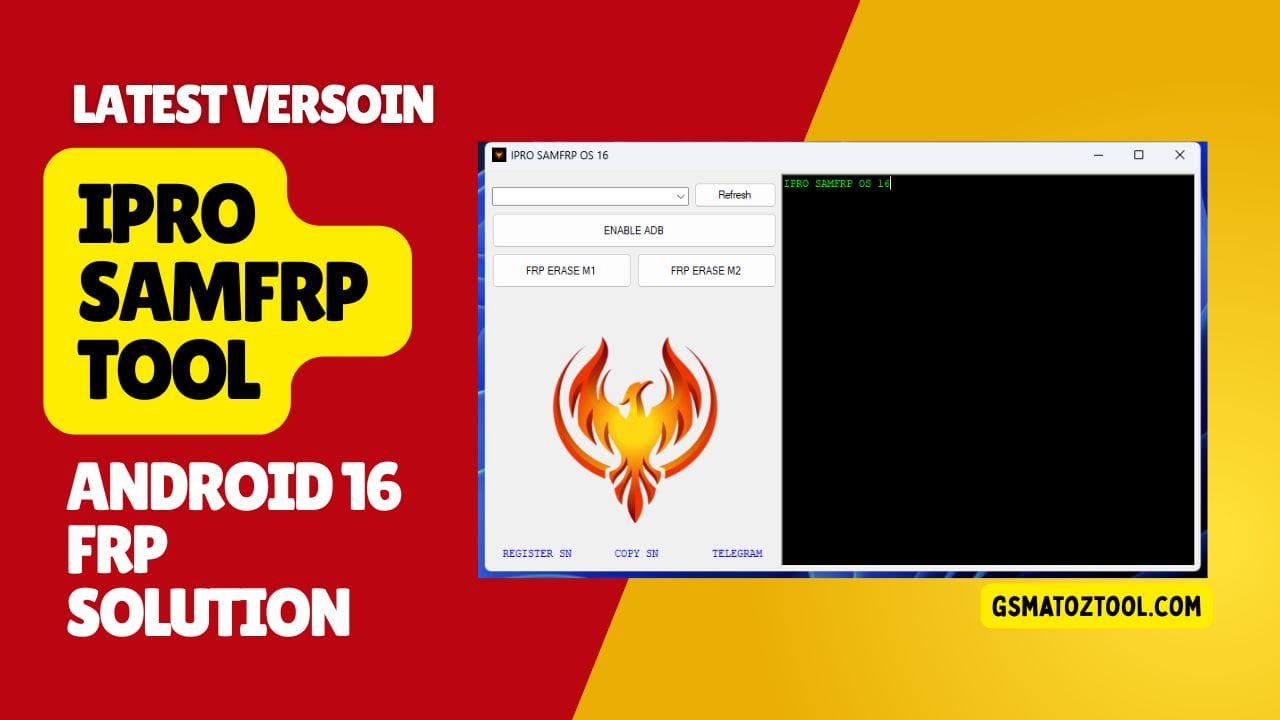
Ipro samfrp tool designed exclusively for android 16 frp operations.
If You Are Stuck With A Locked Phone Running Android 16 And Searching For A Simple Way To Fix Frp Issues You Are Not Alone. Many Users Look For Ipro Samfrp When Their Android 16 Device Won’t Let Them Move Forward After A Reset. The Confusion Around Options Like Refresh Device Or Enable Adb Can Feel Frustrating Especially When You Just Want Your Phone Working Again.
In This Blog Post We Will Explain How Ipro Samfrp Is Designed Only For Android 16 And How Features Like Refresh Device Enable Adb Frp Erase M1 And Frp Erase M2 Work. You’ll Learn When To Use Each Option And What Role They Play In Frp Removal On Android 16 Devices. Everything Is Explained In Simple English So You Can Follow Easily And Stay Confident While Using The Tool.
IPro Samfrp Os 16 Latest Version Android 16 Frp Solution
If You’ve Ever Reset Your Phone And Suddenly Found Yourself Stuck At The Google Verification Screen You Know How Frustrating That Moment Feels. Many Users Search For Ipro Samfrp Os 16 Because Android 16 Has Made Frp Protection Stricter And Harder To Bypass. When Your Phone Won’t Move Forward And Every Attempt Fails It Feels Like The Device You Own Is No Longer In Your Control.
That’s Exactly Where Ipro Samfrp Os 16 Comes In. This Tool Is Designed Specifically For Android 16 Users Who Need A Clear Practical Solution Without Complicated Steps. In This Article You’ll Understand What The Tool Is How Its Main Functions Work And How To Get Started The Right Way.
What Is The IPro Samfrp Os 16
Ipro Samfrp Os 16 Is A Dedicated Frp Solution Built Only For Android 16 Devices. It Focuses On Handling Google Factory Reset Protection By Using Simple Options That Guide You Step By Step Instead Of Overwhelming You. The Goal Is To Help Users Regain Access Without Unnecessary Technical Complexity.
The Tool Includes Key Functions Like Refresh Device And Enable Adb Which Prepare The Phone For Frp Operations. Options Such As Frp Erase M1 And Frp Erase M2 Give Users Controlled Methods To Remove Frp Depending On The Situation. Everything Is Designed To Work Within Android 16’s Security Environment.
Download The Ipro Samfrp Os 16 Latest Versoin
Downloading The Latest Version Of Ipro Samfrp Os 16 Is Important Because Android 16 Security Updates Change Frequently. Using An Updated Version Ensures Better Compatibility And Fewer Errors During The Frp Process. An Outdated Tool May Fail Or Stop Midway Which Can Be Frustrating.
Once Downloaded The Tool Provides A Clean Interface Where All Main Options Are Clearly Visible. You Don’t Need To Search Through Hidden Menus Or Guess What To Click Next. The Latest Version Focuses On Stability Making The Process Smoother For Both New And Experienced Users.
Features Ipro SamFrp Os 16:
- Refresh Device
- Enable ADB
- FRP Erase M1
- FRP Erase M2
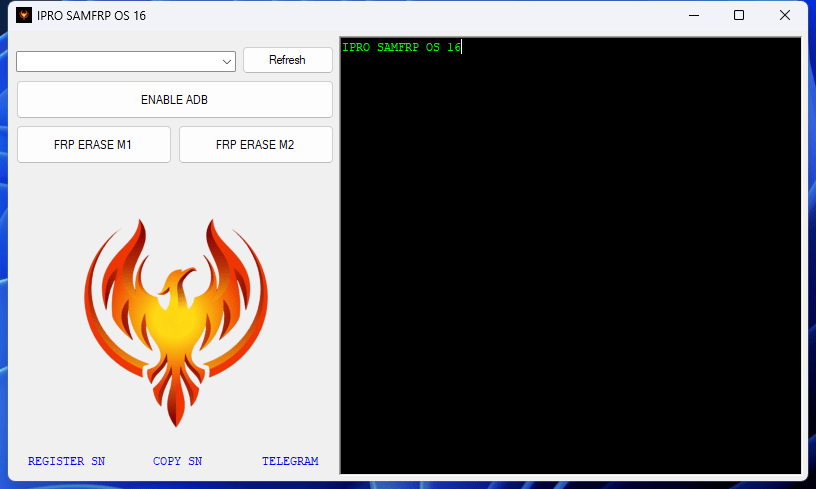
Ipro samfrp os 16 tool for android 16 frp removal with simple one-click options
Refresh Device Feature Explained
The Refresh Device Option Helps The Tool Detect Your Phone Correctly Before Any Operation Begins. Sometimes A Device Doesn’t Show Up Properly Due To Driver Or Connection Issues And This Feature Fixes That. It’s Usually The First Step You Should Use After Connecting Your Phone.
By Refreshing The Device The Tool Updates The Connection Status And Prepares Android 16 For The Next Actions. This Reduces Errors And Ensures Other Functions Work As Expected. Skipping This Step Can Often Lead To Failed Operations.
Enable Adb On Android 16
Enable Adb Is A Crucial Step Because Many Frp-related Actions Depend On Adb Access. Android 16 Limits Background Access More Than Older Versions Which Makes This Step Even More Important. This Feature Helps Establish That Connection Safely.
Once Adb Is Enabled The Tool Can Communicate With The Device More Effectively. It Allows The System To Proceed With Frp-related Tasks Without Interruptions. Think Of It As Opening A Secure Door Before Entering The Main Process.
Frp Erase M1 Method
Frp Erase M1 Is One Of The Primary Methods Provided In The Tool For Frp Removal. It’s Generally Used When The Device Responds Normally After Adb Is Enabled. This Method Follows A Structured Process To Clear Frp Data Safely.
Users Often Choose M1 First Because It’s Straightforward And Quick. On Many Android 16 Devices This Method Completes The Job Without Needing Additional Steps. If It Works The Phone Can Move Past The Google Verification Screen Smoothly.
Frp Erase M2 Method
Frp Erase M2 Is Designed For Cases Where The First Method Doesn’t Succeed. Android 16 Devices Can Behave Differently Depending On Model And Security Patch And M2 Provides An Alternative Approach. It Gives Users Another Chance Without Changing Tools.
This Method Is Helpful When Frp Erase M1 Fails Or Stops Unexpectedly. By Offering Two Erase Options The Tool Increases The Overall Success Rate. It’s A Practical Backup That Makes The Tool More Reliable.
Why Ipro Samfrp Os 16 Is Android 16 Only
Ipro Samfrp Os 16 Is Built Specifically Around Android 16’s Security Structure. Instead Of Trying To Support Many Versions With Weak Compatibility It Focuses On One System And Does It Well. This Makes The Tool More Stable And Targeted.
Android 16 Introduced Stricter Protections And Generic Tools Often Fail Because They Aren’t Updated Properly. By Staying Android 16–only The Tool Can Adapt Faster To Changes. That Focus Is What Makes It Effective.
Frequently Asked Questions (FAQs)
What Is Ipro Samfrp Os 16 Used For?
Ipro Samfrp Os 16 Is Designed To Help Users Remove Factory Reset Protection On Android 16 Devices. It Focuses Only On Android 16 To Provide Better Compatibility And Fewer Errors. The Tool Offers Simple Options That Guide Users Through The Process Step By Step.
Does Ipro Samfrp Os 16 Support All Android Versions?
No This Tool Is Made Only For Android 16 Devices. It Does Not Support Older Android Versions Because Their Security Systems Work Differently. This Focused Approach Helps The Tool Work More Reliably On Android 16.
Why Should I Use Refresh Device Before Other Options?
Refresh Device Helps The Tool Properly Detect Your Phone After It’s Connected. Sometimes The Device Doesn’t Show Correctly Due To Connection Or Driver Issues. Using This Option First Helps Avoid Errors Later.
What Is The Purpose Of Enable Adb In The Tool?
Enable Adb Allows The Tool To Communicate With Your Android 16 Device. Many Frp-related Actions Depend On This Connection. Without Adb Access Frp Erase Methods May Not Work Correctly.
Why Is Enable Adb Needed?
Adb Allows The Tool To Communicate With The Device For Frp Actions.
Final Thoughts
If You’re Dealing With Frp On An Android 16 Device Using The Right Tool Matters More Than Ever. Ipro Samfrp Os 16 Keeps Things Simple By Offering Clear Options Like Refresh Device Enable Adb Frp Erase M1 And Frp Erase M2. Each Feature Plays A Specific Role In Helping You Move Forward.
The Key Is To Follow The Steps Calmly And Use The Latest Version Of The Tool. With The Right Approach Android 16 Frp Doesn’t Have To Feel Impossible. This Guide Should Help You Understand The Process With Confidence And Clarity.
How To Download
To Download Follow These Steps:
- Go To The Gsmatoztool.com Website Of Mysterious-dev Tool.
- Find The Download Page And Don’t Click Button And Click Only The (Download Link)
- Below Buttons Are Advertisements. Please Use The Download Links Above.
- Wait For The Download To Complete.
- Locate The Downloaded File On Your Device Once The Download Is Finished.
- Double-click On The File To Start The Installation Process.
- Follow The On-screen Instructions To Complete The Installation.
IPRO SAMFRP OS 16
Download Link:: Usersdrive – Mediafire – 4shared – My.pcloud – Playbook – Disk.Yandex – DropBox – Mega – Vexfile