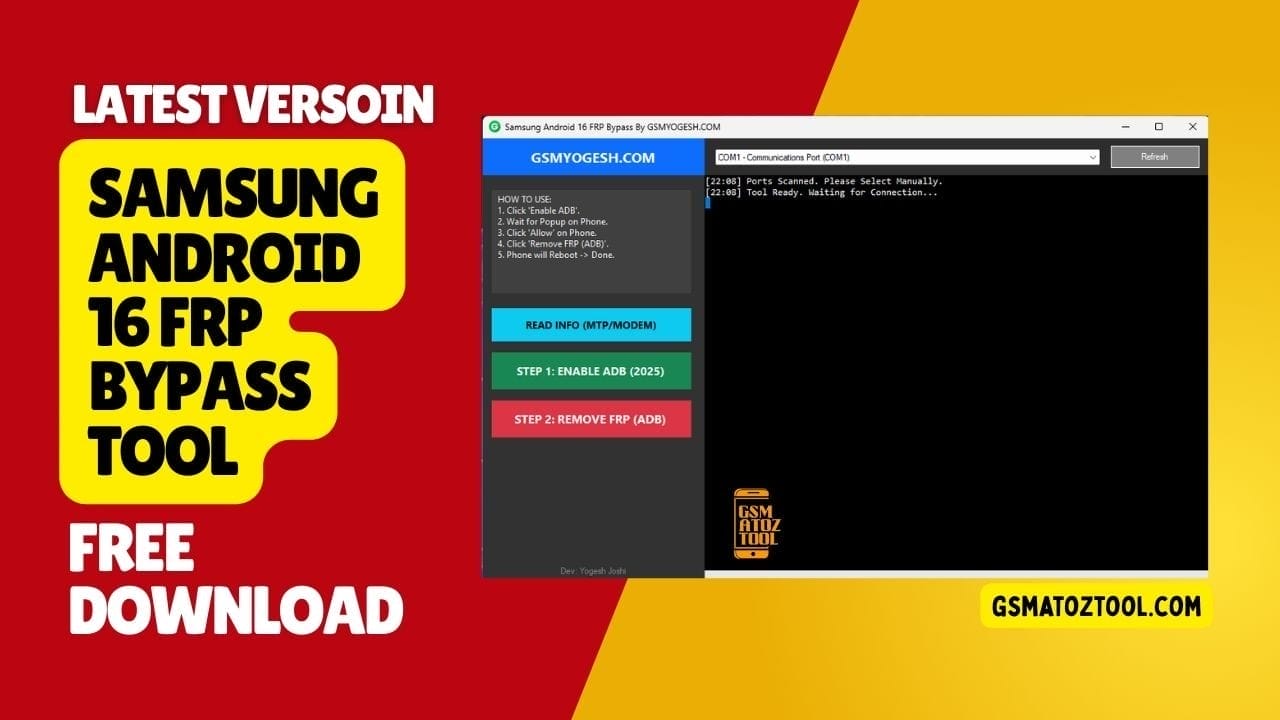
Samsung android 16 frp bypass tool helps you bypass google account verification on android 16 samsung devices quickly and safely.
If You Are Locked Out Of Your Phone After A Reset The Samsung Android 16 Frp Bypass Tool Can Feel Like The Only Hope Left. Many Users Face This Problem When They Forget Their Google Account Or Buy A Used Samsung Device That Is Still Locked. It’s Stressful Confusing And Wastes A Lot Of Time When Nothing Seems To Work.
In This Guide We’ll Explain How The Samsung Android 16 Frp Bypass Tool Uses Options Like Read Info (mtp/modem) Enable Adb (2025) And Remove Frp (Adb) To Unlock Your Device Step By Step. You’ll Learn When To Use Each Feature And How To Avoid Common Mistakes During The Process. By The End You’ll Have A Clear And Simple Method To Fix Frp On Supported Samsung Android 16 Phones.
What Is The Samsung Android 16 Frp Bypass Tool
The Samsung Android 16 Frp Bypass Tool Is Software Designed To Remove Factory Reset Protection From Samsung Devices Running Android 16. Frp Is A Security System Made By Google To Protect Phones If They Are Stolen But It Also Blocks Real Owners When They Forget Their Account Details. This Tool Helps You Regain Access Without Needing The Old Google Login.
Instead Of Using Risky Tricks Or Fake Apps This Tool Connects Directly To Your Phone And Works Through Official Communication Modes. It Follows A Proper Technical Process That Keeps Your Device Safe While Removing The Lock. That’s Why Many Repair Shops And Users Prefer It Over Random Online Methods.
Also Read
Whatsapp Group
- GSM ATOZ TOOL :: Group Link Join
- GSM ATOZ TOOL 1:: Group Link Join
- GSM ATOZ TOOL 2 :: Group Link Join
- GSM ATOZ TOOL 3 :: Group Link Join
- GSM ATOZ TOOL 4 :: Group Link Join
- GSM ATOZ TOOL 5:: Group Link Join
- GSM ATOZ TOOL 6 :: Group Link Join
- Gsm Atoz Tool Remotely Services :: Group Link Join
- Telegram Group GSM ATOZ TOOL :: Group Link Join
- Telegram Group GSM ATOZ TOOL 1 :: Group Link Join
Why Frp Lock Happens On Samsung Phones
Frp Activates When A Phone Is Reset While A Google Account Is Still Signed In. After The Reset The Phone Asks For The Same Account To Confirm Ownership. If You Don’t Remember The Email Or Password The Device Becomes Unusable Even Though It’s In Your Hands.
This Often Happens When People Buy Second-hand Phones Reset Phones Without Removing Accounts Or Forget Login Details After A Long Time. The Lock Is Meant For Safety But In Real Life It Creates Big Problems For Genuine Users. That’s Why Bypass Tools Become Necessary In These Cases.
Features Samsung Android 16 FRP Bypass:
Read Info (Mtp/Modem)
Read Info (mtp/modem) Is Used To Detect And Read Basic Details From Your Samsung Phone. When You Connect Your Device This Option Checks The Model Software Version And Connection Mode. It Helps Confirm That The Tool Is Communicating Properly With Your Phone.
This Step Is Important Because Every Samsung Model May Require Slightly Different Handling. By Reading Correct Device Info First The Tool Avoids Wrong Commands That Could Fail Or Cause Errors. Think Of It As The Tool “introducing Itself” To Your Phone Before Starting The Real Work.
Enable Adb
Adb Stands For Android Debug Bridge And It Allows Software To Send Commands To Your Phone. Enable Adb (2025) Is Needed Because Modern Android Versions Block Most Access By Default. Without Adb Deeper System Actions Like Frp Removal Are Not Possible.
Once Adb Is Enabled The Tool Can Safely Communicate With System Services. This Makes The Bypass Process Smoother And More Reliable On Android 16 Devices. It Also Reduces The Chance Of Stuck Screens Or Failed Attempts During Removal.
Remove Frp (Adb)
Remove Frp (adb) Is The Final And Most Important Step In The Process. After Device Info Is Read And Adb Is Active The Tool Sends Commands To Remove Google Verification Data From The System. This Allows The Phone To Restart Without Asking For The Old Account.
After This Step You Can Set Up The Phone With A New Google Account Like A Fresh Device. The Process Doesn’t Damage Hardware And Usually Doesn’t Affect Personal Storage Partitions. That’s Why It’s Considered Safer Than Flashing Unknown Firmware Files.
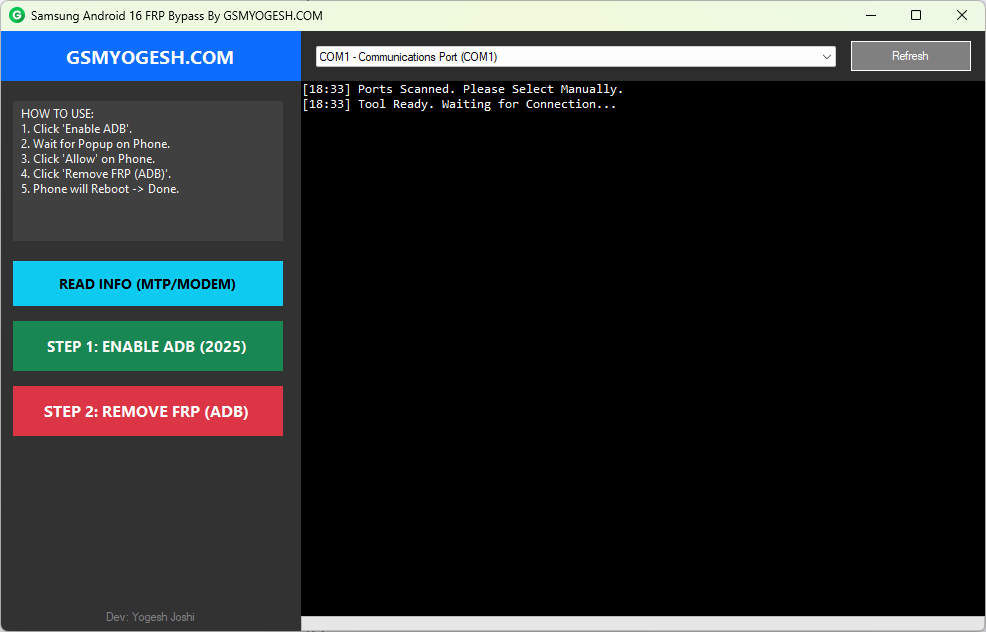
Samsung android 16 frp bypass tool used to remove google frp lock quickly and safely.
Supported Samsung Devices And Android Versions
Most Modern Samsung Phones Running Android 16 Are Supported By This Method Especially Popular A-series S-series And Some M-series Models. However Support Can Vary Depending On Security Patch Level And Chipset. Some Models May Need Extra Drivers Or Manual Detection Steps.
Before Starting It’s Always Best To Check If Your Exact Model Is Listed In The Tool’s Supported Devices Section. Using Updated Usb Drivers Also Helps Prevent Connection Issues. This Small Check Can Save You A Lot Of Time And Frustration.
Common Mistakes That Cause Frp Bypass To Fail
One Common Mistake Is Not Installing Proper Usb Drivers Which Stops The Tool From Detecting The Phone. Another Issue Is Skipping The Read Info Step And Going Straight To Removal Which Can Cause Command Errors. Many Users Also Forget To Enable The Correct Connection Mode.
Using Outdated Tools On Newer Android Versions Is Another Big Problem. Android 16 Has Stronger Protections So Older Bypass Tools May Not Work At All. Always Use Updated Software And Follow Steps In The Correct Order For Best Results.
Is It Safe And Legal To Use Frp Bypass Tools
Using An Frp Bypass Tool Is Generally Legal When You Are The Rightful Owner Of The Device. It’s Meant To Help Users Who Are Locked Out Due To Forgotten Credentials Or Second-hand Purchases. It Should Never Be Used On Stolen Or Unauthorized Phones.
From A Safety Point Of View Trusted Tools Do Not Harm Your Hardware Or System When Used Correctly. Still You Should Always Download Tools From Reliable Sources To Avoid Malware Or Fake Software. Safety Depends More On Where You Get The Tool Than The Method Itself.
Final Thoughts
Getting Stuck On The Google Verification Screen Can Feel Like Your Phone Is Useless But That’s Not The End Of The Road. With The Right Steps And The Right Tool You Can Unlock Your Device Safely And Continue Using It Without Stress. The Key Is Understanding How Each Feature Works And Following The Correct Order.
The Samsung Android 16 Frp Bypass Tool With Read Info Enable Adb And Remove Frp Options Offers A Structured And Reliable Solution For Modern Samsung Devices. If You Follow The Process Carefully You Can Turn A Locked Phone Back Into A Working One In Just A Few Minutes.
How To Download
To Download Samsung Android 16 FRP Bypass Tool Follow These Steps:
- Go To The Gsmatoztool.com Website Of Samsung Android 16 FRP Bypass Tool.
- Find The Download Page And Don’t Click Button And Click Only The (Download Link)
- Below Buttons Are Advertisements. Please Use The Download Links Above.
- Wait For The Download To Complete.
- Locate The Downloaded File On Your Device Once The Download Is Finished.
- Double-click On The File To Start The Installation Process.
- Follow The On-screen Instructions To Complete The Installation.
Download Link:: Usersdrive – Mediafire – 4shared – My.pcloud – Playbook – Disk.Yandex – DropBox – Mega – Vexfile