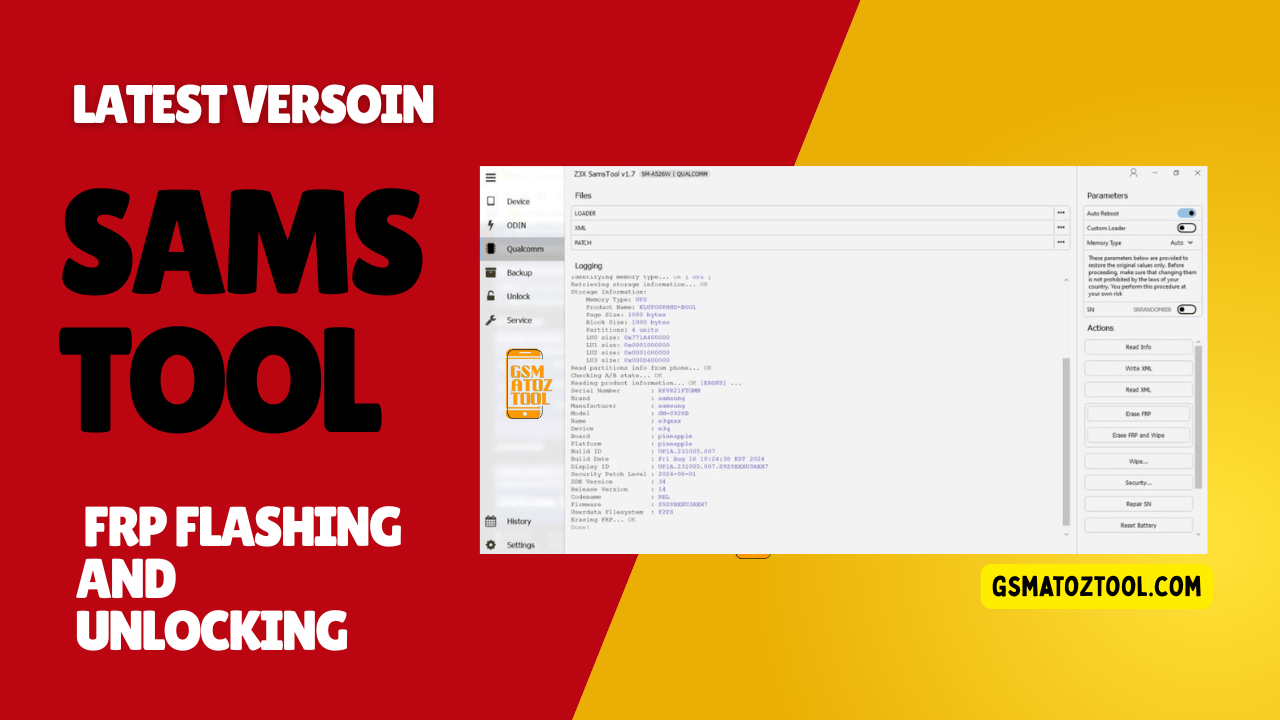
Samstool – ultimate android repair and unlock tool
If You’ve Ever Felt Stuck With A Samsung Phone That Just Won’t Cooperate—frp Lock Blocking Access Network Issues After Flashing Or Imei Problems Causing Constant Stress—you’re Not Alone. Many Users Search For Samstool When They’re Tired Of Trial-and-error Fixes And Just Want One Reliable Solution That Actually Works. That Frustration Is Usually What Pushes People To Look Deeper For A Professional-level Tool They Can Trust.
In This Blog Post We’ll Break Down How Samstool Helps Handle Common And Advanced Samsung Repair Tasks With Ease. You’ll Learn About Its Key Features Supported Chipsets And Powerful Functions Like Frp Reset Imei Repair Certificate Patching Csc Change And Bootloader Control. By The End You’ll Have A Clear Idea Of What This Tool Can Do And Whether It’s The Right Solution For Your Samsung Device Needs.
Samstool Free Download For Frp Flashing And Unlocking
If You’ve Ever Worked On A Samsung Phone That Refused To Cooperate You Already Know How Frustrating Things Can Get. One Small Mistake During Flashing An Unexpected Frp Lock Or A Corrupted Certificate Can Turn A Simple Repair Job Into Hours Of Stress. That’s Exactly Why Many Technicians And Advanced Users Search For Samstool—they Want One Powerful Solution Instead Of Juggling Multiple Tools.
This Guide Will Walk You Through What Samstool Really Is What It Can Do And Why It’s Trusted For Frp Removal Flashing Unlocking And Deep-level Samsung Repairs. By The End You’ll Clearly Understand Whether This Tool Fits Your Needs And How It Can Simplify Your Daily Repair Work.
Also Read
What Is The Samstool
Samstool Is A Professional Samsung Service And Repair Utility Designed To Handle Both Software And Security-level Operations. It’s Commonly Used For Frp Unlocking Certificate Patching Imei Repair Bootloader Management And Csc Changes On Samsung Devices. Instead Of Relying On Risky Manual Methods The Tool Provides Structured Safer Operations.
What Makes Samstool Stand Out Is Its Broad Chipset Compatibility. It Supports The Latest Generation Of Exynos Mtk Unisoc And Qualcomm-based Samsung Devices Which Means You’re Not Limited To Older Models. Whether You’re Fixing A Customer’s Phone Or Working On Your Own Device Samstool Acts Like A Digital Repair Bench In One Place.
Key Features Of Samstool
- Repair IMEI
- Repair MAC
- Patch Certificate
- Reset FRP Lock/ FRP Remove
- Network Factory Reset
- Read Codes Online
- SW Change
- Unlock / Relock Bootloader
- CSC Change
- Device Info
- Read Certificate
- Write Certificate
- Store / Restore Backup
Supported Latest Generation Of Exynos Mtk Unisoc Qualcomm Based Samsung Devices.
List Of Supported Functions:
- Switch To Eub Mode
- Easy Partition Manager
- Reset Frp
- Repair Boot
- Read Info
- Set Kg State
- Change Csc
- Remove Warnings
- Read Codes
- Unlock Network/regional Locks
- Unlock/relock Bootloader
- Read/write Backup
- Reset Battery Status
- Bootloader Unlock
- Repair Imei
- Repair Sn
- Update Firmware
- Patch Cert
- Read/write Cert
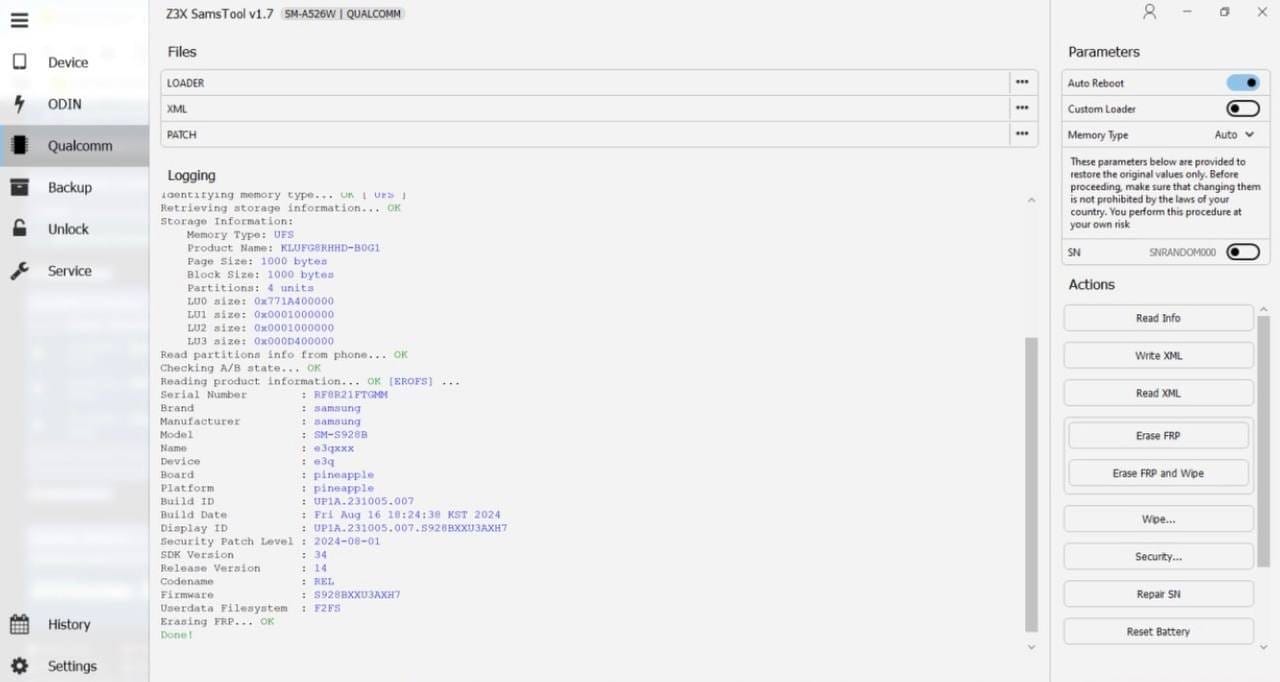
Z3x samstool – all-in-one samsung frp flash and unlock tool
Samstool Comes Packed With Advanced Features That Cover Almost Every Common Samsung Software Issue. It Allows You To Repair Imei Repair Mac And Patch Certificates Which Is Critical After Firmware Updates Or Failed Flashes. These Features Help Restore Network Functionality Without Needing Expensive Service Boxes.
Beyond That The Tool Supports Reset Frp Lock / Frp Remove Network Factory Reset Csc Change And Unlock / Relock Bootloader. You Can Also Read And Write Certificates Check Full Device Info And Safely Store Or Restore Backups. This Makes Samstool Suitable For Both Quick Fixes And Deep System-level Repairs.
Supported Samsung Devices And Chipsets
One Of The Strongest Advantages Of Samstool Is Its Wide Device Support. It Works Smoothly With Samsung Phones Powered By Exynos Mediatek (mtk) Unisoc And Qualcomm Chipsets. This Means You’re Not Restricted To A Single Hardware Platform.
The Tool Is Regularly Updated To Support Newer Models And Android Security Patches. As Samsung Releases New Devices Samstool Keeps Pace Making It A Long-term Solution Rather Than A Short-lived Fix. This Reliability Is Exactly What Professionals Look For.
List Of Supported Functions In Samstool
Samstool Offers A Long List Of Specialized Functions That Are Normally Spread Across Multiple Tools. It Can Switch Devices To Eub Mode Manage Partitions Easily And Repair Boot Issues Caused By Corrupted Firmware. These Features Are Especially Useful When A Phone Is Stuck In Bootloop Or Soft-bricked.
You Can Also Set Kg State Remove Warnings Unlock Network Or Regional Locks And Reset Battery Status. Advanced Users Appreciate Features Like Read/write Backup Read Codes Repair Sn Update Firmware And Patch Cert. Everything Is Organized To Reduce Errors And Save Time.
Frp Removal And Flashing With Samstool
Frp Lock Is One Of The Most Common Problems Samsung Users Face Especially After A Factory Reset. Samstool Provides A Stable And Controlled Way To Reset Frp Without Risky Shortcuts Or Unreliable Tricks. This Is Especially Useful For Technicians Dealing With Customer Devices.
When It Comes To Flashing The Tool Helps Avoid Common Mistakes That Lead To Imei Or Network Loss. By Combining Flashing Support With Certificate And Imei Repair Samstool Ensures The Device Remains Fully Functional After The Process.
Bootloader And Csc Management
Managing The Bootloader Is Risky If Done Incorrectly But Samstool Simplifies The Process. It Allows You To Unlock Or Relock The Bootloader Safely Reducing The Chance Of Permanent Damage. This Is Essential For Advanced Repairs And Custom Firmware Work.
Csc Change Is Another Powerful Feature Especially For Users Dealing With Region-locked Devices. With Samstool You Can Change Csc To Enable Missing Features Fix Network Issues Or Align Firmware With Your Region Properly.
Why Technicians Trust Samstool
Technicians Prefer Tools That Are Reliable Updated And Versatile. Samstool Checks All Those Boxes By Combining Multiple Repair Functions Into One Interface. It Reduces Dependency On Multiple Cracked Tools Which Often Cause More Problems Than They Solve.
Another Reason Professionals Trust It Is Consistency. Operations Like Repair Imei Read/write Cert And Patch Cert Work Predictably When Used Correctly Which Is Critical In A Repair Environment Where Time And Data Safety Matter.
Is Samstool Safe To Use
When Used Correctly Z3x samstoolIs Considered Safe For Supported Operations. The Key Is Understanding What Each Function Does Before Running It. Blindly Clicking Options Without Knowledge Can Still Damage A Device Just Like Any Advanced Repair Tool.
It’s Always Recommended To Store Or Restore Backups Before Performing Deep-level Operations. This Simple Step Can Save Hours Of Recovery Work If Something Goes Wrong.
How To Use
- Download The Latest Setup Version Of Z3x Samstool Online Tool To Your Computer.
- Extract The Setup.zip File And Open The Extracted Folder.
- Right-click On The Tool And Select Run As Administrator.
- The Installation Wizard Will Open—click Next To Continue.
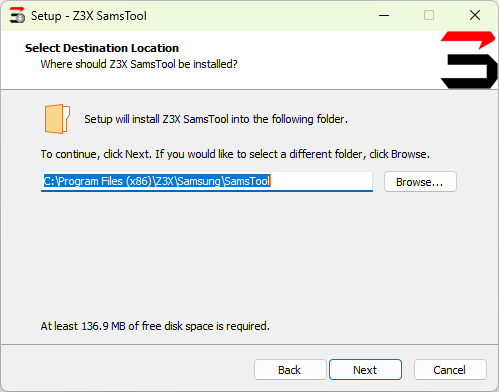
Samstool – all-in-one android frp flash and unlock tool
- Tick Create A Desktop Shortcut And Click Next.
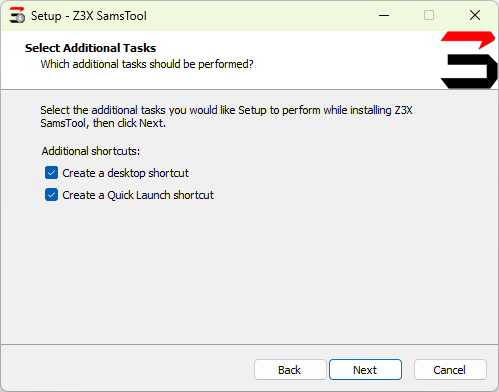
Samstool – all-in-one android repair and frp tool
- Click Install Wait For The Process To Finish Then Click Finish.
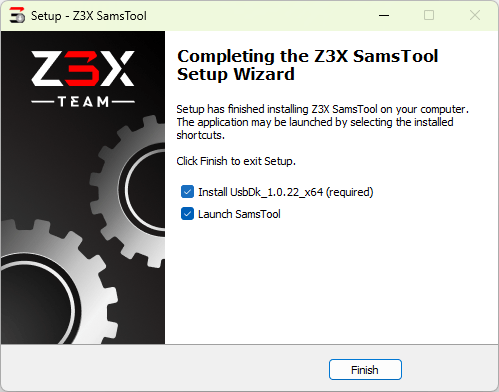
Z3x samstool – all-in-one samsung repair and frp tool
- Once The Installation Is Complete Go Back To Your Desktop.
- Double-click Samstool Online.exe To Run The Tool.
- The Tool Will Now Open
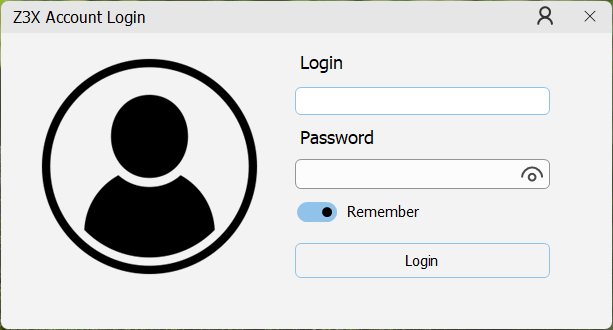
Access samstool online – your all-in-one android repair tool
- Samstool Online Login – Now After Logging In You Can Access And Use All The Tool’s Functions.
Z3x samstool – all-in-one samsung frp flash and unlock tool
Final Thoughts On Samstool
Samstool Is Not Just Another Samsung Utility—it’s A Complete Repair Ecosystem For Frp Removal Flashing Unlocking And System Repair. It’s Built For Users Who Want Control Reliability And Efficiency In One Place. Whether You’re Fixing A Single Phone Or Running A Repair Shop Samstool Can Dramatically Simplify Your Workflow.
If You’re Serious About Samsung Repairs And Want A Tool That Grows With New Devices And Security Updates z3x samstool Is Worth Your Attention. Used Wisely It Can Save Time Reduce Errors And Help You Deliver Better Repair Results Consistently.
How To Download
To Download Samstool Follow These Steps:
- Go To The Gsmatoztool.com Website Of Samstool.
- Find The Download Page And Click On The (Download Link).
- Wait For The Download To Complete.
- Locate The Downloaded File On Your Device Once The Download Is Finished.
- Double-click On The File To Start The Installation Process.
- Follow The On-screen Instructions To Complete The Installation.
Samstool
Download Link:: Usersdrive – Mediafire – 4shared – My.pcloud – Playbook – Mega – Vexfile