
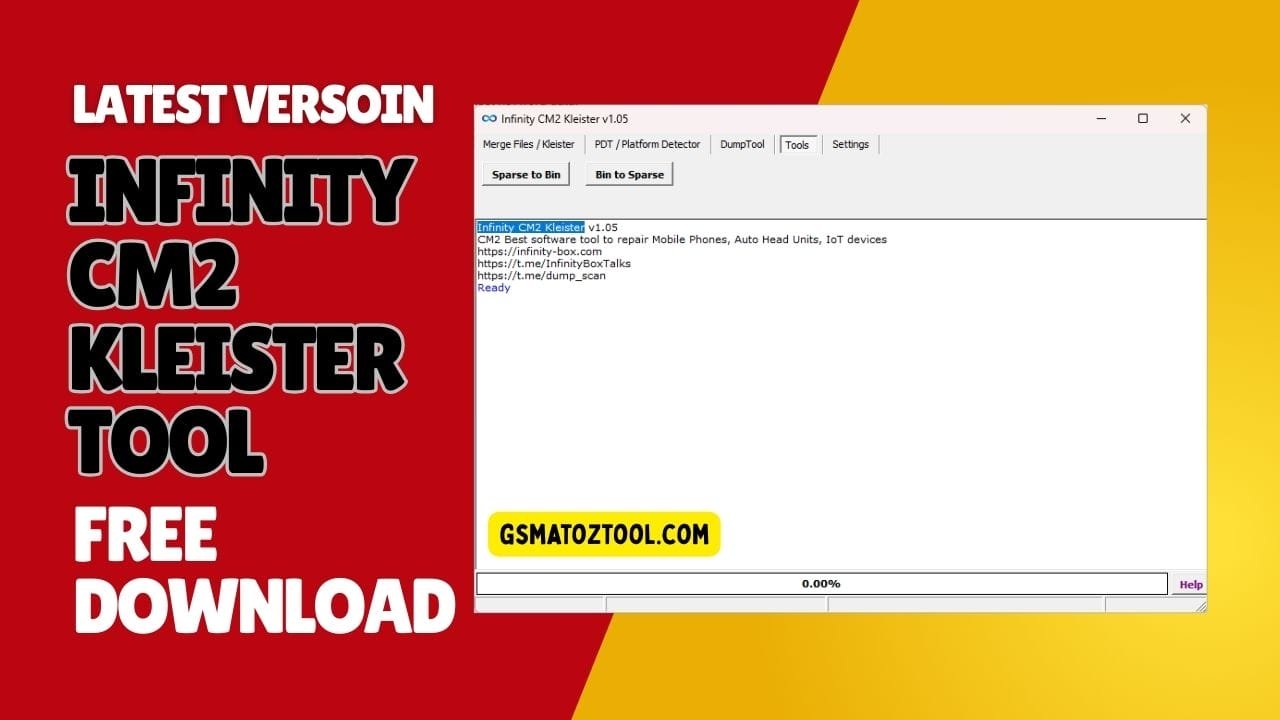
Infinity cm2 kleister v1. 05 dashboard showing features to repair mobile phones auto head units and iot devices.
Let’s Be Honest Dealing With A Bricked Phone Is An Absolute Nightmare. You Sit There Staring At A Screen Nothing Connects And Your Firmware Files Just Refuse To Cooperate. I Get It. Most Of Us Just Want A Straightforward Way To Fix These Technical Headaches Without Wanting To Throw Our Computers Out The Window.
In This Guide I Am Going To Show You How The Infinity Cm2 Kleister Tool Actually Makes This Entire Process Bearable. We Will Dive Straight Into Using The Pdt / Platform Detector And Mastering The Dumptool So You Can Safely Pull Those Essential Partitions. Stick With Me And By The End Of This Post You Will Know Exactly How To Navigate The Settings Panel To Get Your Devices Running Perfectly Again.
What Is The Infinity Cm2 Kleister Tool
This Software Is Basically A Lifesaver For Technicians Who Deal With Messy Firmware Files And Unknown Chipsets. It Gives You A Clean Space To Merge Files / Kleister Without Relying On Sketchy Third-party Scripts. Got A Bunch Of Scattered Partition Files? The File Working Area Panel Helps You Organize Them Fast. You Literally Just Pick What You Need Using The Select Option Then Sort It All Out With The Move Up Function And The Move Down Function.
But It Doesn’t Stop At Just Combining Files. The Program Also Acts As A Bridge To Your Phone Through The Pdt / Platform Detector Tab Which Instantly Reads The Hardware Details Of An Unknown Device. You Just Need To Follow The Device Connection Instruction (hold Both Volume Keys + Insert Usb Cable) To Get It Linked Up. From There Hit The Start Button To Pull The Data Or Smash The Stop Button If Something Looks Wrong And You Need To Bail Out Quickly.
Also Read
Download The Infinity Cm2 Kleister Tool Latest Version
Grabbing The Newest Update Of The Infinity Cm2 Kleister Tool Is The Smartest Thing You Can Do To Speed Up Your Daily Repairs. A Fresh Setup Ensures That The Functions Section Works Flawlessly With The Newest Android Security Patches And Partition Structures. If You Use An Outdated Build Your Computer Might Completely Fail To Recognize Modern Chipsets When You Plug Them In. You Really Want To Make Sure You Have The Latest Drivers So You Aren’t Wasting Hours Troubleshooting A Simple Connection.
Once You Have The Software Downloaded And Extracted You Will Immediately Notice How Clean The Main Dashboard Is. Everything You Need Is Neatly Organized Into Tabs So You Don’t Have To Go Digging Through Hidden Drop-down Menus. Always Make Sure To Download The Setup Directly From A Secure Trusted Source To Keep Your Workspace Completely Free From Nasty Malware.
Features:
Merge Files / Kleister
- PDT / Platform Detector
- DumpTool
- Tools Section
- Settings Panel
- Select Option
- Move UP Function
- Move DOWN Function
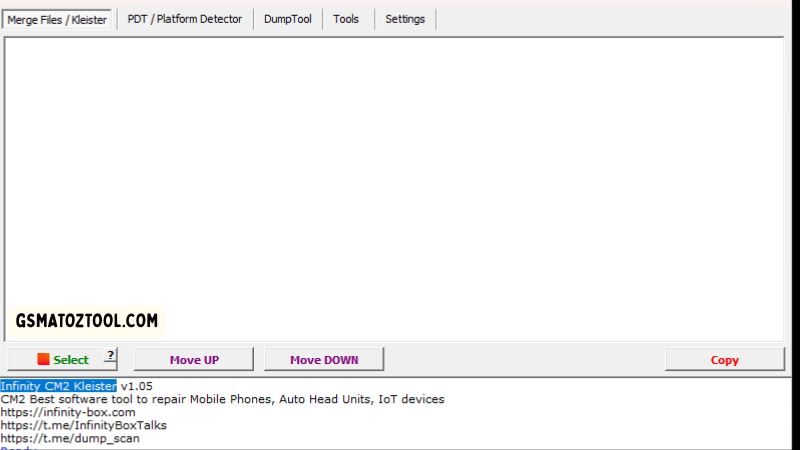
Infinity cm2 kleister official interface used to repair mobile phones auto head units and iot devices.
PDT / Platform Detector Tab
- Start Button
- Stop Button
- Device Connection Instruction (Hold Both Volume Keys + Insert USB Cable)
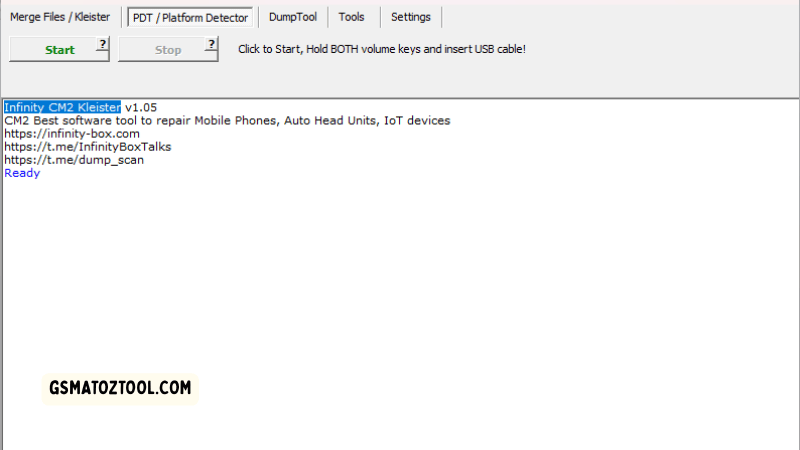
How to use the pdt / platform detector feature in infinity cm2 kleister tool
DumpTool Tab
- Load Raw/Dump Option
- Save Parts Button
- Open Dir Button
- Functions Section
- File Working Area Panel
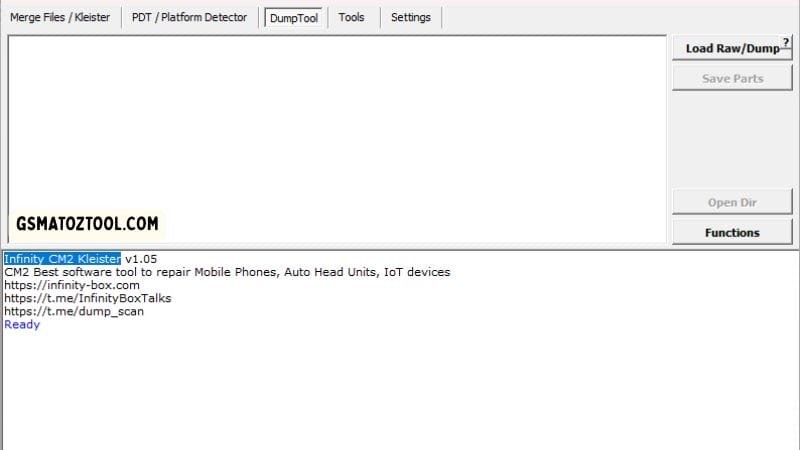
Infinity cm2 kleister dumptool interface to load and extract raw firmware dumps.
Tools
- Sparse to Bin Option
- Bin to Sparse Option
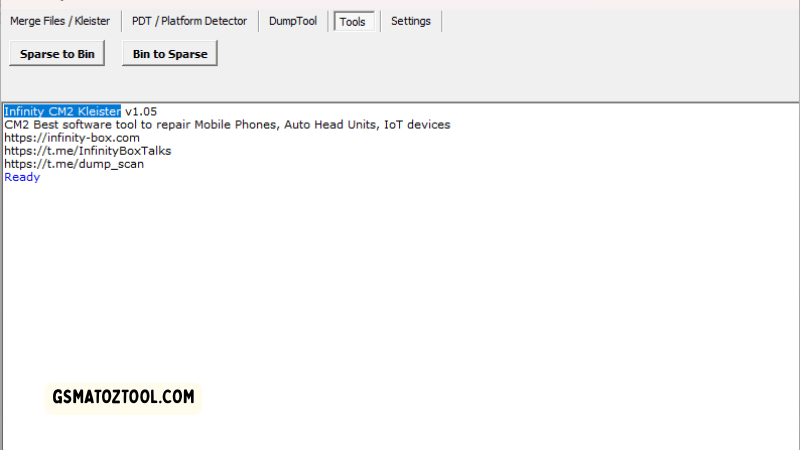
Infinity cm2 kleister tools tab for converting sparse and bin files.
Identifying Devices With The Pdt / Platform Detector
Sometimes A Phone Lands On Your Desk And You Have Absolutely No Idea What Processor Is Hiding Inside. That Is When You Switch Over To The Pdt / Platform Detector Tab To Let The Software Do The Heavy Detective Work For You. You Just Need To Follow The Device Connection Instruction (hold Both Volume Keys + Insert Usb Cable) Exactly As It Is Written On The Screen. If You Mess Up That Button Combination Your Pc Will Just Ignore The Phone Completely.
Once You Hear The Windows Usb Connection Chime You Simply Click The Start Button And Watch The Hardware Details Populate The Screen. The Pdt / Platform Detector Instantly Reads The Soc Type Meaning You No Longer Have To Waste Time Searching For Spec Sheets Online. If The Log Freezes Or Throws A Weird Error During The Read Just Hit The Stop Button Immediately And Try A Different Cable.
Safe Firmware Extraction Via The Dumptool
Bricking A Customer’s Phone Because You Didn’t Take A Backup Is Honestly The Worst Feeling In The World. Thankfully The Dumptool Tab Makes Pulling A Complete Memory Read Ridiculously Easy And Safe. You Start By Using The Load Raw/dump Option To Import The Raw Data Straight From A Working Device. The Software Automatically Breaks Down The Memory Blocks So You Can See Exactly What Partitions Are Available To Extract.
Actually Saving Those Files Is Just As Straightforward As Loading Them Into The Tool. You Just Select The Specific Images You Want To Keep And Hit The Save Parts Button To Extract Them Safely To Your Hard Drive. When The Process Finishes Clicking The Open Dir Button Takes You Right To The Folder Where Your New Firmware Is Stored. It Turns A Highly Technical Backup Process Into A Simple Point-and-click Job.
Why You Need The Infinity Cm2 Kleister Tool
This Software Is An Absolute Lifesaver When You Are Staring At A Completely Dead Device On Your Repair Desk. Instead Of Juggling Multiple Complicated Programs It Gives You A Centralized Settings Panel Where You Can Configure Your Output Folders Before You Even Start. You Get A Massive File Working Area Panel That Makes Organizing Your Scattered Firmware Chunks Incredibly Visual.
If You Need To Combine Pieces The Merge Files / Kleister Feature Does Exactly What It Says Without Forcing You To Use Confusing Command Lines. The Interface Is Basically Foolproof For Everyday Technicians. When You Drop Your Files In You Simply Hit The Select Option To Pick What Stays And What Gets Deleted.
If The Partition Order Looks Wrong You Just Fix It Instantly Using The Move Up Function Or The Move Down Function. It Gives You Total Control Over The Firmware Building Process So You Never Have To Blindly Flash A Risky Pre-packaged File Again.
Frequently Asked Questions (FAQs)
What Is The Main Purpose Of The Infinity Cm2 Kleister Tool?
It Is A Powerful Software Utility That Helps Technicians Merge Scattered Firmware Files Detect Unknown Chipsets And Extract Device Partitions Safely.
How Do I Properly Connect My Device To Use The Pdt / Platform Detector?
You Must Strictly Follow The Device Connection Instruction By Holding Both Volume Keys And Inserting The Usb Cable Before Clicking The Start Button.
Can I Backup My Current Firmware Using This Software?
Yes You Can Load A Raw Dump File Into The Dumptool Tab Select The Specific Images You Need And Click The Save Parts Button To Extract Them.
What Do The Sparse To Bin And Bin To Sparse Options Do?
These Tools Quickly Convert Large Sparse Image Files Into Flashable Binary Formats (and Vice Versa) So They Are Easier To Handle And Flash.
How Can I Organize Multiple Firmware Chunks Before Merging Them?
Just Drop Them Into The File Working Area Panel Select Your Files And Use The Move Up Or Move Down Functions To Arrange Them In The Correct Order.
Conclusion
Ultimately Adding The Infinity Cm2 Kleister Tool To Your Repair Setup Is One Of The Best Decisions You Can Make. It Takes The Stress Out Of Complex Tasks Like Merge Files / Kleister And Platform Detection Turning A Potential Two-hour Headache Into A Five-minute Fix.
You Don’t Need To Be A Coding Wizard To Use The Settings Panel Or The Dumptool Effectively. It Is Just Solid Reliable Software That Does Exactly What It Says On The Tin. So Stop Struggling With Broken Files Get The Latest Version Installed And Make Your Mobile Repair Life A Whole Lot Easier.
How To Download
To Download Infinity CM2 Kleister Tool Follow These Steps:
- Go To The Gsmatoztool.com Website Of Infinity CM2 Kleister Tool.
- Find The Download Page And Click On The (Download Link).
- Wait For The Download To Complete.
- Locate The Downloaded File On Your Device Once The Download Is Finished.
- Double-click On The File To Start The Installation Process.
- Follow The On-screen Instructions To Complete The Installation.
Get Instant Access to All Professional Tools at Best Prices:
Unlock Tool | DFT Pro | Pandora | MDM Fix | Chimera | Cheetah | EFT Pro | UMT | NCK | CM2 | Hydra | Z3X | Sigma | Octopus | Griffin | TFM | TSM | EMT | MST | DT Pro | AMT | TR Tool | CF Tool | UAT | 360 Tool | Scorpion | Easy Box | Best Dongle | HCU | Sams Tool
Instant Activation | 24/7 Service | Worldwide Support
Infinity CM2 Kleister Tool V1.11
Download Link:: Usersdrive – Mediafire – 4shared – My.pcloud – Playbook – Google Drive – DropBox – Mega – Vexfile – Drive.proton