

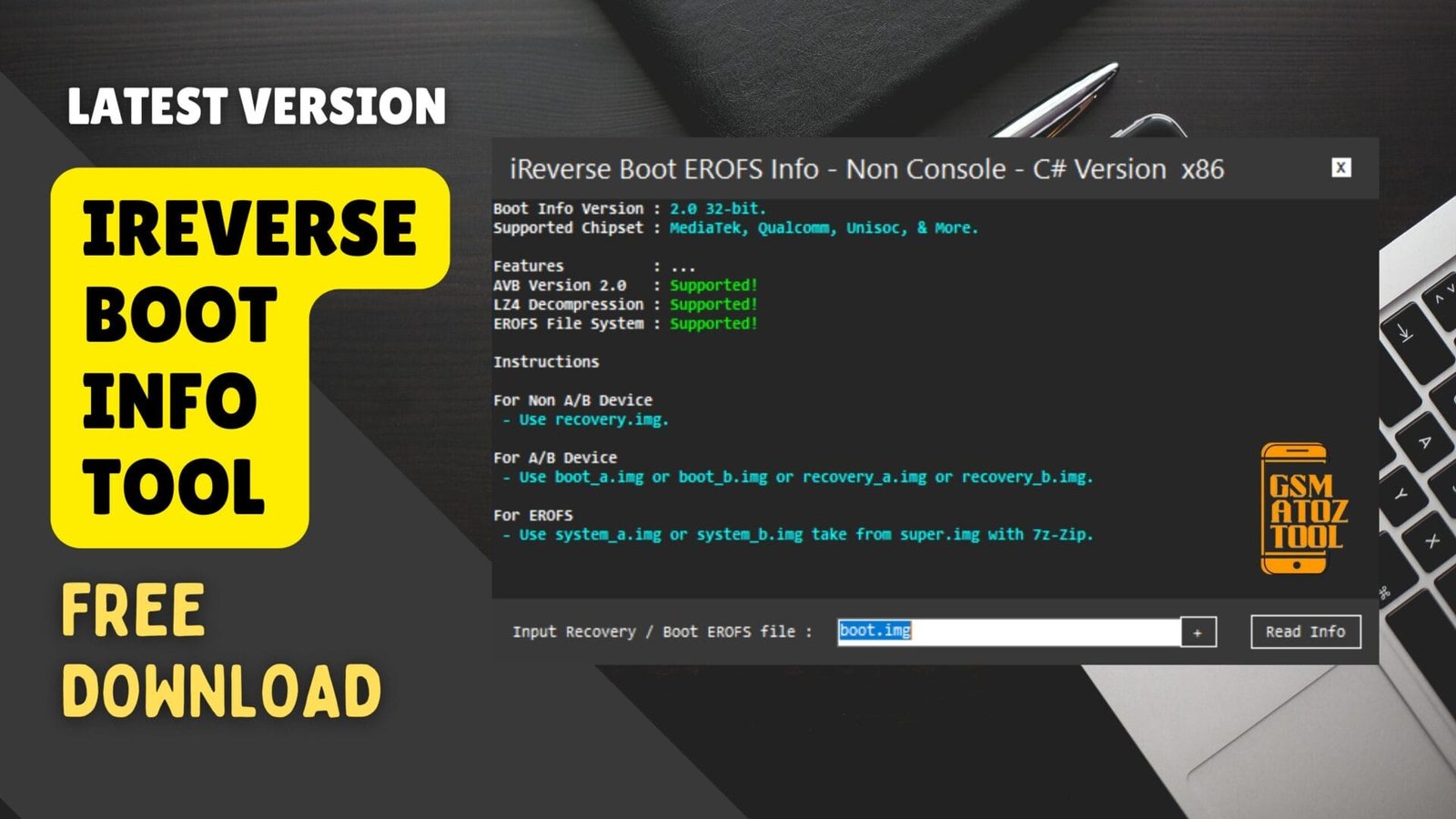
Ireverse boot info tool with support for avb 2. 0 lz4 decompression and erofs for a/b and non-a/b devices
Sometimes It Feels Frustrating When Your Android Device Just Won’t Cooperate—whether You’re Trying To Flash A Custom Rom Fix A Boot Issue Or Simply Understand What’s Behind Those Complex System Images. You Search For Tools But Most Of Them Are Confusing Or Limited Leaving You Stuck With Errors And No Real Guidance.
That’s Where The Ireverse Boot Info Tool Steps In. In This Blog We’ll Break Down Its Powerful Features Like Avb Version 2.0 Support Lz4 Decompression And Erofs Compatibility And Explain When To Use Recovery Boot_a Or System Images. By The End You’ll Know Exactly How To Use The Tool For A/b And Non-a/b Devices And Finally Get Clarity On Your Boot And System File Handling.
What Is The Ireverse Boot Info Tool
The Ireverse Boot Info Tool Is Designed To Help Android Users Understand And Manage Boot Images With Less Confusion And More Confidence. Instead Of Guessing Which Files Work With Your Device You Get Support For Avb Version 2.0 Lz4 Decompression And Even The Newer Erofs File System.
If You’ve Ever Struggled With Flashing Or Debugging This Tool Can Simplify Those Steps And Reduce Trial-and-error Moments. It’s Built For Both Beginners And Advanced Users Who Want Reliability Without Unnecessary Complexity. This Tool Also Solves One Of The Biggest Frustrations—knowing Which Image To Use For A/b Versus Non-a/b Devices.
For Non-a/b Phones You Need Recovery.img While A/b Phones Require Boot_a.img Or Boot_b.img And Sometimes Recovery_a.img Or Recovery_b.img. And If You’re Dealing With Erofs You’ll Be Using System_a.img Or System_b.img Pulled From Super.img Using 7z-zip. In Short It Makes Sense Of Tasks That Usually Feel Messy And Overwhelming.
Also Read
Whatsapp Group
- GSM ATOZ TOOL :: Group Link Join
- GSM ATOZ TOOL 1:: Group Link Join
- GSM ATOZ TOOL 2 :: Group Link Join
- GSM ATOZ TOOL 3 :: Group Link Join
- GSM ATOZ TOOL 4 :: Group Link Join
- GSM ATOZ TOOL 5:: Group Link Join
- GSM ATOZ TOOL 6 :: Group Link Join
- Gsm Atoz Tool Remotely Services :: Group Link Join
- Telegram Group GSM ATOZ TOOL :: Group Link Join
- Telegram Group GSM ATOZ TOOL 1 :: Group Link Join
Download The Ireverse Boot Info Tool Latest Versoin
Downloading And Setting Up The Ireverse Boot Info Tool Is Simple And Doesn’t Require Complicated Steps. You Can Easily Use It To Check Compatibility Before Flashing Which Prevents Errors That Can Lead To Bootloops Or Failed Installations. It Supports Newer Android Systems Using Avb Version 2.0 And Erofs Giving It Future-proof Value As More Devices Adopt These Formats.
Also Since It Handles Both A/b And Non-a/b Layouts It’s Flexible Enough For Many Devices. Once Downloaded You’ll Notice How The Tool Provides Details In A Clear Format So You Don’t Need To Guess Or Search Online For Each File Type. For Example Knowing When To Use Lz4 Decompression Or How To Extract System Images Can Save You Hours Of Guesswork.
Many Users Appreciate Being Able To View Image Types Before Modifying Anything Because It Reduces Risk And Helps Avoid Mistakes. If You Want A Tool That Assists With System Images And Keeps Things User-friendly This One Is An Excellent Choice.
Features :
- AVB Version 2.0 : Supported!
- LZ4 Decompression : Supported!
- EROFS File System : Supported!
Instructions
- For Non A/B Device
- Use recovery.img.
- For A/B Device
- Use boot_a.img or boot_b.img or recovery_a.img or recovery_b.img.
- For EROFS
- Use system_a.img or system_b.img take from super.img with 7z-Zip.
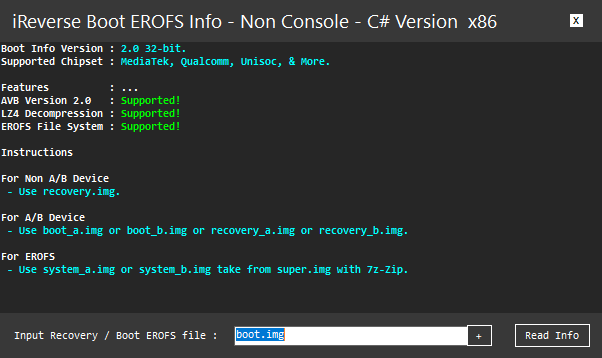
Download the latest ireverse boot info tool with full support for avb version 2. 0 lz4 decompression and erofs file systems.
How To Use?
- You Will Need To First Download The Zip From The Below Link.
- Then, Unzip All The Files In The C Drive.
- Then, Install The Setup With The Basic Instructions.
- Run The Tool As Admin “iReverse Boot Info Tool.exe“
- If You Already Have Drivers Installed, Skip This Step.
- Enjoy ! !
How To Download
To Download iReverse Boot Info Tool Follow These Steps:
- Go To The Gsmatoztool.com Website Of iReverse Boot Info Tool.
- Find The Download Page And Click On The (Download Link)
- Below Buttons Are Advertisements. Please Use The Download Links Above.
- Wait For The Download To Complete.
- Locate The Downloaded File On Your Device Once The Download Is Finished.
- Double-click On The File To Start The Installation Process.
- Follow The On-screen Instructions To Complete The Installation.
iReverse Boot Info Tool
Download Link:: Usersdrive – Mediafire – 4shared – My.pcloud – Playbook – Limewire – Disk.Yandex – DropBox – Mega