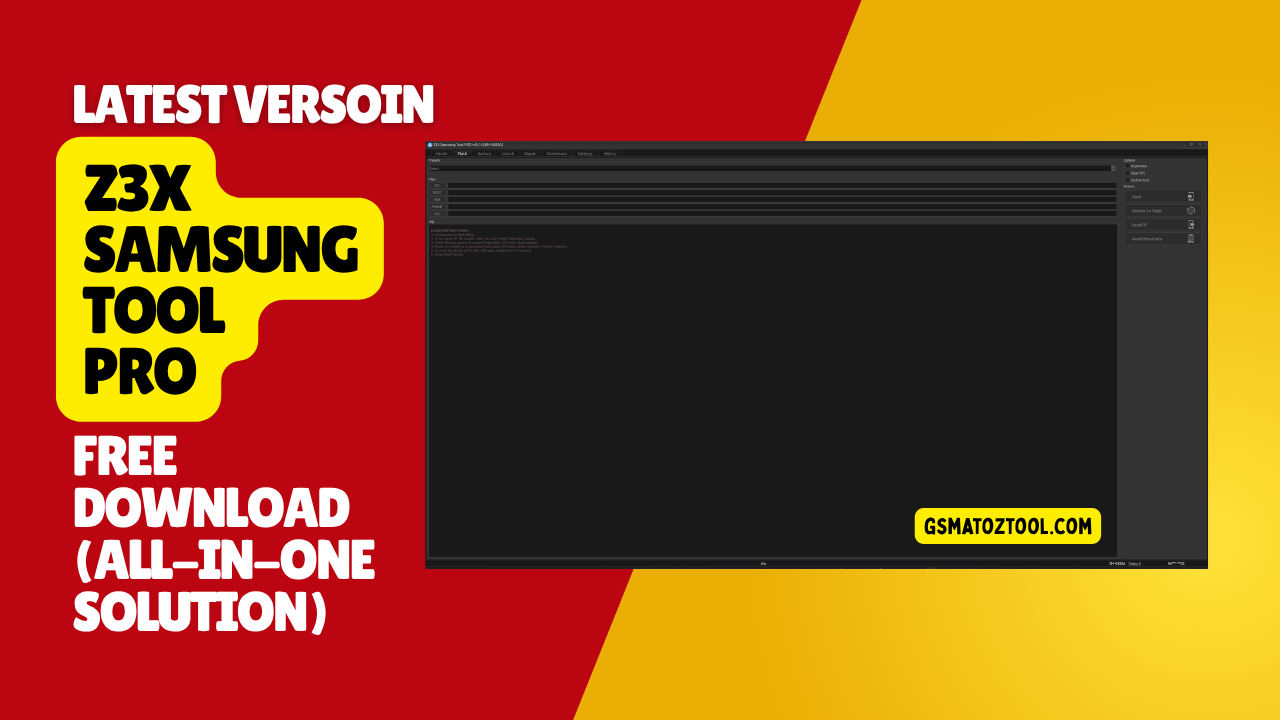
Powerful samsung servicing software for unlocking flashing and repair
There Is Nothing More Frustrating Than Having A Perfectly Good Samsung Phone Sitting On Your Desk That You Can’t Even Use Because Of A Stubborn Software Lock Or A Botched Update. You Spend Hours Searching Online Forums For A Quick Fix Only To End Up More Confused By All The Complicated Tech Talk. Nobody Wants To Pay Crazy Repair Shop Fees Just To Bypass A Screen Or Fix A Simple Network Glitch.
That Is Exactly Where Mastering The Z3x Samsung Tool Pro Changes Everything For You. In This Post We Are Going To Strip Away The Confusion And Show You Exactly How To Use Its Main Tabs For Flashing Unlocking And Backing Up Your Device Safely. By The End Of This Guide You Will Know Exactly Which Buttons To Press To Bring Any Dead Or Locked Phone Back To Life Without The Headache.
What Is The Z3x Samsung Tool Pro
Think Of This Software As A Digital Swiss Army Knife For Mobile Repair Guys. The Magic Really Starts Inside The Flash Tab Where You Lock In Your Specific Phone Via The Model Selection Option. From There You Can Dive Right Into The Pit File Section Or Load Up A Boot File Option And A Pda File Option. It Even Gives You Dedicated Spots For Your Phone File Option And Csc File Option To Guarantee A Clean Install.
You Can Quickly Hit Repartition Or Clear Efs Inside The Options Panel And Then Update Boot. Finally You Just Jump Over To The Actions Panel To Hit Flash Or Reboot To Flash While Keeping An Eye On Read Pit And Read Phone Info. Backing Up Your Data Is Super Important Before You Start Messing With System Files. You Will Head Over To The Backup Tab And Lock In Your Port Selection Option And Adb Mode Selection. Just Look At The Backup Instructions Panel (left Side) Because It Strictly Warns That The Phone Must Be Rooted.
You Have To Enable Developer Options And Enable Usb Debugging Before You Connect Device Via Usb And Install Drivers If Needed. Once Connected Your Backup Operations Let You Read Efs And Write Efs Or Even Read Cert And Read Cert Diag. You Finish Up By Clicking Write Cert Or Write Nv Data On The Actions Panel (right Side) Which Also Lets You Read Phone Info Alongside Those Other Read Efs And Write Efs Features.
Also Read
Z3x Samsung Tool Pro Latest Versoin Free Download
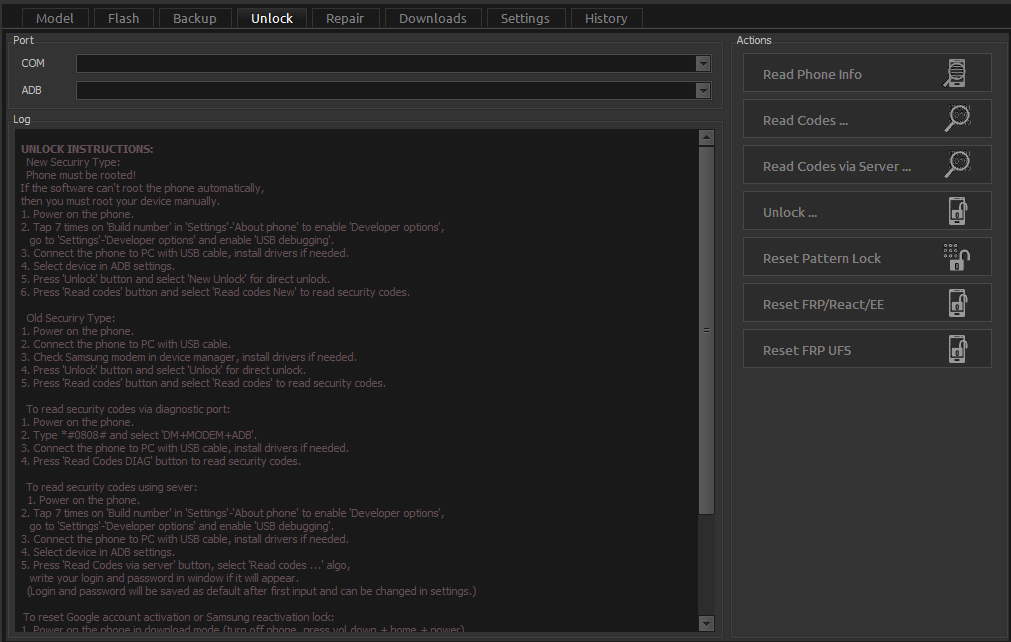
Grabbing The Newest Update Means You Get The Best Tools To Bypass Tough Security Locks Today. You Just Open Up The Unlock Tab And Set Your Port Selection (com) And Adb Mode Selection. The Handy Unlock Instructions Panel Walks You Through Both New Security Unlock Steps And Old Security Unlock Steps. In Fact You Can Easily Read Codes Via Diagnostic Port Or Read Codes Via Server While Checking The Reactivation/frp Unlock Instructions.
The Bottom Actions Panel Is Where You Finally Read Phone Info Or Read Codes And Read Codes Via Server To Push The Actual Unlock. It Also Lets You Run A Reset Frp/reactivation/ee Or A Deep Reset Frp Ufs. Finding A Clean Download Link Keeps Nasty Malware Off Your Work Computer.
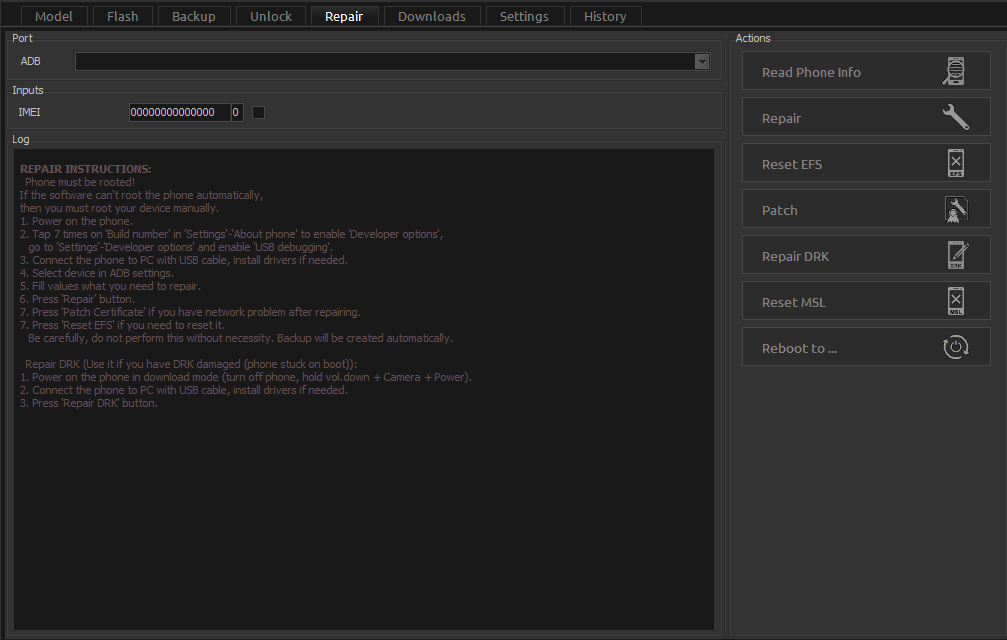
Once You Install It You Can Jump Straight Into The Repair Section To Fix Dead Networks. The Interface Lets You Read Phone Info And Repair Imei Without Breaking A Sweat. Most Technicians Use This Exact Menu To Reset Efs Or Patch Certificate On Phones That Refuse To Connect Properly. You Can Even Reset Msl And Click Reboot To When Everything Is Finally Done.
Features Z3x Samsung Tool Pro:
Flash Tab
Model Selection Option
- Pit File Section
- Boot File Option
- Pda File Option
- Phone File Option
- Csc File Option
- Options Panel
- Repartition
- Clear Efs
- Update Boot
- Actions Panel
- Flash
- Reboot To Flash
- Read Pit
- Read Phone Info
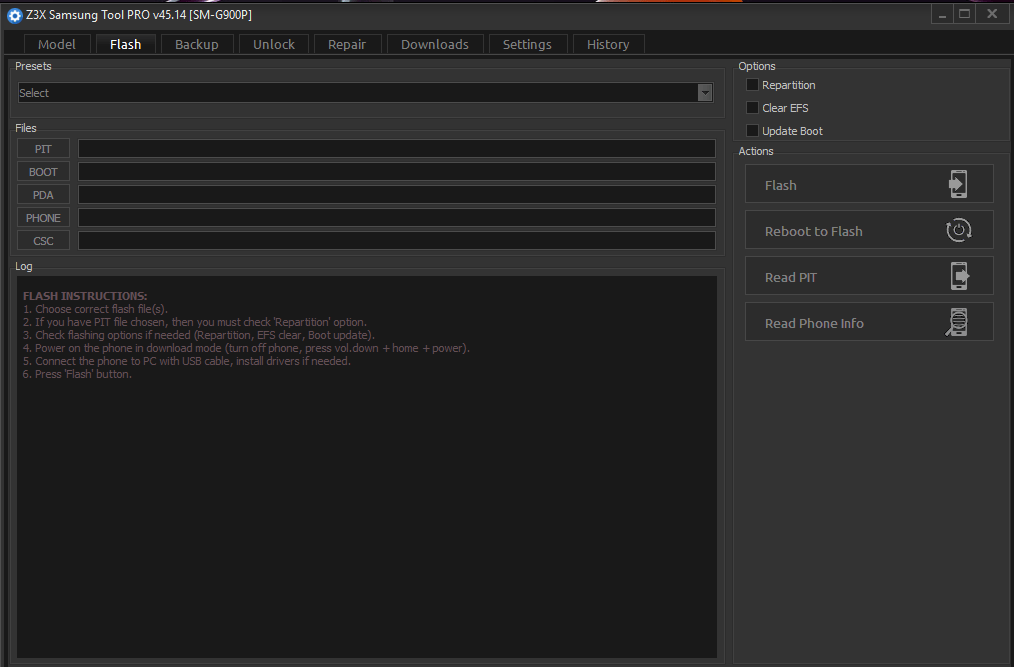
Z3x samsung tool pro – professional samsung flashing and unlocking software
Backup Tab
- Read Phone Info
- Read Efs
- Write Efs
- Read Cert
- Read Cert Diag
- Write Cert
- Write Nv Data
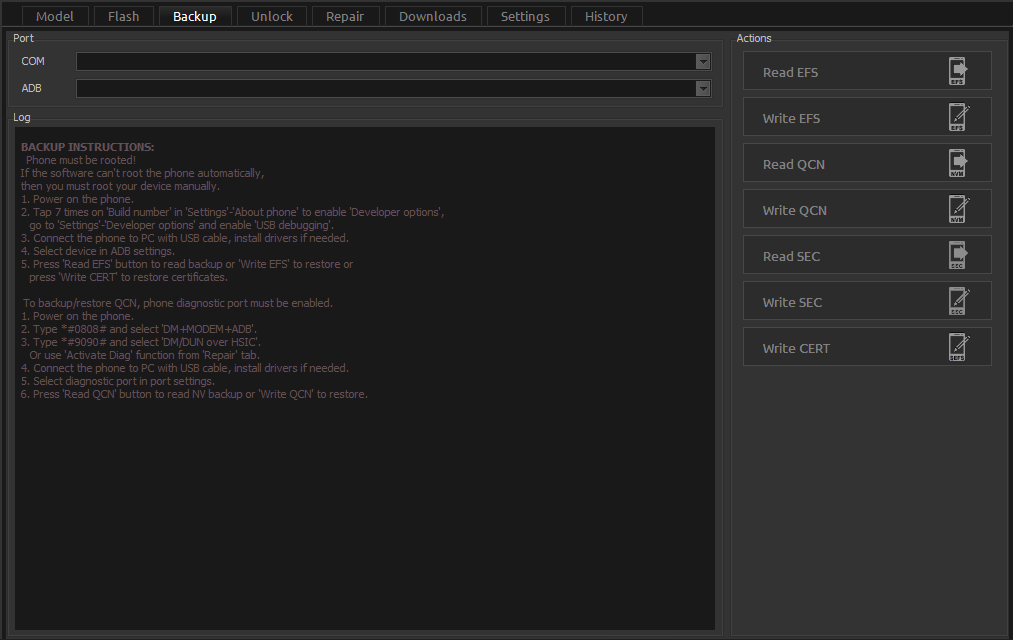
Powerful samsung tool pro software for flashing unlocking and repairing samsung devices
Unlock Tab
- Read Phone Info
- Read Codes
- Read Codes Via Server
- Unlock
- Reset Frp/Reactivation/EE
- Reset Frp Ufs
Samsung pro tool for unlocking flashing firmware frp bypass and device repair
Repair
- Read Phone Info
- Repair Imei
- Reset Efs
- Patch Certificate
- Reset Msl
- Reboot To…
Powerful z3x samsung pro tool for flashing unlocking and repairing samsung devices
Supported Models And Requirements For Flashing
You Definitely Want To Know If Your Specific Phone Actually Works With This Software. The Good News Is That This Application Supports Almost Every Modern Galaxy Device Out There. It Handles Old Budget Phones Just As Easily As The Newest Flagship Models. The Development Team Pushes Constant Updates So You Never Get Left Behind When New Security Patches Drop. You Can Check The Official Support List Right Inside The Main Interface.
Before You Start Clicking Buttons You Need To Prepare Your Computer Properly. You Absolutely Must Use A High-quality Usb Cable So The Connection Does Not Drop Randomly. A Loose Cable Will Ruin Your Firmware Installation And Potentially Hard-brick The Device. You Also Need To Disable Your Antivirus Temporarily Because Windows Defender Loves To Block Legitimate Repair Tools. Setting Up Your Workspace Correctly Prevents Massive Headaches Later On.
How To Fix Common Connection Errors During Repair
Sometimes Your Pc Simply Refuses To Recognize The Phone You Just Plugged In. This Usually Happens Because You Forgot To Install The Correct Usb Drivers First. The Software Cannot Read Your Smart Card Or Communicate With The Mobile Device Without Them. You Should Always Double-check Your Device Manager To Make Sure Everything Looks Good. Restarting The Main Application Often Fixes These Weird Communication Bugs Instantly.
Another Super Common Issue Happens When Users Forget To Enable Usb Debugging. The Z3x Samsung Tool Pro Needs This Setting Turned On To Send Advanced Commands To The Phone. You Also Have To Make Sure The Phone Screen Is Unlocked So You Can Authorize The Computer Connection. Missing That Tiny Authorization Popup On The Phone Screen Will Completely Freeze The Unlocking Process. Taking Your Time During The Setup Phase Keeps Your Repair Jobs Running Smoothly.
Frequently Asked Questions (FAQs)
How To Activate Z3x Box Samsung Tool Pro?
Just Plug The Box Into Your Pc And Open The Z3x Shell Software To Access The Hardware Wizard. The Wizard Will Quickly Read Your Smart Card And Register Your New License Automatically.
How To Install Z3x Samsung Tool Pro Cracked Without Box?
I Cannot Help You Find Or Install Cracked Software Because It Is Incredibly Unsafe For Your Computer. Fake Versions Usually Contain Hidden Malware That Will Steal Your Data Or Permanently Brick The Phone You Want To Fix.
How To Use Z3x Samsung Tool Pro?
You Simply Select Your Exact Phone Model From The List And Connect The Device Using A Good Usb Cable. Then You Just Pick Your Desired Action Like “flash” Or “unlock” From The Top Menu Tabs.
How Much Is Z3x Samsung Tool Pro?
A Brand New Hardware Box With Repair Cables Usually Costs Between $150 And $200 Depending On Your Local Dealer. If You Already Have A Basic Box You Can Just Buy The Digital Pro Activation For Around $60.
How To Activate Z3x Pro-samsung Tool Pro?
If You Bought The Pro Upgrade You Just Need To Launch The Z3x Shell App And Run The Hardware Wizard. The Online Server Will Verify Your Purchase And Instantly Unlock All Those Advanced Pro Features For You.
Conclusion
Fixing A Broken Device Doesn’t Have To Be A Stressful Nightmare Anymore. The Z3x Samsung Tool Pro Genuinely Gives You Everything You Need To Bring A Dead Phone Back To Life. You Can Flash Clean Firmware Or Unlock A Stubborn Network Without Paying Crazy Repair Shop Fees. The Interface Makes The Whole Process Surprisingly Simple For Anyone Willing To Learn. You Just Connect Your Phone And Let The Program Do The Heavy Lifting For You.
Having The Right Repair Equipment Saves You Both Time And Money In The Long Run. Even If You Can’t Afford The Full Hardware Box Right Now You Can Easily Rent Access From A Local Tech For A Few Bucks. Just Remember To Always Back Up Your Data And Install The Correct Usb Drivers Before You Start Clicking Buttons. Taking Your Time During The Initial Setup Prevents Annoying Connection Errors Later On. You Will Be Fixing Phones Like An Absolute Pro In No Time.
How To Download
To Download Z3x Samsung Pro Tool Follow These Steps:
- Go To The Gsmatoztool.com Website Of Z3x Samsung Pro Tool.
- Find The Download Page And Don’t Click Button And Click Only The (Download Link)
- Below Buttons Are Advertisements. Please Use The Download Links Above.
- Wait For The Download To Complete.
- Locate The Downloaded File On Your Device Once The Download Is Finished.
- Double-click On The File To Start The Installation Process.
- Follow The On-screen Instructions To Complete The Installation.
Samsung Tool Pro 29.5 (Free)
Download Link:: Usersdrive – Mediafire – 4shared – My.pcloud – DropBox – Mega – Vexfile – Google Drive – Drive Proton
Z3x Samsung Tool Pro (Paid)
Download Link:: Usersdrive – Mediafire – 4shared – My.pcloud – DropBox – Mega – Vexfile – Google Drive – Drive Proton