
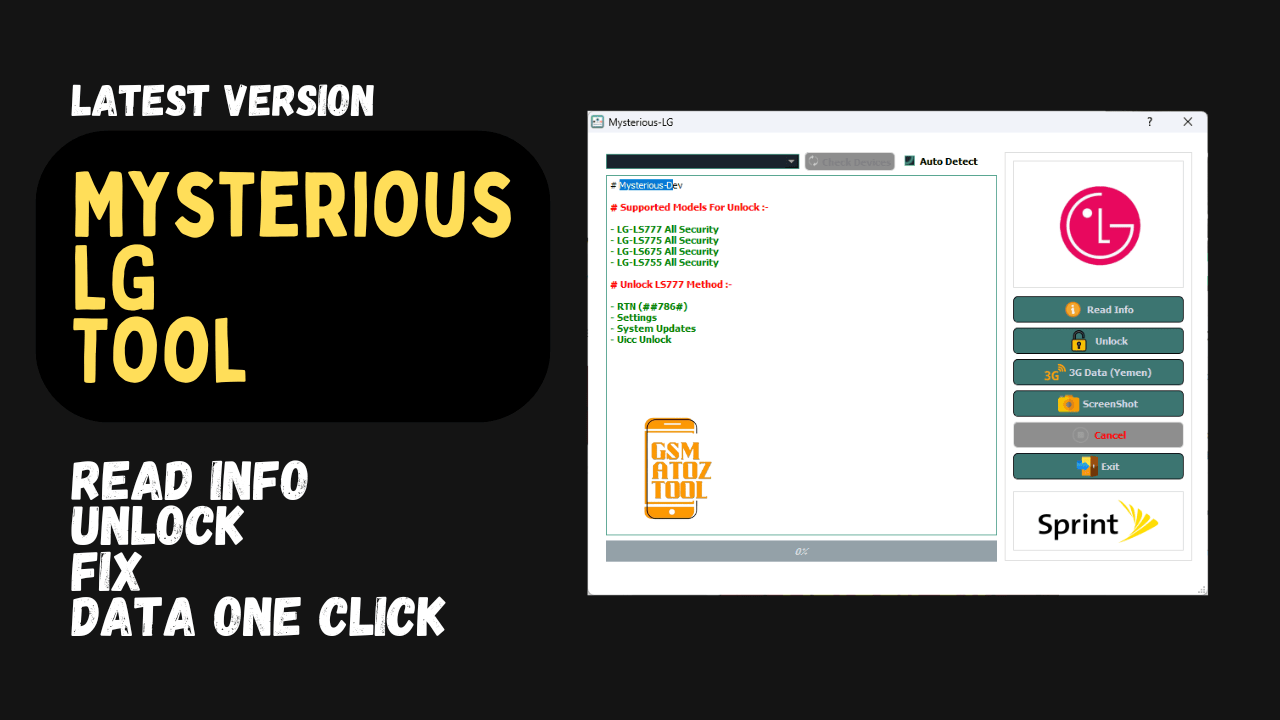
Unlock lg devices read device information fix data (yemen) issues and auto-detect connected phones using the mysterious-dev lg tool.
If You’ve Ever Tried To Unlock An Lg Device Or Fix Network Issues You Already Know How Confusing It Can Get—especially When Nothing Seems To Work And Every Guide Says Something Different. I Remember That Same Feeling Of Frustration Scrolling Through Videos And Forums Just To Get Basic Features Back. Sometimes All You Really Want Is A Simple Way To Unlock Fix Data Or Just Read Info Without Messing Up The Phone.
In This Post We’re Going To Explore How The Mysterious-dev Lg Tool Makes That Whole Process Easier With Features Like Read Info Unlock Data (yemen) Settings And Check Devices (auto Detect). You’ll Learn What Each Option Does And How It Can Help You Solve The Most Common Lg Device Issues Without Wasting Time. By The End You’ll Know Exactly How To Use These Functions With Confidence And Finally Get Your Device Working The Way You Want.
Mysterious-dev Lg Tool Read Info Unlock & Fix Data One Click
Have You Ever Spent Hours Searching For Ways To Unlock Your Lg Phone Or Fix Mobile Data After Flashing? It’s Stressful When The Phone Shows Signal But The Internet Still Doesn’t Work Or The Network Stays Locked No Matter What. Many Users Try Different Guides Yet Nothing Works The Way They Expect And That Feels Like Hitting A Wall Again And Again. I’ve Been There Too Staring At The Screen And Thinking “There Must Be A Simpler Method.”
That’s Where Things Start To Change. Instead Of Jumping Between Files Apps And Youtube Tutorials You Can Use A Single Tool To Read Info Unlock Fix Data (yemen) Issues And Even Check Devices (auto Detect) Without Losing Time. In This Guide You’ll Learn What This Tool Does How It Helps And Why It’s Often The Quickest Way To Bring Your Lg Device Back To Life.
What Is The Mysterious-dev Lg Tool
The Mysterious-dev Lg Tool Is A Compact And Specialized Utility Designed To Make Lg Device Servicing Easier For Beginners And Technicians. It Lets You Pull Complete Device Details Through The Read Info Function So You Can Clearly See Model Security Patch And Software Version Before Taking Action.
This Step Reduces Guesswork And Helps You Avoid Flashing Or Unlocking The Wrong Files Which Saves Time And Prevents Mistakes. What Makes The Bolded Mysterious-dev Lg Tool So Helpful Is The Collection Of Functions It Puts In One Place.
Instead Of Switching Between Different Software You Can Unlock Supported Models Directly And Even Fix Region-specific Data Issues Like Data (yemen) Which Is A Common Problem After Flashing Sprint-based Lg Phones. You Also Get Check Devices (Auto Detect) To Recognize The Phone As Soon As It’s Connected So You Don’t Need To Manually Select Ports Or Device Types During Basic Tasks.
Also Read
Download Mysterious-dev Lg Tool Latest Version
Before You Work On Any Lg Phone Having The Latest Version Of The Mysterious-dev Lg Tool Is Essential. New Updates Usually Bring Better Detection Support For More Models And Fewer Connection Errors When Using The Read Info Or Unlock Functions. This Makes Your Workflow Smoother And Helps You Troubleshoot Faster Especially If You’re Dealing With A Phone That Refuses To Unlock With Normal Methods.
The Newest Builds Often Optimize The Network Fix Capabilities For Regions Like Yemen Where Users Commonly Lose Data After Converting Sprint Devices. When You Download And Extract The Newest Version Check That Your Drivers Are Installed And Working. Once Connected Let Check Devices (auto Detect) Identify The Phone So The Tool Can Read The Internal Configuration And Confirm Compatibility.
This Step Saves Time And Prevents You From Applying The Wrong Process To The Wrong Device. After That You Can Move Toward Unlocking Or Repairing Network Settings With Confidence Because Everything Starts With Accurate Detection And A Clean Connection.
Features Mysterious-Dev LG Tool:
- Read Info
- Unlock
- Data (Yemen)
- Check Devices (Auto Detect)
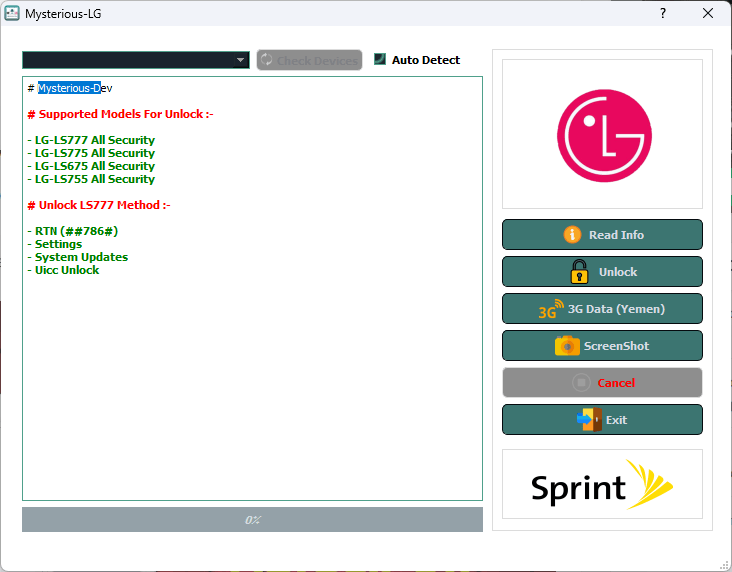
Download the latest mysterious-dev lg tool to read info unlock and fix data issues
Supported Models:-
- LG- LS777 All Security
- LG- LS775 All Security
- LG- LS675 All Security
- LG- LS755 All Security
Unlock LS777 Method:-
- RTN (##786#)
- Settings
- System Updates
- Uicc Unlock
How To Use
- You Will Need To First Download The Zip From The Below Link.
- Then, Unzip All The Files In The C Drive.
- Then, Install The Setup With The Basic Instructions.
- Run The Tool As Admin “Mysterious-Dev LG Tool“
- If You Already Have Drivers Installed, Skip This Step.
- Enjoy ! !!
Conclusion
Working On Lg Devices Can Feel Overwhelming At First But Using The Mysterious-dev Lg Tool Makes The Process Far More Manageable. You Get The Power To Read Accurate Device Info Unlock Restricted Models And Repair Data Profiles Without Bouncing Between Several Programs. Even Better Functions Like Read Info Unlock Data (emen) Repair And Check Devices (auto Detect) Fit Together Like Puzzle Pieces To Guide You Through The Process Step By Step.
If You’ve Struggled With Lg Phones In The Past This Might Finally Be The Solution You Were Looking For. With Patience The Right Drivers And The Latest Tool Version You Can Turn Difficult Repairs Into Straightforward Routines And Confidently Handle The Most Common Lg Servicing Tasks.
How To Download
To Download Follow These Steps:
- Go To The Gsmatoztool.com Website Of Mysterious-Dev LG Tool.
- Find The Download Page And Don’t Click Button And Click Only The (Download Link)
- Below Buttons Are Advertisements. Please Use The Download Links Above.
- Wait For The Download To Complete.
- Locate The Downloaded File On Your Device Once The Download Is Finished.
- Double-click On The File To Start The Installation Process.
- Follow The On-screen Instructions To Complete The Installation.
Mysterious-Dev LG Tool
Download Link:: Usersdrive – Mediafire – 4shared – My.pcloud – Playbook – Limewire – Disk.Yandex – DropBox – Mega – Vexfile