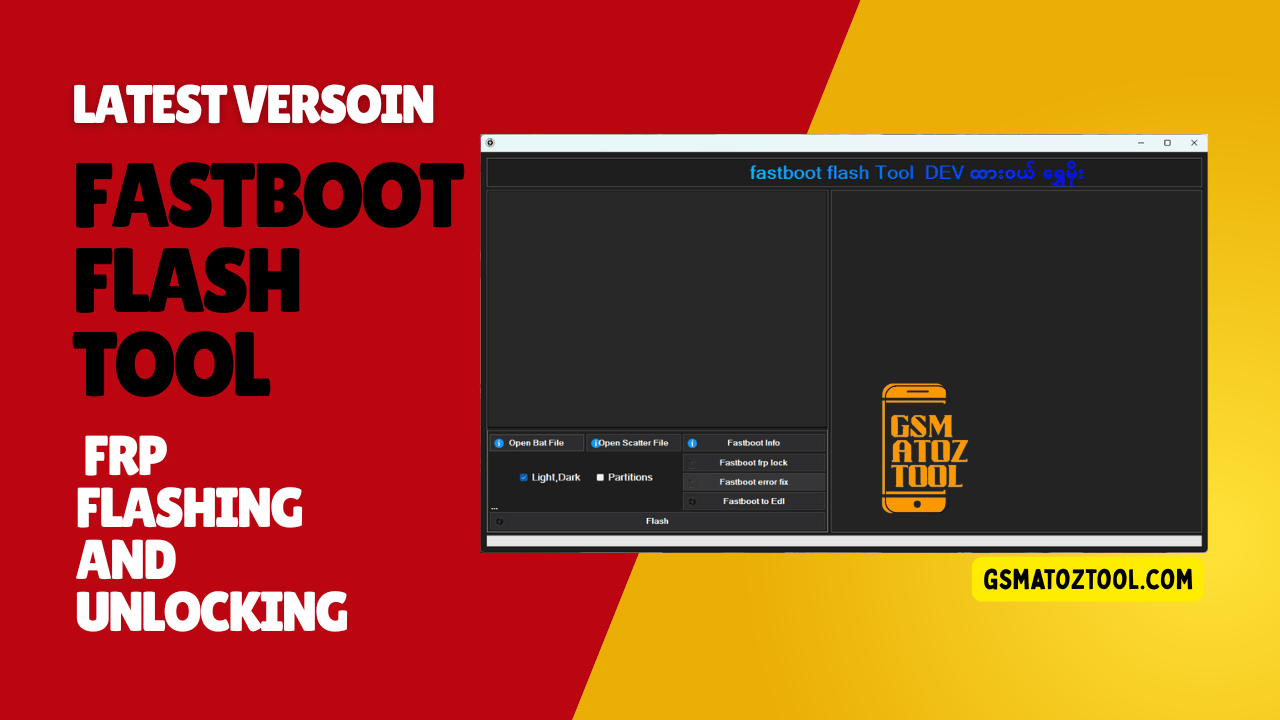
Fastboot flash tool dashboard with options for flashing firmware fixing fastboot errors and switching to edl mode
Anyone Who Has Ever Dealt With A Stuck Phone In Fastboot Mode Knows How Stressful It Can Feel. You Search Online Hoping To Find One Simple Tool That Actually Works Without Confusing Steps Or Risky Commands. That’s Usually When People Come Across Fastboot Flash Tool Dev Advanced Android Flashing & Edl Options Looking For A Cleaner And More Reliable Way To Fix Their Device.
In This Blog You’ll Learn How This Tool Helps With Real Android Problems Using Features Like Open Bat File Open Scatter File Fastboot Info Fastboot Frp Lock Fastboot Error Fix And Fastboot To Edl. We’ll Also Explain How Options Such As Light/dark Mode Partitions Option And The Flash Button Make Flashing Safer And Easier. By The End You’ll Clearly Understand How This Tool Works And Whether It’s The Right Solution For Your Android Flashing Needs.
What Is The Fastboot Flash Tool
Fastboot Flash Tool Is A Windows-based Utility Designed To Work With Android Devices In Fastboot Mode. It Allows You To Flash Firmware Read Device Information And Fix Common Fastboot-related Problems Without Relying Only On Command-line Instructions. For Many Users This Tool Feels Easier Because It Brings Powerful Fastboot Commands Into A Clean Graphical Interface.
The Dev Version Focuses On Advanced Android Flashing And Recovery Tasks. It Supports Features Like Open Bat File And Open Scatter File Which Help Automate Flashing Steps That Would Normally Require Manual Commands. This Makes It Useful For Both Beginners And Advanced Technicians Who Want Speed And Control.
Download The Fastboot Flash Tool Latest Versoin
Downloading The Latest Version Of The Fastboot Flash Tool Is Important If You Want Better Stability And Support For Newer Android Devices. Updated Versions Usually Include Bug Fixes Improved Fastboot Error Fix Functions And Better Compatibility With Modern Bootloaders. Using An Older Version Can Sometimes Lead To Failed Flashes Or Incomplete Operations.
Before Downloading Always Make Sure You Are Getting The Tool From A Trusted Source. After Downloading Extract The Files Properly And Install Required Usb Drivers So Your Device Is Detected Correctly. Taking These Small Steps Early Can Save You Hours Of Troubleshooting Later.
Also Read
Whatsapp Group
- GSM ATOZ TOOL :: Group Link Join
- GSM ATOZ TOOL 1:: Group Link Join
- GSM ATOZ TOOL 2 :: Group Link Join
- GSM ATOZ TOOL 3 :: Group Link Join
- GSM ATOZ TOOL 4 :: Group Link Join
- GSM ATOZ TOOL 5:: Group Link Join
- GSM ATOZ TOOL 6 :: Group Link Join
- Gsm Atoz Tool Remotely Services :: Group Link Join
- Telegram Group GSM ATOZ TOOL :: Group Link Join
- Telegram Group GSM ATOZ TOOL 1 :: Group Link Join
Fastboot Flash Tool Dev Advanced Android Flashing & Edl Options
Fastboot Flash Tool Dev Advanced Android Flashing & Edl Options Gives You Powerful Controls That Go Beyond Basic Flashing. With Options Like Fastboot Info You Can Instantly View Connected Device Details Which Helps Confirm Proper Connection Before Flashing. This Reduces Mistakes And Makes The Whole Process Safer.
One Of The Most Useful Features Is Fastboot To Edl Which Allows Supported Devices To Switch Into Emergency Download Mode. This Is Especially Helpful When A Phone Is Hard-bricked Or Not Responding Normally. Combined With The Partitions Option And Flash Button Users Get Precise Control Over What Gets Flashed And When.
Fastboot Flash Tool (DEV) – Features List
- Open Bat File
- Open Scatter File
- Fastboot Info
- Fastboot FRP Lock
- Fastboot Error Fix
- Fastboot to EDL
- Light / Dark Mode
- Partitions Option
- Flash Button
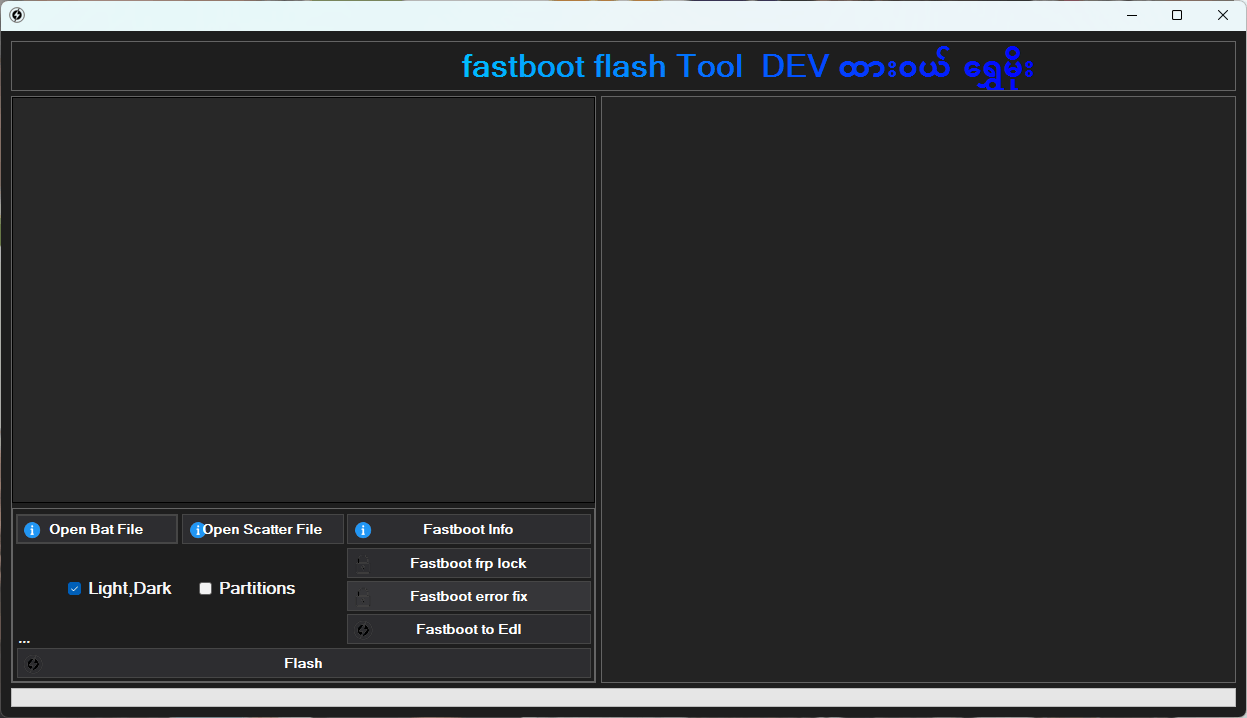
Fastboot flash tool highlighting key features like fastboot info frp lock error fix and flash button.
How To Use
- You Will Need To First Download The Zip From The Below Link.
- Then, Unzip All The Files In The C Drive.
- Then, Install The Setup With The Basic Instructions.
- Run The Tool As Admin “Fastboot Flash Tool“
- If You Already Have Drivers Installed, Skip This Step.
- Enjoy ! !!
Frequently Asked Questions (FAQs)
What Is The Fastboot Flash Tool (dev) Used For?
This Tool Is Designed To Flash Firmware Unlock Frp (google Lock) And Fix Software Bugs On Android Devices Using Fastboot And Edl Modes.
Can I Switch My Phone From Fastboot To Edl Mode Easily?
Yes You Can. Just Use The “fastboot To Edl” Button To Move Your Device Into Emergency Download Mode Without Needing To Open The Phone.
Does This Tool Support Scatter And Bat Files?
Yes It Is Very Flexible. You Can Easily Load “scatter Files” For Mtk Devices Or “bat Files” For Automated Flashing Scripts.
How Does The “fastboot Error Fix” Feature Help?
If Your Phone Gets Stuck Or Shows An Error While In Fastboot Mode This Feature Automatically Detects And Repairs Common Communication And Partition Errors.
Can I Choose Which Part Of The Software To Flash?
Yes The “Partitions Option” Allows You To Select Specific Files (like Boot Or Recovery) Instead Of Flashing The Entire Firmware Saving You Time.
Final Thoughts
Fastboot Flash Tool Dev Advanced Android Flashing & Edl Options Is Built For Users Who Want Power Without Confusion. It Combines Essential Fastboot Features With A Clean Interface And Smart Automation. Whether You’re Fixing A Soft Brick Or Doing Advanced Flashing This Tool Offers A Balanced And Reliable Solution.
If You’ve Been Searching For A Fastboot Tool That Actually Feels Usable This Guide Should Help You Decide With Confidence. Take Your Time Follow Steps Carefully And You’ll Get The Results You’re Looking For.
How To Download
To Download Fastboot Flash Tool Follow These Steps:
- Go To The Gsmatoztool.com Website Of Fastboot Flash Tool.
- Find The Download Page And Don’t Click Button And Click Only The (Download Link)
- Below Buttons Are Advertisements. Please Use The Download Links Above.
- Wait For The Download To Complete.
- Locate The Downloaded File On Your Device Once The Download Is Finished.
- Double-click On The File To Start The Installation Process.
- Follow The On-screen Instructions To Complete The Installation.
Fastboot Flash Tool
Download Link:: Usersdrive – Mediafire – 4shared – My.pcloud – Playbook – DropBox – Mega – Vexfile