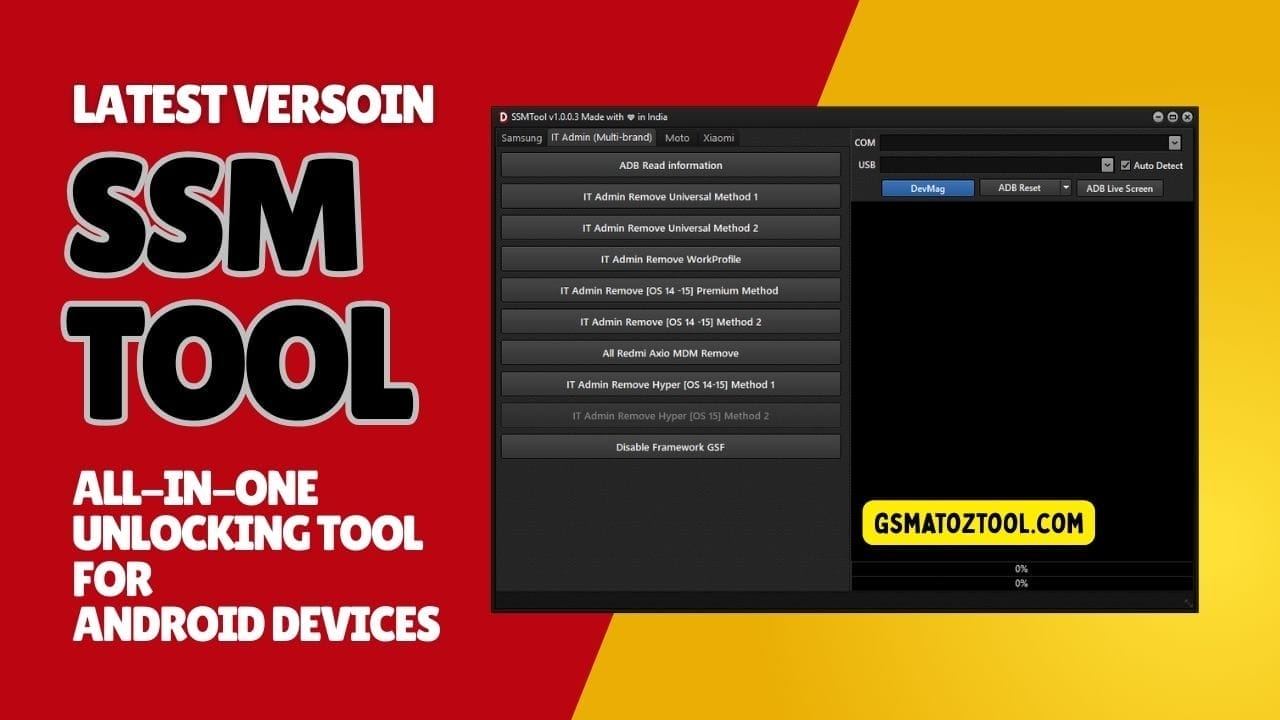
Ssm tool all-in-one unlocking solution for android devices with it admin mdm and kg remove
It Is Incredibly Frustrating When You Finally Get A New Device Only To Find It Restricted By Annoying Mdm Locks Or “It Admin” Profiles That You Cannot Remove. You Feel Like You Do Not Even Own Your Own Phone Because You Are Blocked From Basic Settings And Features. Most People Just Want A Simple Way To Clear These Hurdles Without Spending A Fortune At A Repair Shop.
In This Post I Am Going To Show You How The Ssm Tool Can Handle Everything From Kg Status Checks To Full Mdm Removal On The Latest Android And Hyperos Versions. We Will Cover The Specific Methods For Mdm(adb) Odin Flashing And Removing It Admin Restrictions Across Various Patches. By The End Of This You Will Have The Exact Steps Needed To Finally Take Full Control Of Your Device.
What Is The Ssm Tool
The Ssm Tool Is A Lightweight But Powerful Utility Designed To Break Through The Toughest Android Security Layers. It Specializes In Tasks Like Read Kg Status [adb] Which Helps You See Exactly What Kind Of Lock Is Holding Your Device Back. It Acts As A Bridge Between Your Pc And Your Phone To Remove Profiles That A Standard Factory Reset Usually Misses.
This Software Is A Lifesaver If You Are Stuck With A Kg Locked To Active Os 15 (all Patches) Or A Similar Lock On Os 14. It Uses High-speed Mtp And Adb Protocols To Ensure That Once A Lock Is Removed It Stays Removed For Good. Whether You Own A Samsung Or A Xiaomi This Tool Provides A Clean And Professional Way To Fix Your Firmware.
Also Read
Whatsapp Group
- GSM ATOZ TOOL :: Group Link Join
- GSM ATOZ TOOL 1:: Group Link Join
- GSM ATOZ TOOL 2 :: Group Link Join
- Gsm Atoz Tool Remotely Services :: Group Link Join
- Telegram Group GSM ATOZ TOOL :: Group Link Join
- Telegram Group GSM ATOZ TOOL 1 :: Group Link Join
Ssm Tool Latest Versoin Free Download
Finding A Working Link For The Ssm Tool Latest Versoin Free Download Is The First Step Toward A Fully Unlocked Phone. Keeping Your Software Updated Is Vital Because Newer Versions Include The Latest Fixes For Kg Remove Os 14-15 (new Sec) [mtp]. If You Use An Outdated Version You Might Run Into Errors When Trying To Connect To The Newest Phone Models.
The Latest Setup Comes With A Full Suite For Odin Flash Operations Allowing You To Select Ap File And Rebuild Your System Partition. It Also Simplifies Complex Tasks Like Enable Adb (qr Code) New Security For Newer Android Versions. Having The Most Recent Build Ensures That The It Admin Remove – Universal Method 2 Works Perfectly On Your Specific Device.
Feature:
Mdm(Adb):
- Read KG Status [ADB]
- KG Locked to Active OS 15 (All Patches)
- KG Locked to Active OS 14 (All Patches)
- KG Remove OS 12-13 (2023-2024) [MTP]
- KG Remove OS 14-15 (New Sec) [MTP]
- KG Remove OS 13-14 (2024-2025) [MTP]
- Factory Reset Disable [ADB]
- FRP Remove [ADB Mode]
- Enable ADB (QR Code) New Security
- Enable ADB [MTP Mode] Old Security
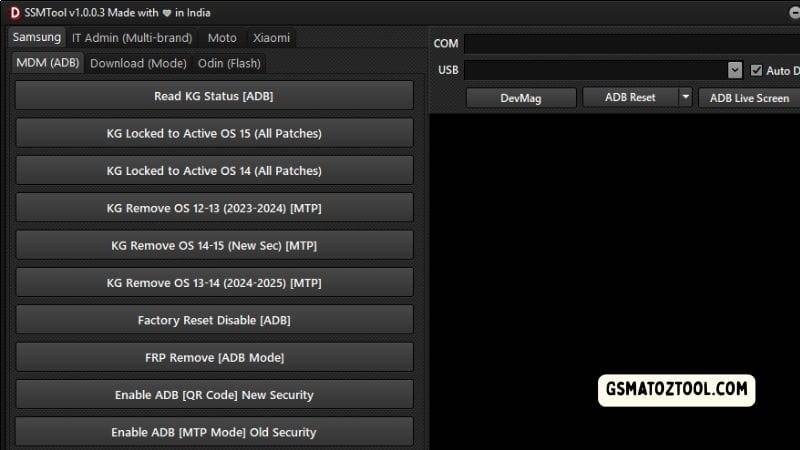
Ssmtool kg lock frp remove and adb functions for samsung devices.
Odin Flash:
- Select Ap File
- Select Bl File
- Select Cp File
- Select Csc File
- Select Data File
- Auto Reboot Checkbox
- Nanderase Checkbox
- Ignoremd5 Checkbox
- Start Flash Button
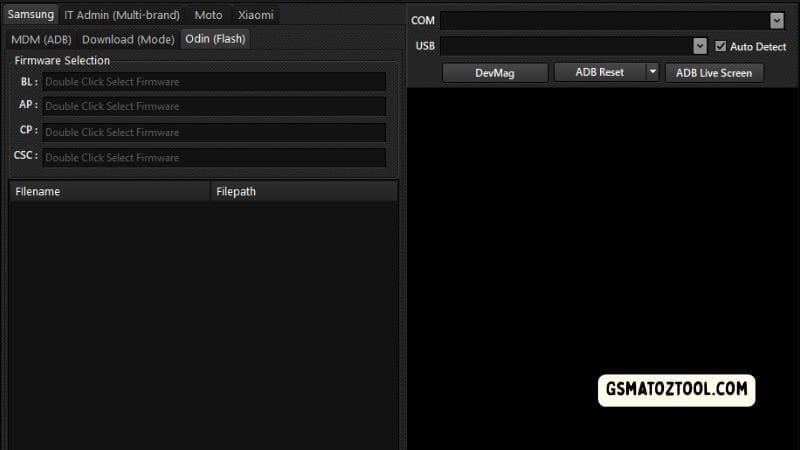
Samsung odin (flash) section in ssmtool for selecting and flashing bl ap cp and csc firmware files.
It Admin Remove:
- ADB Read Information
- IT Admin Remove – Universal Method 1
- IT Admin Remove – Universal Method 2
- IT Admin Remove – Work Profile
- IT Admin Remove [iOS 14–15] – Premium Method
- IT Admin Remove [iOS 14–15] – Method 2
- All Redmi / Xiaomi MDM Remove
- IT Admin Remove HyperOS [14–15] – Method 1
- IT Admin Remove HyperOS [15] – Method 2
- Disable Framework GSF
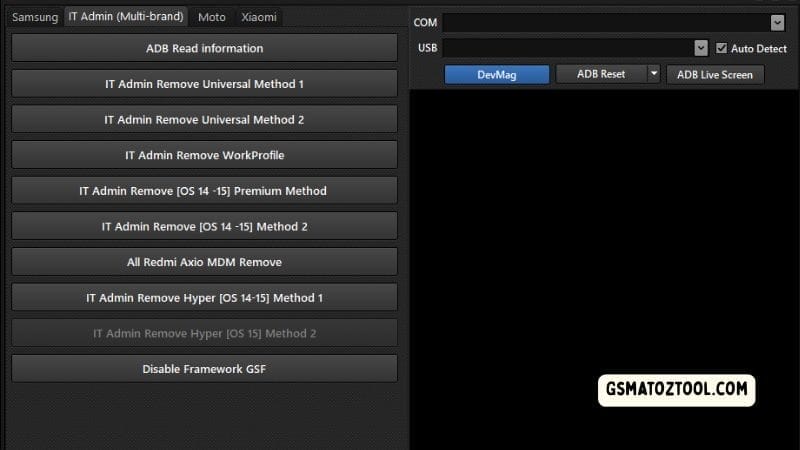
It admin section of ssmtool with multiple universal and os-based mdm removal methods.
Using Odin Flash For Deep System Repair
If Your Phone’s Software Is Badly Corrupted Or “soft-bricked” The Odin Flash Section Is Your Best Friend. This Part Of The Tool Lets You Manually Select Bl File Select Cp File And Select Csc File To Flash A Fresh Copy Of The Operating System. It Is A Deep-level Repair That Fixes The Core Files Of Your Device.
Before You Hit The Start Flash Button Make Sure To Check The Auto Reboot Checkbox For A Hands-free Finish. If You Are Trying To Remove A Very Stubborn Lock Checking The Nanderase Checkbox Will Help By Wiping The Internal Storage During The Flash. This Ensures No Leftover Lock Files Are Hiding In The System Folders.
Bypassing Hyperos And Xiaomi Restrictions
Xiaomi And Redmi Users Often Struggle With Unique Locks But This Tool Has Specific Features For Them Too. You Can Use The All Redmi / Xiaomi Mdm Remove Button To Quickly Clear Out Retail Or Loaner Locks. It Is Designed To Work Seamlessly With The Latest Updates Including It Admin Remove Hyperos [15] – Method 2.
For A More Permanent Fix You Can Disable Framework Gsf Which Stops The Phone From Re-locking Itself Once You Connect To Wi-fi. It Also Supports The It Admin Remove – Universal Method 1 For Older Redmi Models. This Makes The Tool A Versatile Choice For Almost Any Xiaomi Device On The Market Today.
Troubleshooting Connection Errors
Sometimes Your Computer Might Not Show The Read Kg Status [Adb] Even If The Phone Is Plugged In. If This Happens You Should Try To Enable Adb (Qr Code) New Security Again Or Check If Your Usb Drivers Are Up To Date. A Simple Restart Of The Tool Often Clears Up These Minor Communication Glitches.
If You Encounter An Error During Frp Remove [Adb Mode] Ensure Your Cable Is Original And The Port Is Clean. If The Start Flash Button Stays Grey Double-check That You Have Chosen The Correct Select Data File Or Firmware Package. Following These Small Steps Will Save You A Lot Of Time During The Unlocking Process.
Frequently Asked Questions (FAQs)
Can The Ssm Tool Remove The “It Admin” Lock On The Latest Android 15?
Yes It Is Fully Updated To Support It Admin Remove Hyperos [15] – Method 2 And Other Android 15 Security Patches. It Uses The Latest Exploit Methods To Ensure The Lock Is Successfully Bypassed.
What Is The Benefit Of Using The Nanderase Checkbox?
The Nanderase Checkbox Performs A Deep Format Of The Phone’s Internal Memory Chips During An Odin Flash. This Is Very Helpful For Removing Stubborn Mdm Or Kg Locks That Might Survive A Normal Factory Reset.
Do I Need To Enable Adb To Use This Tool?
For Most Features Like Frp Remove [adb Mode] You Must Enable Adb On Your Device. You Can Do This Easily Using The Enable Adb (qr Code) New Security Feature Built Right Into The Software Interface.
Is It Safe To Use The Ssm Tool On My Xiaomi Phone?
Yes The Tool Is Highly Optimized For All Redmi / Xiaomi Mdm Remove Tasks. It Provides Safe Tested Methods Like Disable Framework Gsf To Ensure Your Phone Remains Functional After The Unlock.
What Should I Do If The Tool Doesn’t Recognize My Kg Status?
You Should First Try To Read Kg Status [Adb] After Ensuring Your Drivers Are Installed. If It Still Doesn’t Show Try Switching To A Different Usb Port Or Using A High-quality Data Cable To Establish A Better Connection.
Conclusion
To Wrap Things Up The Ssm Tool Is One Of The Most Reliable Ways To Fix A Locked Or Restricted Android Device. It Takes The Guesswork Out Of Complex Repairs By Providing Dedicated Buttons For Frp Remove [adb Mode] And Kg Status Checks.
Whether You Are Dealing With A Kg Locked To Active Os 15 Status Or A Brand New Hyperos Profile This Tool Provides A Clear Path Forward. It Is A Solid Easy-to-use Utility That Helps You Finally Use Your Phone The Way It Was Meant To Be Used.
How To Download
To Download Ssm Tool Follow These Steps:
- Go To The Gsmatoztool.com Website Of Ssm Tool .
- Find The Download Page And Click On The (Download Link).
- Wait For The Download To Complete.
- Locate The Downloaded File On Your Device Once The Download Is Finished.
- Double-click On The File To Start The Installation Process.
- Follow The On-screen Instructions To Complete The Installation.
Ssm Tool
Download Link:: Usersdrive – Mediafire – 4shared – My.pcloud – DropBox – Mega – Vexfile – Google Drive