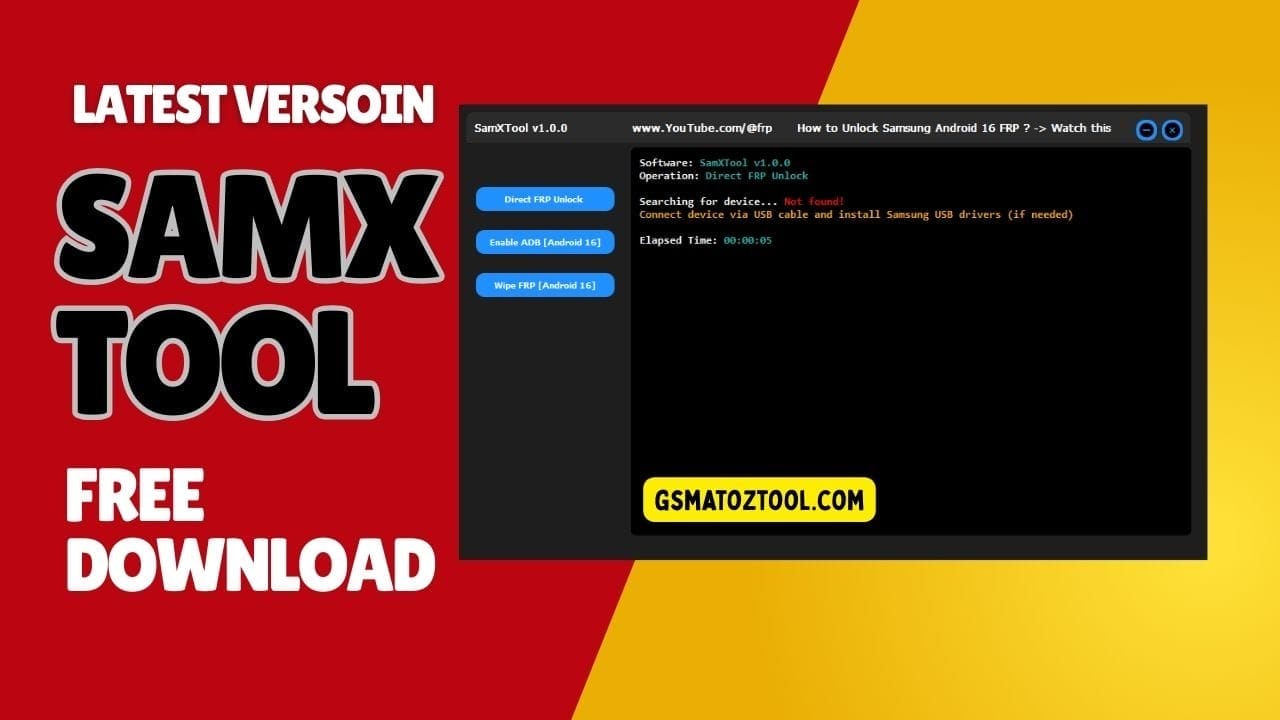
Samx tool latest version interface for samsung frp unlock and android 16 adb enable
You Know That Moment When A Samsung Phone Lands On Your Desk With Frp Locked And The Owner Has No Idea About The Old Google Account? You Try Random Tricks Patched Apks And Youtube Methods But Nothing Feels Clean Or Consistent. After A Few Failed Attempts You Just Want One Tool That Can Handle Samxtool Direct Frp Unlock Enable Adb (android 16) And Wipe Frp (android 16) Without Wasting Your Whole Day.
In This Blog You’ll See Exactly How Samxtool Can Simplify Your Samsung Frp Work And When To Use Each Option. I’ll Break Down What Direct Frp Unlock Really Does How Enable Adb (Android 16) Opens New Doors And When Wipe Frp (android 16) Is The Right Last Step. By The End You’ll Have A Clear Step‑by‑step Way To Deal With Locked Samsung Phones Instead Of Guessing Every Time.
What Is The Samxtool
Samxtool Is A Small Focused Windows Utility Designed To Help You Remove Frp Locks And Handle Basic Unlock Tasks On Samsung Phones. Instead Of Using Multiple Scripts And Tools You Get Key Options Like Direct Frp Unlock Enable Adb (android 16) And Wipe Frp (android 16) In One Clean Interface. It’s Built With Repair Technicians In Mind So The Layout Is Simple Logs Are Easy To Read And You Can Quickly Choose Which Method Fits Each Device.
Because Samxtool Targets Real-world Frp Cases It Lets You Move In Stages: Try A Quick Unlock First Then Adb-based Methods And Only Use A Full Frp Wipe When Nothing Else Works. This Reduces The Risk Of Unnecessary Data Loss And Saves Time On Routine Samsung Jobs. For Many Shops It Becomes A Go‑to Helper For Handling Locked Devices Without Complicated Manual Tricks.
Samxtool Latest Versoin Free Download
You Should Always Download The Latest Samxtool Version From A Trusted Source Such As A Well-known Gsm Forum The Original Developer Page Or A Reputable Repair Community. New Builds Usually Improve Support For Newer Samsung Models And Android 16 Patches And They Often Make Direct Frp Unlock And Other Functions More Stable. Avoid Random File-sharing Links Because They May Contain Outdated Modified Or Even Infected Files That Can Harm Your Pc.
After Downloading The Samxtool Latest Versoin Place It In A Dedicated Tools Folder And Extract It Using Winrar Or 7‑zip. Install Or Update Samsung Usb Drivers Restart Your Pc And Then Run The Tool As Administrator To Ensure Proper Detection Of Connected Devices. Once It Opens Cleanly You’re Ready To Use Features Like Direct Frp Unlock Enable Adb (Android 16) And Wipe Frp (Android 16) On Supported Samsung Phones.
Understanding Samxtool For Samsung Frp Work
When A Samsung Phone Comes In With A Stubborn Frp Lock It Can Quickly Kill Your Mood And Your Schedule. Samxtool Is Built To Calm That Chaos By Putting Your Main Frp Actions In One Clean Window Instead Of Ten Scattered Tools. You Get Clear Options For Direct Frp Unlock Enable Adb (Android 16) And Wipe Frp (Android 16) So You Can Move Step By Step Instead Of Guessing.
Samxtool Is Aimed At Real Repair Shops Where Speed And Reliability Matter More Than Fancy Menus. You Don’t Need To Be A Developer To Use It Just Someone Who Knows How A Locked Phone Behaves. After A Few Jobs You’ll Know Exactly Which Button To Try First For Each Kind Of Samsung Device.
Getting The Latest Samxtool Safely
To Get The Most Out Of Samxtool You Should Always Download The Latest Build From A Trusted Source. Random Links Can Bring Old Versions Broken Files Or Even Malware So It’s Smarter To Use Well-known Gsm Forums The Original Developer Page Or A Respected Repair Community. Newer Releases Usually Improve Direct Frp Unlock And Add Better Support For Android 16 Devices.
Once You’ve Downloaded The File Keep It In A Dedicated “tools” Folder And Extract It With Winrar Or 7‑zip. Install The Proper Samsung Usb Drivers Reboot Your Pc And Then Launch Samxtool To Make Sure It Opens Without Errors. When Everything Is Ready You Can Connect A Locked Phone And Start Exploring Direct Frp Unlock Enable Adb (android 16) And Wipe Frp (Android 16) On Real Devices.
Key Features
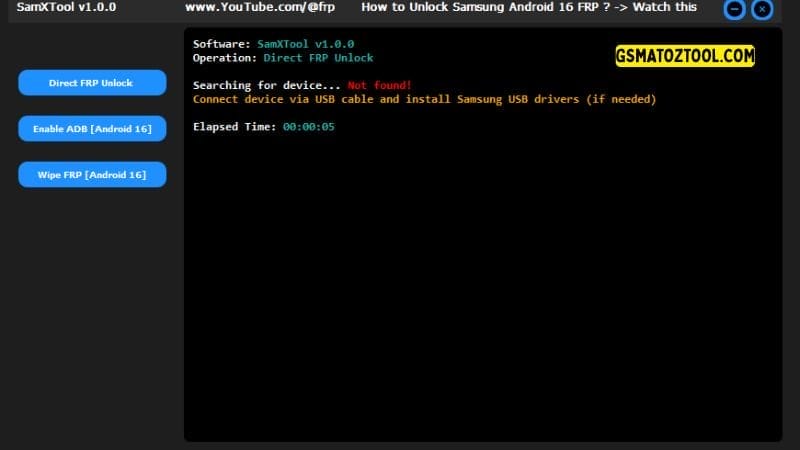
Samxtool direct frp unlock enable adb (android 16) and wipe frp options for samsung devices.
- Direct Frp Unlock
- Enable Adb (Android 16)
- Wipe Frp (Android 16)
How Direct Frp Unlock Helps In Fast Jobs
Direct Frp Unlock Is The Feature Everyone Wants To Try First Because It Promises Speed. On Supported Samsung Models It Attempts To Clear The Frp Lock Without Long Manual Tricks Or Patched Apps. You Simply Connect The Phone Let The Tool Detect It And Then Run Direct Frp Unlock To See If The Lock Drops Cleanly.
This Method Shines On Older Or Mid-range Devices That Haven’t Received The Strictest Security Patches. It Can Save You From Wasting Time On Browser Bypass Tricks And Complicated Menus. When It Works The Phone Boots Without Asking For The Old Google Account And You’re Ready To Hand It Back To The Customer.
Why Enable Adb (android 16) Matters
Enable Adb (Android 16) Lives In The Middle Ground Between A Quick Unlock And A Full Wipe. On Certain Android 16 Builds Once Adb Is Enabled You Can Send Commands To Adjust Settings Clear Services Or Prepare The Phone For A Safer Reset. In Practice You Connect The Phone Run Enable Adb (android 16) And Then Confirm That Adb Is Now Responding.
This Option Is Especially Useful When Direct Frp Unlock Fails But The Device Still Gives You Some Room To Work. You Don’t Have To Jump Straight To Wiping Everything Which Your Customer Will Always Appreciate. It’s A Careful Way To Open A Door Instead Of Kicking It Down.
A Simple Workflow With Samxtool On A Locked Phone
A Normal Job With Samxtool Starts With Quick Checks: Model Number Android Version And How The Lock Behaves. After That You Connect The Phone With A Good Cable Confirm The Drivers Are Working And Open The Tool. From There You Decide Whether To Start With Direct Frp Unlock Or Go Straight To Android 16 Options.
Most Techs Prefer To Move In Stages. They Try Direct Frp Unlock First Then Enable Adb (android 16) To See If Adb Can Help And Only Use Wipe Frp (android 16) When Nothing Else Works. This Simple Ladder Keeps Your Workflow Clear And Reduces The Chance Of Doing More Damage Than You Need To.
Devices And Versions Samxtool Works Best With
Samxtool Focuses On Samsung Phones But Support Depends On How Each Device Handles Frp And Security. Older And Mid-range Models Are Usually More Friendly To Direct Frp Unlock While Newer Android 16 Builds May Push You Toward Adb Or Wipe-based Approaches. It’s A Good Idea To Keep Notes On Which Methods Work For Which Models In Your Own Shop.
Because Samsung Rolls Out Updates All The Time No Frp Tool Can Honestly Promise Success On Every Single Patch. That’s Why Staying On The Latest Samxtool Build Is So Important. Matching An Updated Tool With Your Own Experience Gives You The Best Chance To Unlock More Devices With Less Trial And Error.
How Samxtool Compares To Other Frp Utilities
Plenty Of Samsung Frp Tools Claim To Do Everything But Many Hide Their Real Steps Behind One Mysterious Button. Samxtool Takes A Different Path By Showing You Clear Focused Options Instead. You Can See When It’s Trying Direct Frp Unlock When It’s Opening Adb On Android 16 And When It’s Going For A Full Wipe Frp (Android 16).
Because Of This Transparency You Stay In Control Of The Repair Instead Of The Software Guessing For You. It Doesn’t Try To Replace Every Tool In Your Folder It Simply Takes The Pain Out Of One Of The Hardest Jobs: Frp Removal. For Many Repair Shops That Focus Is Exactly What They’ve Been Missing.
Frequently Asked Questions (FAQ)
Is Samxtool Really Safe For Samsung Frp Work?
Samxtool Is Safe When You Use It With Proper Drivers A Stable Usb Connection And Clear Permission From The Phone’s Owner. The Risk Usually Comes From Rushing Or Skipping Basic Checks Not From The Tool Itself.
Should I Try Direct Frp Unlock Or Wipe Frp (Android 16) First?
Always Start With Direct Frp Unlock On Supported Models Because It’s Quicker And Less Aggressive. Use Wipe Frp (android 16) Only When Softer Methods Fail And The Customer Accepts Possible Data Loss.
What’s The Purpose Of Enable Adb (Android 16) In Samxtool?
Enable Adb (android 16) Tries To Open Adb Access On Certain Android 16 Devices So You Can Run Extra Commands To Clear Frp. It’s A Smart Middle Option Between A Simple Unlock And A Full Wipe.
Do I Need To Stay Online While Using Samxtool?
Most Frp Actions Work Offline Once Everything Is Installed. However Internet Access Helps You Grab The Latest Samxtool Version Drivers And Updated Guides When Something Doesn’t Work.
Will Samxtool Always Erase User Data During Frp Removal?
Not Every Method Wipes Data But Deeper Actions Like Wipe Frp (android 16) Often Do. That’s Why You Should Explain The Risk Choose The Lightest Method First And Only Move To Wipes When Absolutely Needed.
Conclusion
In Everyday Repair Work The Best Tools Are The Ones You Can Trust On A Busy Day Without Stopping To Think Too Much. Samxtool Fits That Role By Turning Messy Samsung Frp Cases Into A Clear Set Of Choices. With Direct Frp Unlock Enable Adb (android 16) And Wipe Frp (android 16) It Covers Most Situations You’ll See At The Counter.
Of Course Your Judgment Still Matters More Than Any Software Button. You Need To Read Logs Respect Customer Data And Understand The Risks Of Each Method. But If You Want A Focused Frp Helper That Feels Built For Real Technicians Samxtool Is A Strong Candidate For The Main Spot On Your Repair Pc.
How To Download
To Download Samxtool Follow These Steps:
- Go To The Gsmatoztool.com Website Of Samxtool.
- Find The Download Page And Click On The (Download Link).
- Below Buttons Are Advertisements. Please Use The Download Links Above.
- Wait For The Download To Complete.
- Locate The Downloaded File On Your Device Once The Download Is Finished.
- Double-click On The File To Start The Installation Process.
Samxtool V1.0
Download Link:: Usersdrive – Mediafire – 4shared – My.pcloud – DropBox – Mega – Vexfile – Google Drive