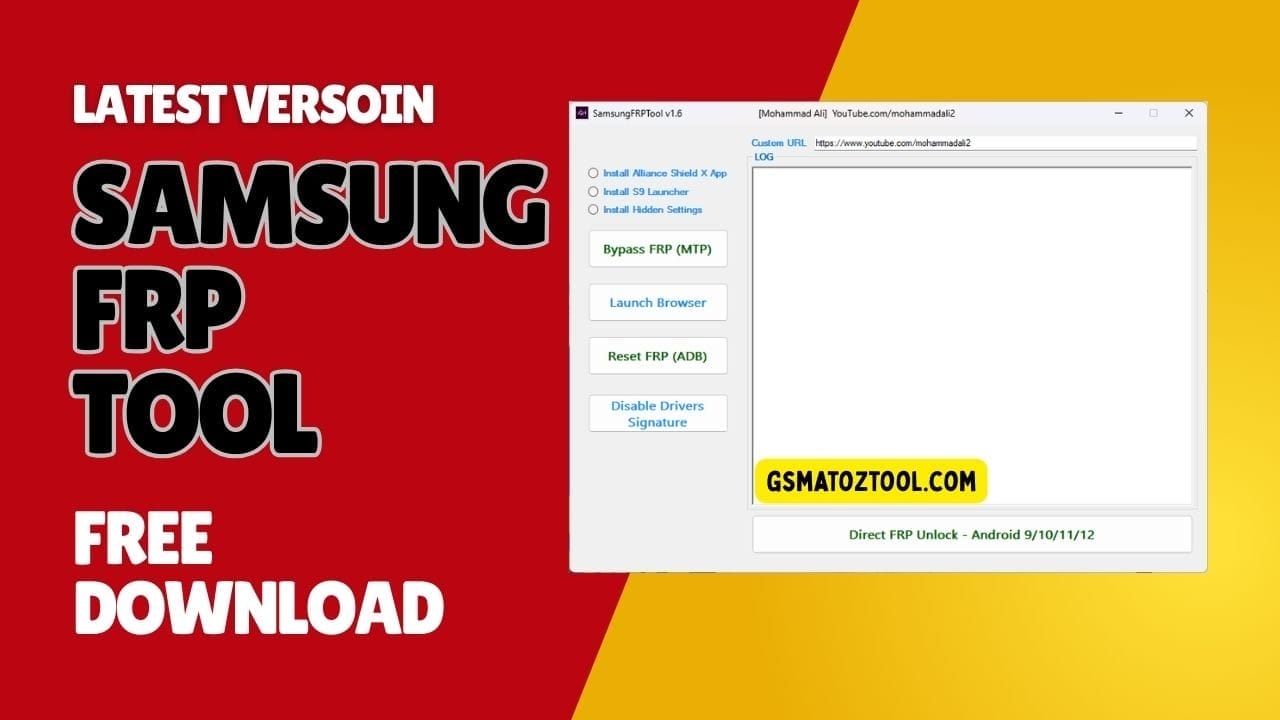
Samsungfrptool v1. 6 for bypassing frp lock on samsung devices (android 9/10/11/12).
You’re Probably Here Because Another Samsung Phone Is Stuck On Frp And Every “new Method” Feels Like A Gamble. One Guide Says Install Alliance Shield X App Another Tells You To Install S9 Launcher Or Install Hidden Settings And You’re Still Staring At The Same Lock Screen. After A Few Failed Tricks You Just Want One Clear Samsungfrptool Setup That Actually Works When You Hit Bypass Frp (Mtp Mode) Or Reset Frp (Adb Mode).
In This Blog I’ll Walk You Through Exactly How To Use Samsungfrptool Step By Step From Disable Drivers Signature On Your Pc To Using Launch Browser Option And Custom Url Option The Right Way. You’ll See Where App Steps Like Install Alliance Shield X App Fit In When To Try Direct Frp Unlock (Android 9 / 10 / 11 / 12 Support) And How To Avoid Common Mistakes. By The End You’ll Have A Simple Repeatable Process Instead Of Jumping Between Random Videos And Hoping Something Finally Works.
What Is The SamsungFRPTool V1.6?
Samsung FRP Tool V1.6 Is A Windows-based Utility Built To Simplify Frp Bypass On Supported Samsung Phones And Tablets. It Brings Several Powerful Options Like Bypass Frp (Mtp Mode) Reset Frp (Adb Mode) Launch Browser Option And Direct Frp Unlock (Android 9 / 10 / 11 / 12 Support) Into One Simple Interface. Instead Of Juggling Multiple Tools And Scripts You Pick The Method That Best Fits The Device In Front Of You.
The Tool Also Supports Handy Extras Such As Custom Url Option And Steps To Install Alliance Shield X App Install S9 Launcher Or Install Hidden Settings When Those Flows Are Required. These Features Help You Open Hidden Menus Or Key Apps That Are Normally Blocked By Frp. In Practice Samsungfrptool V1.6 Feels Like A Small Control Center For Most Popular Samsung Frp Methods.
Samsungfrptool Latest Versoin Free Download
To Stay Safe You Should Always Download The Latest Versoin Of Samsung FRP Tool From Trusted Gsm Forums Official Release Threads Or Well-known Repair Websites. Updated Builds Usually Fix Bugs Improve Bypass Frp (Mtp Mode) And Refine Direct Frp Unlock (Android 9 / 10 / 11 / 12 Support) For Newer Security Patches. Avoid Random File-sharing Links That Might Contain Modified Or Infected Installers.
After Downloading Extract The Archive Install The Proper Samsung Usb Drivers And If Needed Disable Drivers Signature On Windows So All Drivers Load Correctly. Once Your Pc Recognizes Devices Without Errors Launch The Tool And Test Basic Functions Like Launch Browser Option Or Reset Frp (Adb Mode) On A Non-critical Phone. This Quick Check Ensures Everything Is Working Before You Touch A Customer’s Device.
Features
- Install Alliance Shield X App
- Install S9 Launcher
- Install Hidden Settings
- Bypass FRP (MTP Mode)
- Launch Browser Option
- Reset FRP (ADB Mode)
- Disable Drivers Signature
- Direct FRP Unlock (Android 9 / 10 / 11 / 12 Support)
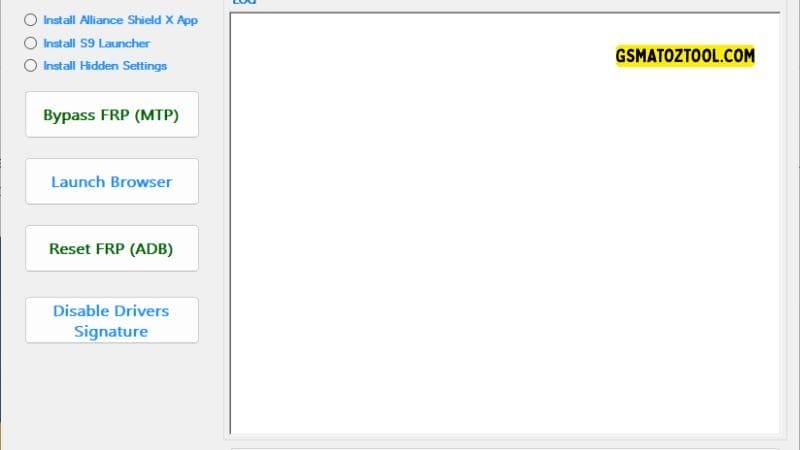
Samsungfrptool mtp bypass adb reset browser launch and driver signature disable
Using Bypass Frp (Mtp Mode) And Launch Browser Option
Bypass Frp (mtp Mode) Is Often The First Method You’ll Try On A Locked Samsung Frp Bypass Device. When The Phone Is Connected In Mtp Mode The Tool Attempts To Trigger Actions That Open A Browser Or Settings Page Even Though Frp Is Active. If It Works You Suddenly Have Room To Install Helper Apps Or Sign In Differently.
From There The Launch Browser Option Helps You Open Samsung Internet Or Chrome Directly. You Can Then Use Custom Url Option To Visit Specific Links That Download Frp Helper Apps Or Open Account Pages. This Gentle Approach Avoids Wiping Data Immediately And Often Solves The Problem In Just A Few Steps.
Reset Frp (Adb Mode) For Deeper Control
Sometimes Mtp-based Tricks Are Blocked By Newer Security Patches. In Those Cases Reset Frp (adb Mode) Comes Into Play Once Adb Access Is Enabled On The Device. With Adb Open The Tool Can Send Commands That Reset Frp-related Data Without Needing Heavy Flashing Tools.
This Method Is More Technical But Also More Flexible When It Works. You Keep Control From Your Pc And Can Repeat The Process As Long As The Device Responds Over Adb. For Many Technicians Adb-based Resets Are A Comfortable Middle Ground Between Soft Bypass Tricks And Full Factory Flashing.
Direct Frp Unlock (Android 9 / 10 / 11 / 12 Support)
Direct Frp Unlock (android 9 / 10 / 11 / 12 Support) Is The Strongest Feature In Samsungfrptool V1.6 For Many Newer Devices. On Supported Models It Tries To Clear The Frp Lock Directly Without Relying On External Apps Or Complicated Browser Flows. When It Succeeds You Land Straight Into A Clean Setup Screen Without The Old Google Account Prompt.
Because This Method Touches Deeper Security You Should Follow On-screen Instructions Carefully And Avoid Touching The Cable During The Process. Always Confirm That The Exact Android Version And Device Range Are Supported Before You Click. Used Correctly Direct Frp Unlock Can Save A Huge Amount Of Time On Modern Samsung Phones.
App-based Methods: Alliance Shield X S9 Launcher Hidden Settings
Not Every Device Responds To Direct Or Adb-based Methods So App-based Flows Are Still Very Useful. Samsungfrptool V1.6 Can Help You Install Alliance Shield X App Install S9 Launcher Or Install Hidden Settings As Part Of Guided Steps. These Apps Unlock Alternative Paths Into System Settings Account Pages And Device Info.
For Example A Launcher Like S9 Launcher Can Reveal A Full App Drawer And Settings Icon Even Under Frp. Hidden Settings Can Jump You Straight Into Wi‑fi Accounts Or Developer Menus That Are Usually Blocked. Alliance Shield X Adds Another Layer Of Control When You Need To Manage Permissions Or Apps More Deeply.
Basic Requirements And Driver Setup
Before You Start Make Sure Your Windows Pc Is Stable Updated And Free From Conflicting Frp Tools Running In The Background. Install The Latest Samsung Usb Drivers So Your Phone Connects In Both Mtp And Adb Modes Without Random Disconnects. A Good Quality Usb Cable And A Direct Motherboard Usb Port Are Always Better Than Cheap Hubs.
On Some Versions Of Windows You Might Need To Disable Drivers Signature To Allow Certain Drivers Or Helper Components To Install. Do This Only When Necessary And Restore Normal Settings Later For Security. Once Drivers Are In Place Samsungfrptool V1.6 Usually Detects Devices Quickly And Shows Connection Status In The Main Window.
Frequently Asked Questions (FAQs)
Is Samsungfrptool V1.6 Free To Use?
Yes Samsungfrptool V1.6 Is Generally Shared For Free On Trusted Gsm Forums And Repair Websites. Always Download From Reputable Sources To Avoid Modified Or Unsafe Versions.
Does Using This Tool Remove Data From The Phone?
Some Methods Especially Direct Frp Unlock Or Aggressive Reset Frp (adb Mode) Attempts Can Lead To Data Loss. Whenever Possible Explain This Risk To The Device Owner Before You Begin.
Do I Need To Disable Drivers Signature On Windows?
Not Always But Some Systems Require You To Disable Drivers Signature So Samsung Or Tool-related Drivers Install Correctly. If Devices Are Not Detected Or Drivers Keep Failing It’s One Of The First Things To Check.
Can Samsungfrptool V1.6 Unlock Every Samsung Model?
No Frp Tool Can Guarantee 100% Support For Every Model And Firmware. However This Tool Is Especially Strong On Many Devices Running Android 9 10 11 And 12 When Used With The Correct Method.
Is It Legal To Bypass Frp With This Software?
It’s Only Legal When You Work On Devices You Own Or Have Clear Permission To Service. Never Use Frp Tools On Stolen Found Or Suspicious Phones As That Can Be Illegal In Many Countries.
Conclusion
Samsungfrptool V1.6 Gives You A Structured Toolkit For Dealing With Stubborn Frp Locks On Samsung Devices. With Features Like Bypass Frp (mtp Mode) Launch Browser Option Reset Frp (adb Mode) Direct Frp Unlock (android 9 / 10 / 11 / 12 Support) Custom Url Option And Support For Helpful Apps It Turns Messy Bypass Attempts Into A Clear Workflow.
Use It Responsibly Always Verify Ownership And Start With The Least Risky Methods Before Moving To Deeper Ones. If You Stay Updated Keep Your Drivers Clean And Focus On Learning Which Method Suits Which Phone This Tool Can Become One Of The Most Valuable Parts Of Your Frp Repair Toolkit.
How To Download
To Download SamsungFRPTool Follow These Steps:
- Go To The Gsmatoztool.com Website Of Samsung FRP Tool.
- Find The Download Page And Click On The (Download Link).
- Below Buttons Are Advertisements. Please Use The Download Links Above.
- Wait For The Download To Complete.
- Locate The Downloaded File On Your Device Once The Download Is Finished.
- Double-click On The File To Start The Installation Process.
SamsungFrpTool V1.6
Download Link:: Usersdrive – Mediafire – 4shared – My.pcloud – DropBox – Mega – Vexfile – Google Drive