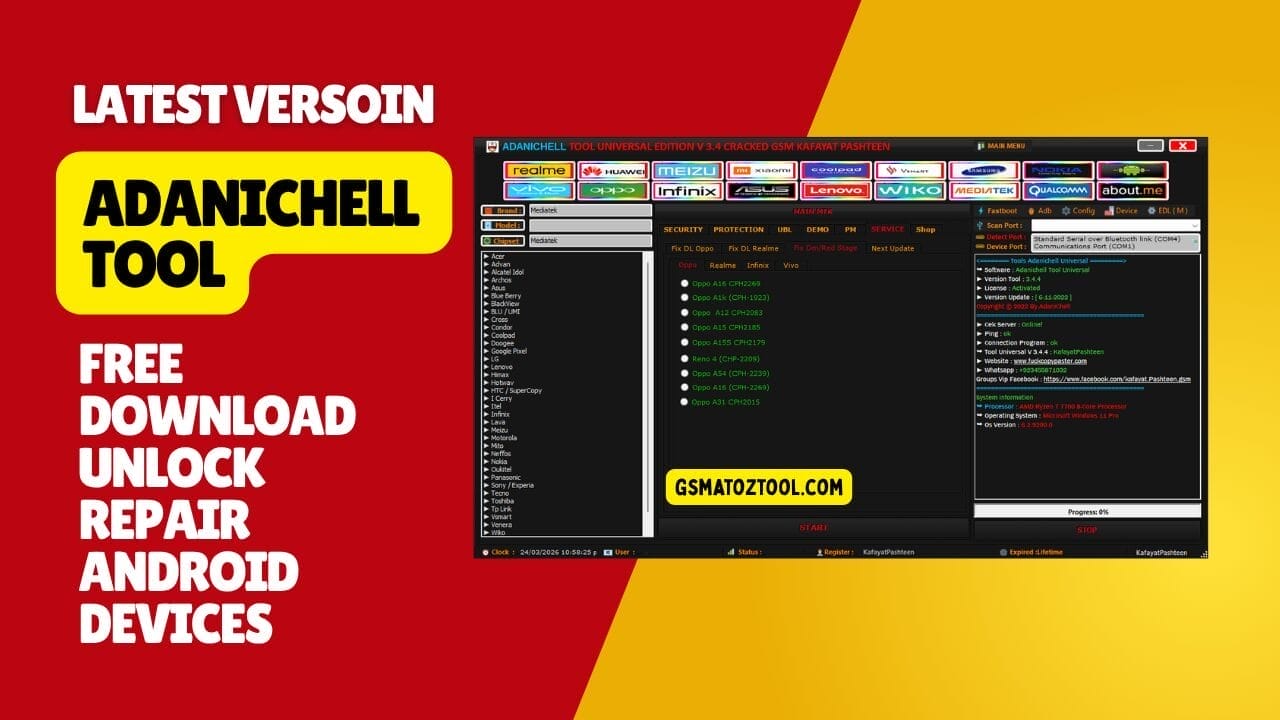
Adanichell tool free download to unlock android devices and fix dead phones instantly.
Every Repair Guy Knows The Massive Headache Of Staring At A Bricked Phone On The Bench. You Waste Hours Juggling Broken Software Just To Run A Basic Frp Bypass On A Samsung. Dealing With A Stubborn Mi Account Lock Completely Drains Your Daily Shop Profit. We Honestly Just Need One Reliable Utility To Handle These Dead Phones Fast.
This Guide Breaks Down Exactly Why You Need To Set Up The Adanichell Tool Today. I Will Show You How This Specific Software Easily Handles A Safe Format Or A Tricky Unlock Bootloader Job. It Fixes Deep System Errors On Oppo And Realme Devices Without Stressing You Out. Keep Reading To See How This Single Program Speeds Up Your Messy Repair Desk.
What Is The Adanichell Tool
Think Of This Manager As Your Main Daily Driver For Complex Software Repairs. It Fires Off A Safe Format [ Misc ] Or A Boot Info Gpt Command Instantly. You Never Need To Hunt For Weird Standalone Files To Execute An Erase [ Userdata + Erase Frp ] Job. The Built-in Special Mtk Universal Module Sets Up Everything Your Computer Actually Needs Automatically. You Can Even Run A Format Userdata / Fix Recovery Command Safely.
New Technicians Always Break Things By Typing Manual Fastboot Codes Wrong. This Software Puts Everything Into Clean Tabs So You Never Mess Up A Repair. You Can Jump Into The Interface To Run A Remove Demo [ Oppo ] Or Hit Remove Demo [ Vivo ] Securely. Using This Exact Dashboard Stops Random Pc Freezes While You Flash Firmware. I Keep This Control Center Permanently Pinned To My Taskbar Every Single Day.
Also Read
Download The The Adanichell Tool Latest Versoin
You Absolutely Must Grab The Newest Setup File To Beat Modern Security Patches. You Should Always Use A Clean Software Download Link To Avoid Shop Computer Viruses. Most Technicians Search Trusted Gsm Forums To Find A Safe Mirror File. Guys Are Always Looking For The Newest Update Because It Handles Heavy Samsung Flashing Perfectly. A Clean Installer File Makes Sure Your Repair Jobs Finish Up Fast.
The Developers Push Out Small Updates Regularly To Keep Your Hardware Authenticated Securely. You Can Easily Select Your Port (with “scan” Button) To Check Your Connection Status Instantly. Some Beginners Look For A Cracked Version But The Official Release Works Perfectly. Getting The Newest Exploit Files Ensures You Can Bypass Auth Safely. Downloading This Utility Today Saves You Hours Of Frustrating Bench Work.
Fixing Oppo And Realme Dl Errors
Fixing A Hard-bricked Mtk Device Requires Emergency Modes To Push Raw Firmware. The Software Includes A Dedicated Service Section To Handle A Fix Dl Oppo Error Quickly. You Can Easily Fix Specific Models Like The Oppo A1k (cph-1923) Or The Realme C2 (rmx-1941) Without Issues. The Interface Even Lets You Run A Fix Dm/red Stage Command To Revive Completely Dead Screens. You Finally Get The Raw Power To Write All Partitions On Dead Devices Securely.
Mtp Mode And Special Mi
Modern Security Locks Force You To Use Advanced Bypass Methods To Avoid Dead Motherboards. You Can Use The Mtp All Mode Section To Execute A Quick Mtp Frp Bypass Over A Standard Usb Cable. The Special Mi Tab Lets You Tackle A Bypass Mi Account + Frp Job Or Use The Micloud Bypass New Methode Easily. You Can Even Select The Fix Sensor/erase Mi Account Manual Option To Prevent Random Sensor Bugs. These Specific Diagnostic Tools Honestly Prevent Massive Headaches For Any Repair Shop.
Feature Adanichell Tool:
Security
- Erase Userdata
- Safe Format [ Para ]
- Safe Format [ Misc ]
- Bypass Auth
- Boot To Meta Mode
- Boot Info Gpt
- Reset Phone Normal
- Factory Reset [ Meta Mode ]
- Erase [ Userdata + Erase Frp ]
- Format Userdata / Fix Recovery
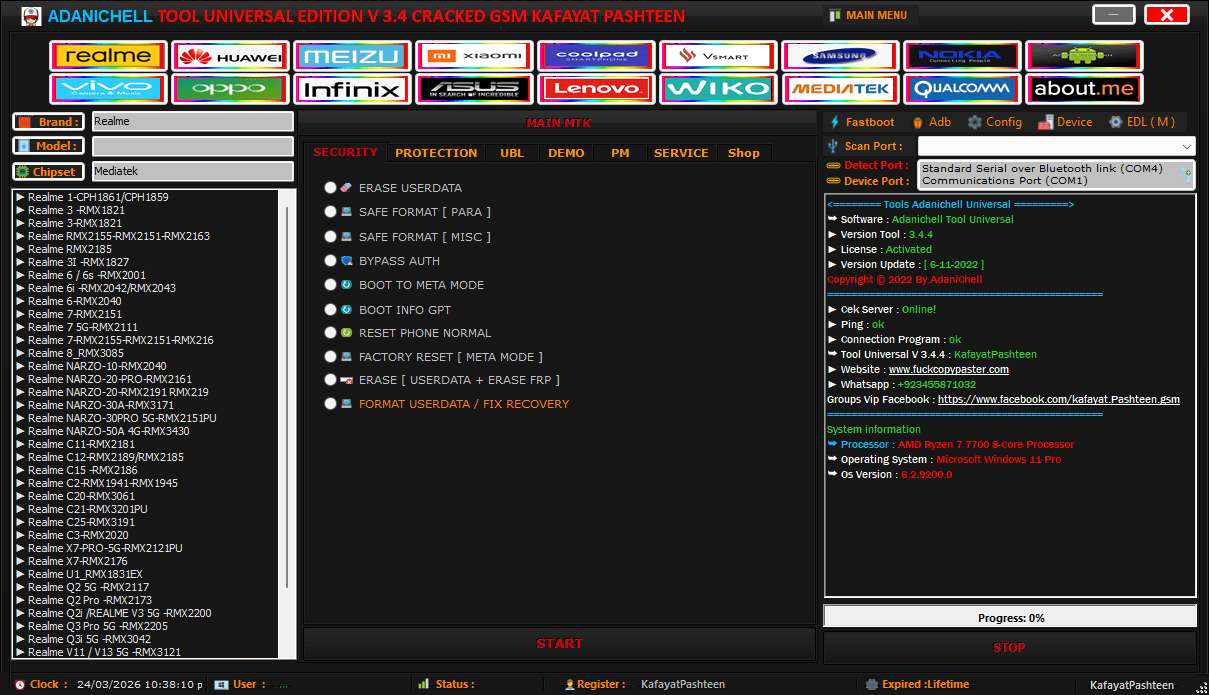
Adanichell tool provides powerful solutions for unlocking flashing and repairing android devices easily.
Protection
- Remove Account Frp 1
- Remove Account Frp 2
- Remove Account Frp Samsung
- Erase Mi Account Old 1
- Erase Mi Account Old 2
- Remove Mi Account [ Tam ] 1
- Remove Mi Account [ Tam ] 2
- Read Persist.img
- Write Persist.img
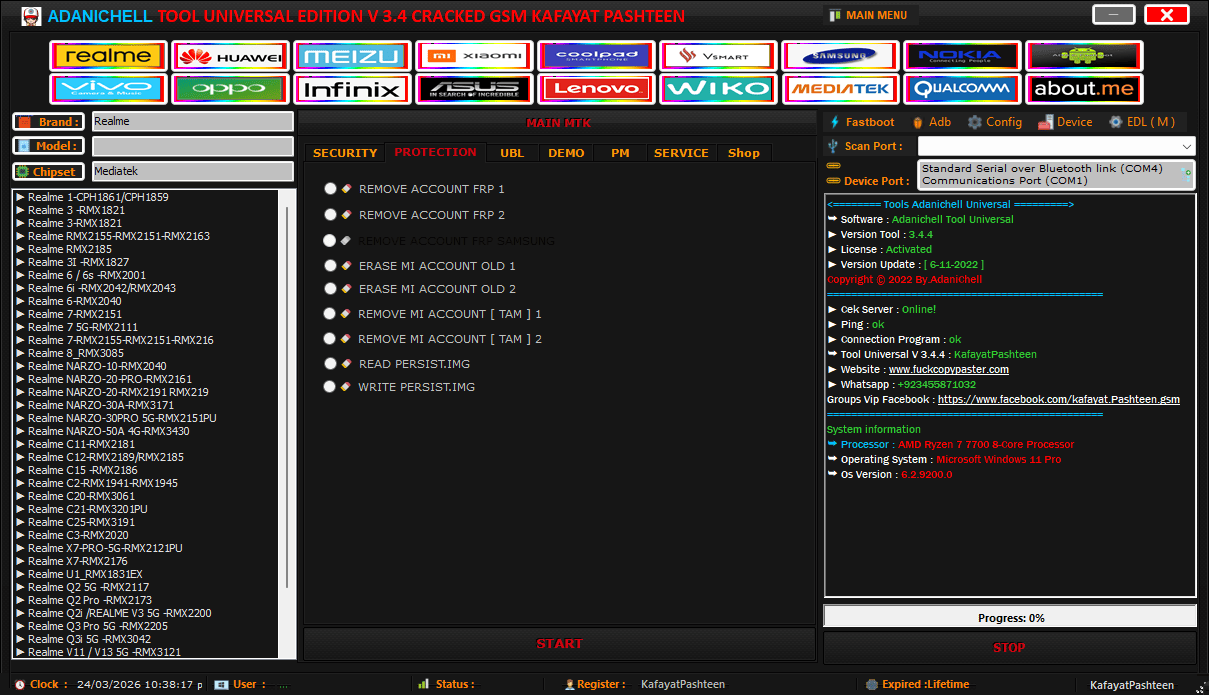
Adanichell tool universal edition v3. 4 interface with mtk support bootloader unlock and device management
Ubl
- Unlock Bootloader
- Relock Bootloader
- Permanently Unlock
Unlock Bootloader Permanently:
- Boot Stage
- Boot Stage2
- Boot Stage2 Reboot
- Unlock Bootloader
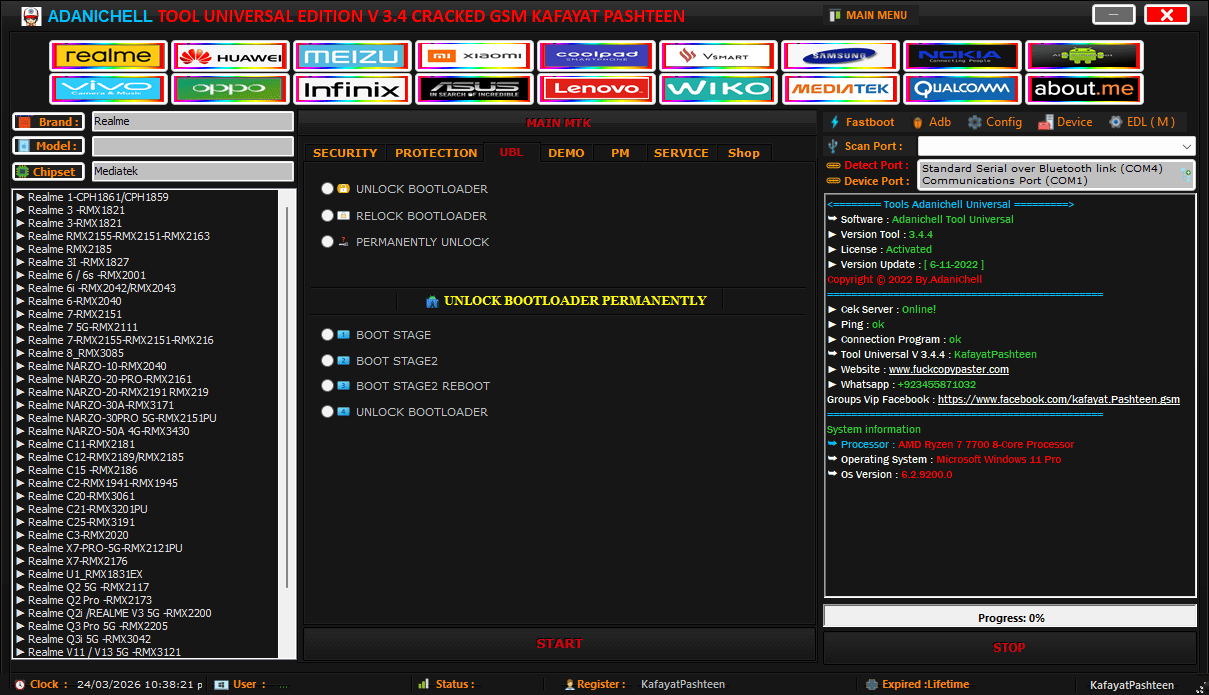
Adanichell tool v3. 4 dashboard with mtk functions bootloader unlock and multi-brand android support.
Demo
- Remove Demo [ Oppo ]
- Remove Demo [ Vivo ]
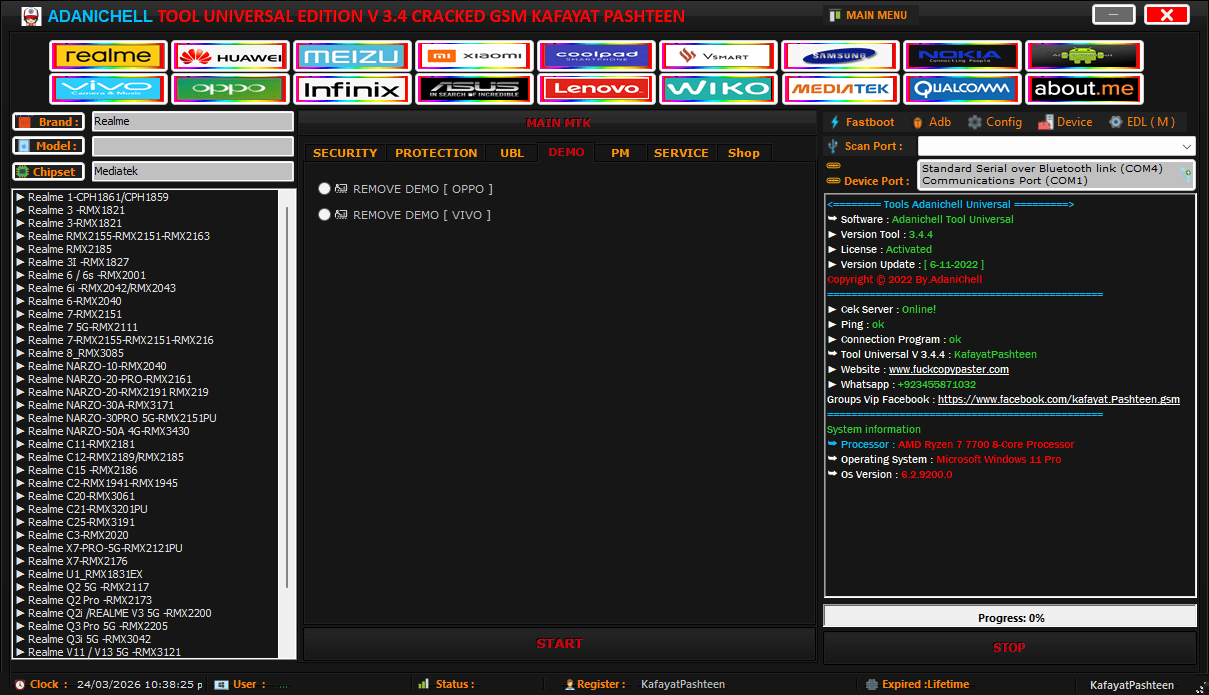
The adanichell tool interface lets you pick specific phone models to run a quick remove demo command securely.
Pm
- Write All Partitions
- Erase All Partitions
- Read All Partitions
- Generate Key Rpmb
- Erase Nv [ Vnram ]
- Read Nv ( Oppo Realme Vivo )
- Read Dump Preloader
- Special Mtk Universal
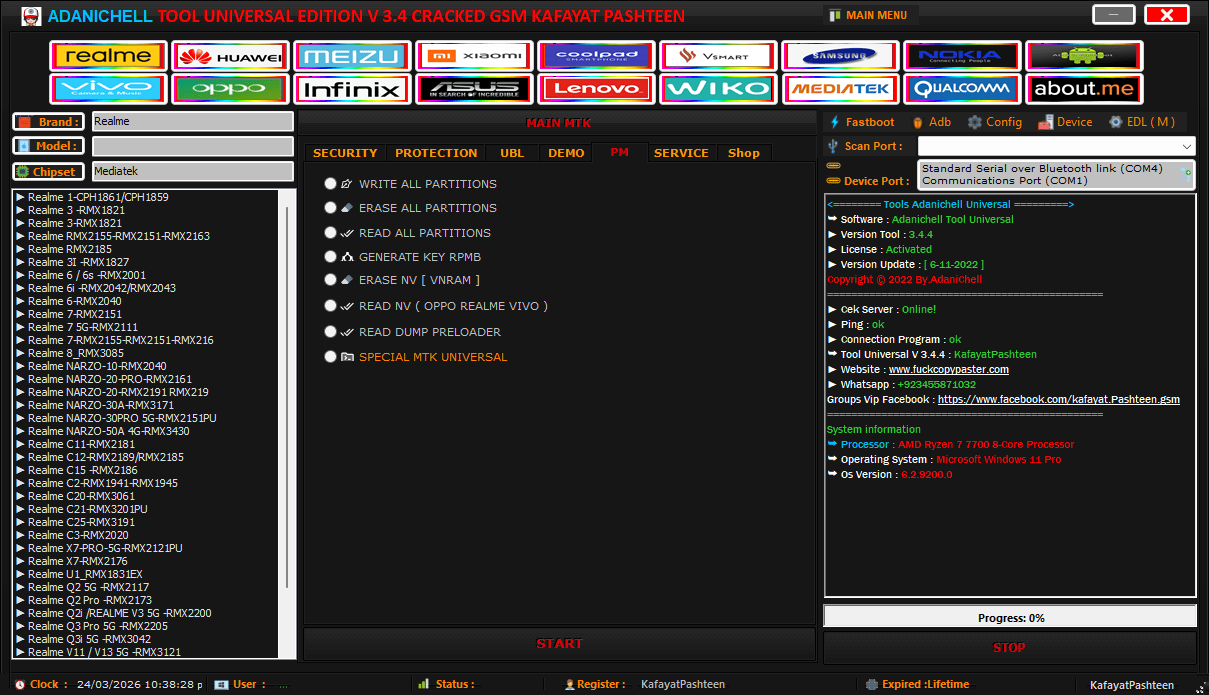
The main interface lets you select specific phone models to run a quick remove demo command securely.
Service
Fix DL Oppo
- Oppo A1k (cph-1923)
- Oppo A12 (cph-2083)
- Oppo A5s (cph-1909)
- Oppo A16 (cph-2269)
- Oppo A15 (cph-2185)
- Oppo A15s (cph-2179)
- Oppo A54 (cph-2239)
- Reno 4 (chp-2209)
- Oppo F1s A1601
- Oppo F9 (chp-1823) Test Point
- Oppo A16 Cph2269
- Oppo A31 Cph2015
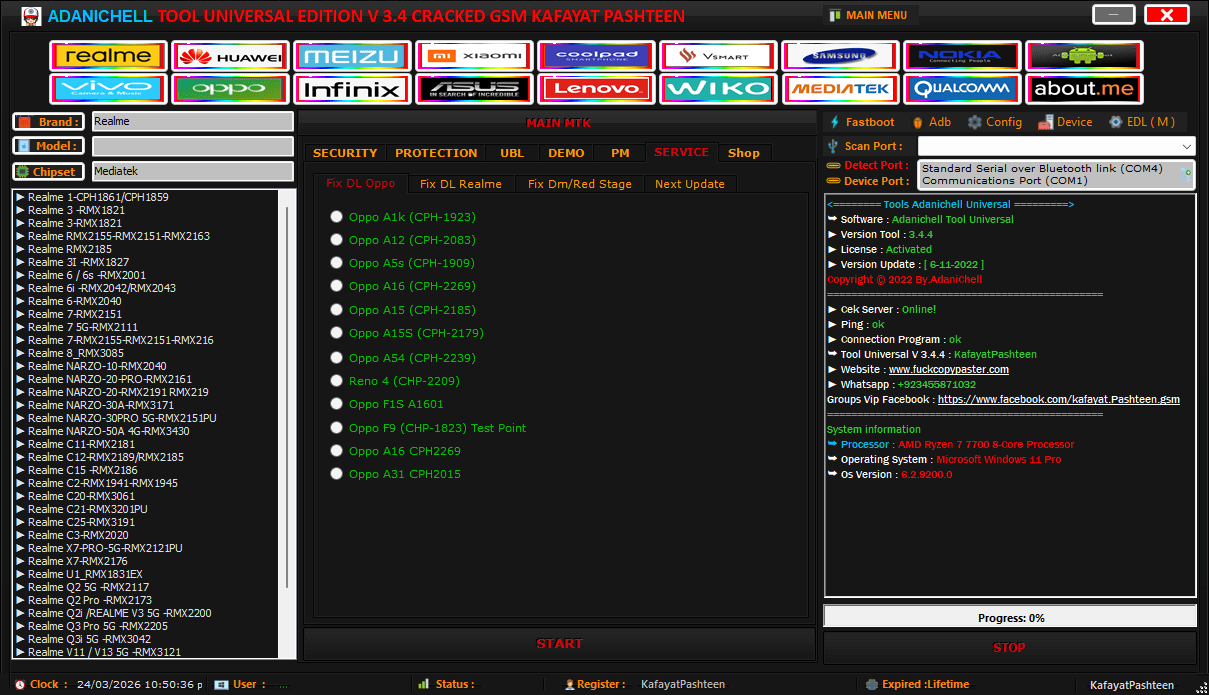
The dedicated service tab allows technicians to fix dl errors on various oppo and realme devices quickly.
Fix DL Realme
- Realme C2 (rmx-1941)
- Realme C25s (rmx-3195)
- Realme 6 (rmx-2001)
- Realme C12 (rmx-2189)
- Realme 3 (rmx-1821)
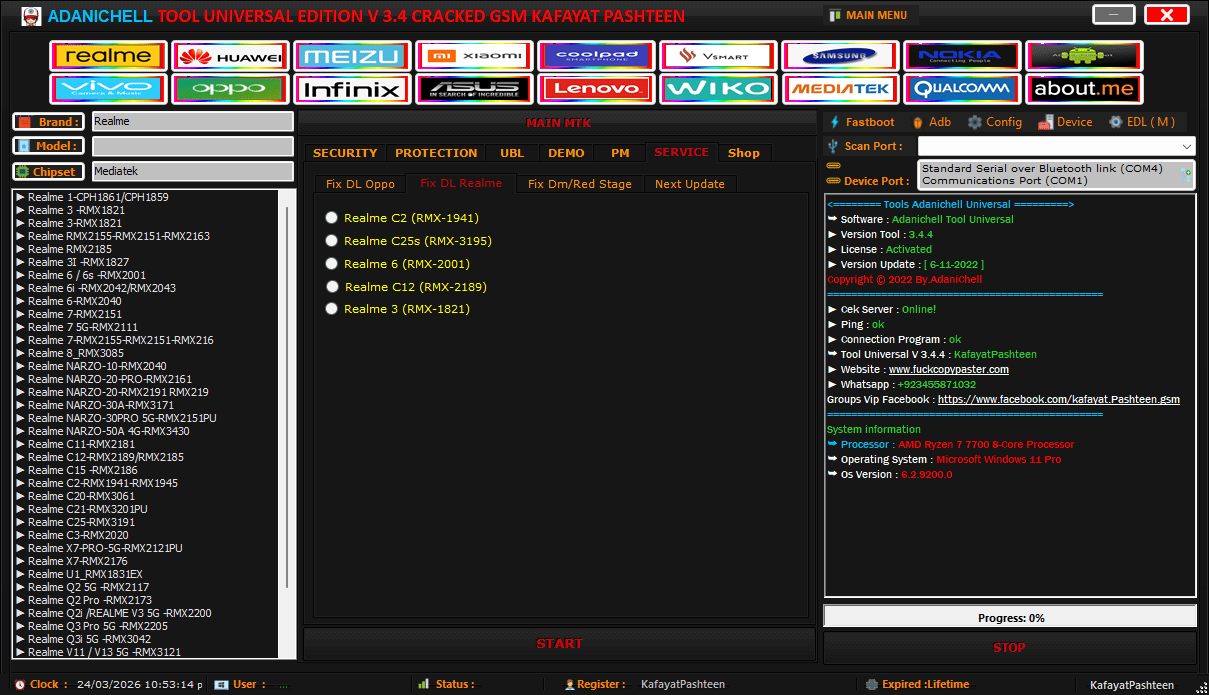
The service tab provides quick options to fix dl errors on popular realme smartphones without heavy flashing.
Fix Dm/Red Stage
- Oppo
- Realme
- Infinix
- Vivo
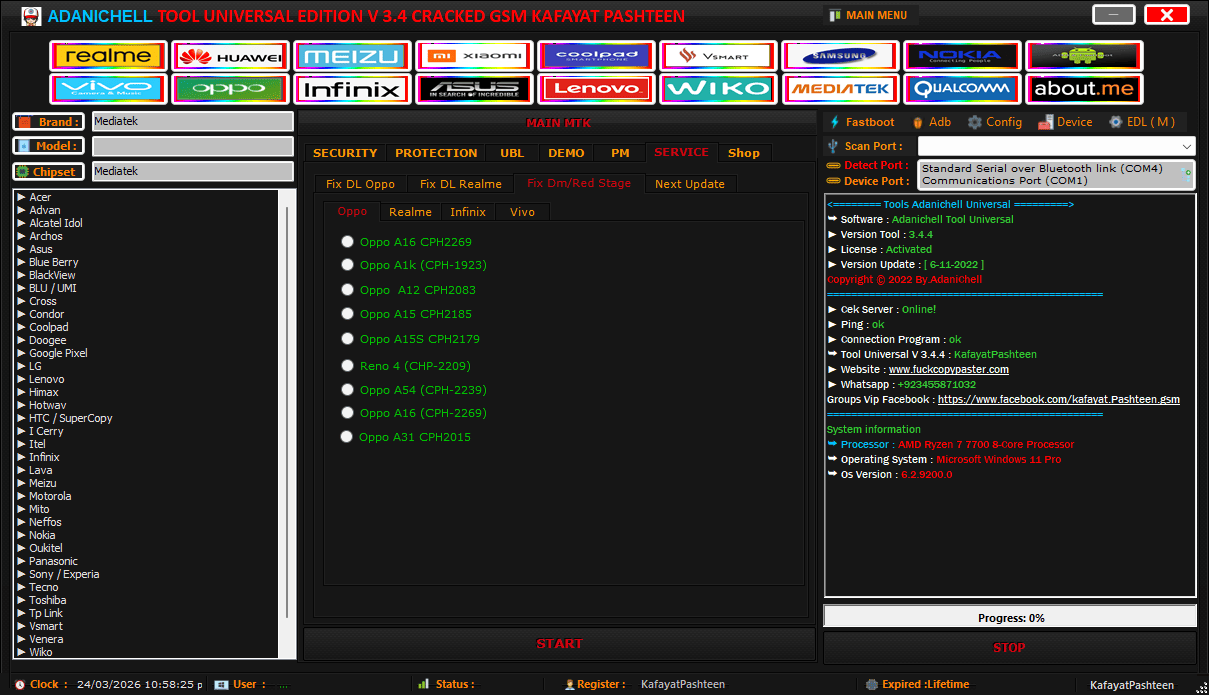
Use the fix dm red stage menu to repair dead oppo displays without losing your customer data.
Qualcomm
- Samsung
- Qualcomm
- Fastboot
- Flash Qualcomm
- Pm
- Write
Samsung
- Port (with “Scan” Button)
- Firehose (File Selection)
- Manual (Checkbox)
- Model (with “Erase Frp” Button)
- Download Mode (Section):
- Exynos (Dropdown)
- Qcomm (Dropdown)
- Erase Frp (Button)
- Mtp Samsung
- Mtp Xiaomi
- Mtp Vivo
- Mtp Oppo\realme
- Mtp All Mode
- Option (dropdown)
- Auto (checkbox)
- Enter Download Mode
- Exit Download Mode
- Mtp Frp Bypass
- Mtp Factory Reset
Qualcomm
- Oppo
- Vivo
- Lenovo
- Wiko
- Xiaomi
- Asus
- Special Mi
Option
- Format Userdata
- Safe Format (misc)
- Safe Format (misc + Erase Frp)
- Erase Userdata
- Erase Persist
- Read Persist
- Remove Frp 1
- Remove Frp 2
- Bypass Mi Account
- Bypass Mi Account + Frp
- Radio Button Options (right Column):
- Fix Sensor/erase Mi Account Manual
- Micloud Bypass New Methode
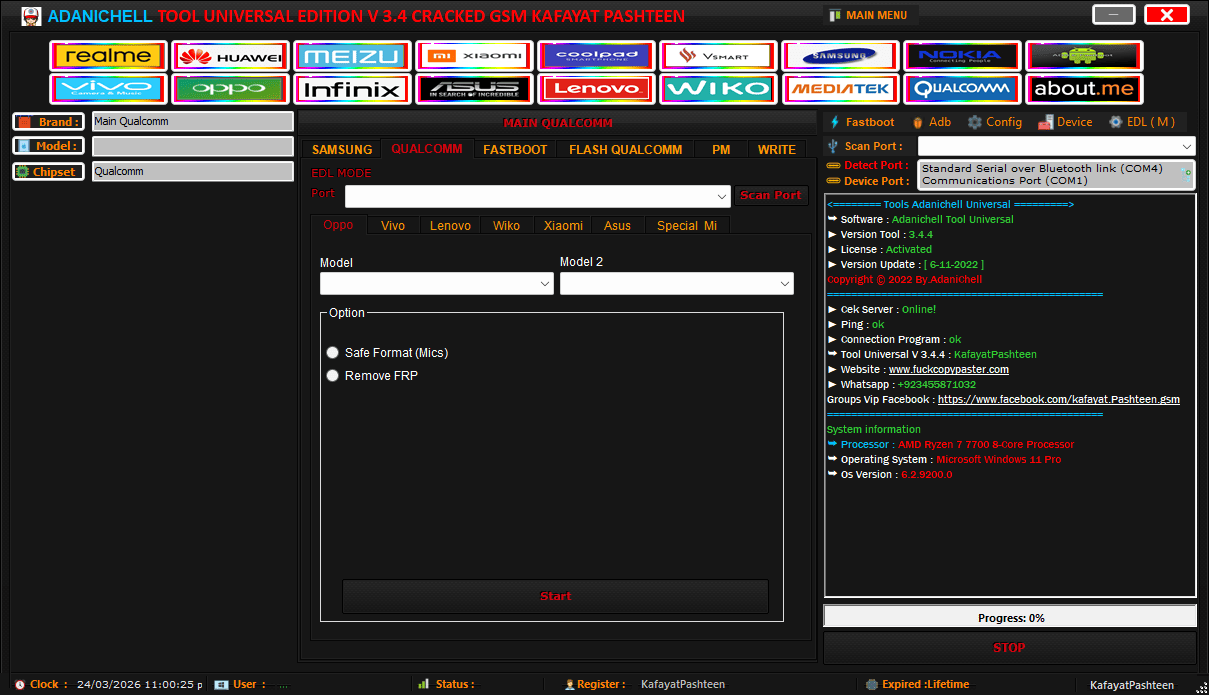
The qualcomm edl menu allows technicians to run a safe format or remove frp locks instantly.
Permanently Unlock Bootloaders And Fix Sensor Bugs
Customers Always Want Custom Roms Installed On Their New Devices. You Can Use The Ubl Section To Execute An Unlock Bootloader Permanently Command Safely. The Software Handles The Tricky Boot Stage2 Reboot Sequence Automatically So You Never Hard-brick The Phone. You Can Finally Skip Those Messy Command Prompt Tutorials.
Sometimes A Device Boots Up Perfectly Fine But The Wifi Or Rotation Sensors Stay Completely Dead. You Can Quickly Read Persist.img To Back Up The Raw Calibration Data First. The Tool Then Lets You Write Persist.img Or Run A Full Erase Persist To Fix Those Annoying Hardware Bugs. This Specific Feature Saves You From Replacing Expensive Motherboard Components.
Backup Raw Partitions And Repair Nvram Data
Flashing Unknown Firmware On A Dead Mediatek Device Is Incredibly Risky For Any Technician. You Should Always Read Dump Preloader Before You Attempt Any Deep System Wipes. The Adanichell Tool Allows You To Read All Partitions Straight To Your Hard Drive Securely. You Can Then Confidently Write All Partitions Back If The New Firmware Causes A Bootloop.
Corrupted Imei Numbers Usually Ruin A Perfectly Good Screen Replacement Job. You Can Easily Read Nv ( Oppo Realme Vivo ) To Secure The Original Radio Files. The Software Even Lets You Run An Erase Nv [ Vnram ] Command To Wipe Out Corrupted Baseband Data Completely. Guys Also Use The Generate Key Rpmb Function To Handle Advanced Security Repairs Without Buying Premium Dongles.
Flash Qualcomm Devices And Exynos Chips
Dealing With Stubborn Samsung Processors Usually Requires Heavy Factory Files. You Can Open The Download Mode (section) And Select The Specific Exynos (dropdown) Or Qcomm (dropdown) For Your Exact Model. The Flash Qualcomm Tab Even Lets You Use Manual Firehose (file Selection) To Push Raw Firmware Directly To The Motherboard. You Honestly Get Total Control Over Every Single Chip Type On Your Bench.
Frequently Asked Questions (FAQs)
What Is The Adanichell Tool Used For?
It Is A Massive All-in-one Repair Program For Your Daily Bench Work. Shop Guys Use It To Fix Dead Phones Or Wipe Stubborn Frp Locks Without Paying Any Unlock Fees.
Is Adanichell Tool Completely Free?
Yes The Official Setup File Is Totally Free For Anyone To Download Right Now. You Do Not Need To Buy Any Weird Server Credits To Use The Main Bypass Features.
How Do I Fix A Dead Oppo With This Software?
Just Open The Service Tab And Pick The Exact Fix Dl Oppo Button For Your Phone Model. Plug The Bricked Device Into Your Pc And Let The Tool Push The Raw Firmware Automatically.
Can This Tool Bypass A Locked Mi Account?
Yes The Dashboard Includes A Special Mi Section Just For Those Annoying Locked Accounts. You Can Run A Quick Micloud Bypass New Methode To Get The Phone Working For Your Customer Fast.
Can I Safe Format A Phone Without Losing Pictures?
The Software Has A Specific Safe Format Button That Wipes The Security Lock Without Touching Personal Files. It Really Saves You When A Customer Begs You To Keep Their Photos Safe Before A Flash.
Conclusion
Dealing With Broken Drivers And Buggy Flashing Hardware Wastes Too Much Shop Time. The Adanichell Tool Provides Exactly What You Need To Fix Tough Software Locks. You Get A Clean Interface And Instant Driver Updates Without Pulling Your Hair Out. Stop Wasting Time On Fake Youtube Tutorials That Never Actually Fix The Device. Set This Manager Up On Your Pc Today And Your Unlocking Jobs Will Run Incredibly Smooth.
How To Download
To Download Adanichell Tool Follow These Steps:
- Go To The Gsmatoztool.com Website Of Adanichell Tool.
- Find The Download Page And Don’t Click Button And Click Only The (Download Link)
- Below Buttons Are Advertisements. Please Use The Download Links Above.
- Wait For The Download To Complete.
- Locate The Downloaded File On Your Device Once The Download Is Finished.
- Double-click On The File To Start The Installation Process.
- Follow The On-screen Instructions To Complete The Installation.
Adanichell Tool
Download Link:: Usersdrive – Mediafire – 4shared – My.pcloud – DropBox – Mega – Vexfile – Google Drive – Drive Proton